Shape Monster Maker
125.4K playsBuild a silly monster out of shapes! Pick circles, squares, triangles and stars, then add googly eyes, fangs, horns, wiggly arms, legs, wings and spots. Drag every part into place, make it bigger or smaller, turn it, flip it and paint it any color. Each monster order asks for something different, like a triangle body with 3 eyes and blue spots, and big kids solve tricky orders such as twice as many horns as eyes. When the order is done, your monster dances and says something funny, then moves into your gallery.
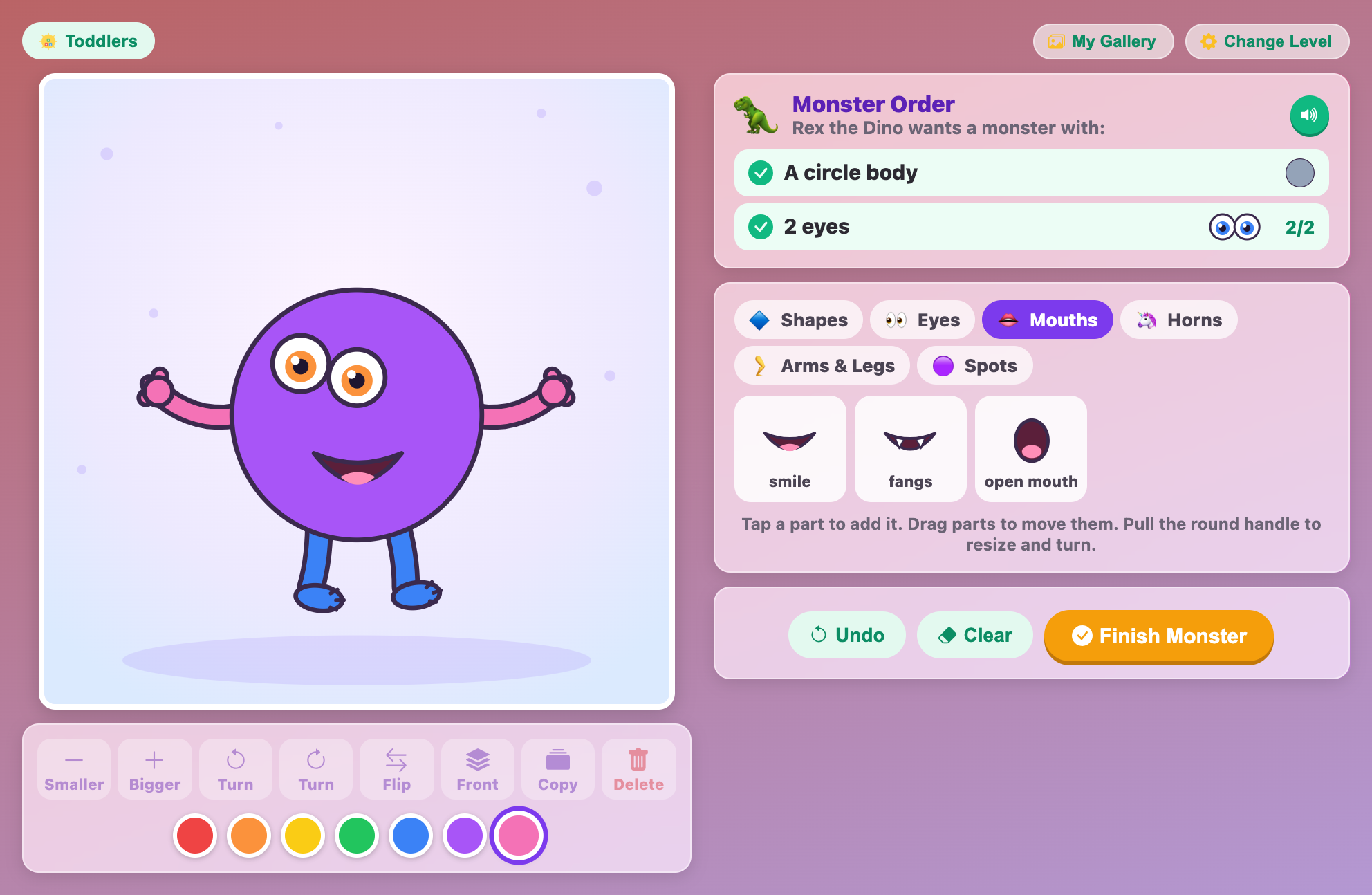
"Rex the Dino wants a monster with: a circle body. 2 eyes." That is a real order card from Shape Monster Maker, and you are the monster builder who fills it. Shape Monster Maker for kids is a free art game you play right in your browser. You build a silly monster out of circles, squares, triangles and stars, then add eyes, mouths, horns, arms, legs, wings and spots until it matches the order.
Every order comes from a funny customer, like Wanda the Witch, Zib from Mars or Prince Pickle. Little kids get orders with just two things on them. Big kids get tricky number puzzles, such as "twice as many horns as eyes". When your monster is done, it does a happy dance, tells you its name and says something silly. Then it moves into your own monster gallery. There is nothing to download and no sign-up, and it works with a mouse or with your finger on a phone or tablet.
👾 Monsters Made to Order
Think of yourself as a monster shop. A customer walks in with a list, and your job is to build a monster that has everything on that list. The list is called the order, and each line on it is a goal. A goal might be "A triangle body", "3 eyes" or "Blue spots".
The fun part is that you build everything from simple shapes. A big star can be a body. A half circle on top can be a head. Stick on five eyes, some wiggly arms and two blue legs, and suddenly a plain star is a goofy monster with a name like Flooert.
While you play, the game checks your monster all the time. Each goal in the order gets a green tick the moment it is done. If you have too many of something, a red cross shows up instead. Counting goals also show a little number, like "2/3", so you always know how many more you need.
Every part is drawn by the game itself, so there are no pictures to load and nothing to wait for. And every order is tested by the game before you see it, so each one can really be finished. You will never get an order that is impossible.
🛠️ Building Your First Monster, Step by Step
Pick your level. The first time you play, the game starts you on Elementary. Tap Change Level at the top to choose Toddlers, Preschool, Elementary or Tweens. The game remembers your choice next time.
Read the Monster Order. The order card shows the customer and their list of goals, each with a tiny picture of what they want. Tap the green 🔊 button and the order is read out loud.
Tap a shape to start. The tray has tabs: Shapes, Eyes, Mouths, Horns, Arms & Legs and Spots. Tap a shape in the Shapes tab and it lands in the middle of the stage as a big body. Any shape you add after that lands on top, ready to be a head.
Add parts with one tap. Tap an eye, a mouth or a horn and the game puts it in a smart spot for you. Eyes go near the top of the head, mouths go lower down, legs go underneath, arms go on the sides, and horns and antennae (the wiggly feelers bugs have) go along the top.
Drag to move. Press on any part and slide it where you want it. The part you touched gets a dashed ring around it, which means it is selected (picked).
Pull the round handle. The selected part has a little round handle on its ring. Pull it away to make the part bigger, push it in to make it smaller, and swing it around to turn it.
Use the tool row. Under the stage are buttons for Smaller, Bigger, Turn (left or right, a small step at a time), Flip, Front, Copy and Delete. Flip works on parts, not on shapes. Front brings a part in front of others like it.
Paint with the color dots. Tap a color dot to paint the selected part. That color is also used for the next parts you add. Mouths and googly eyes keep their own colors.
Fix mistakes. Undo takes back your last change, again and again. Clear wipes the whole stage, and Undo even brings that back.
Tap Finish Monster. If a goal is still missing, the game tells you what it is, and the button changes to Send it anyway. Tap it again only if you really want to send the monster as it is.
Watch it dance! Your monster bounces, waves its arms, wags its tail and blinks. A speech bubble shows its name and a silly line. Then a result card shows your score out of 100, your ⭐ stars and your best score at this level.
Get a new order. The big green New Order button fills up over 5 seconds and starts the next order by itself. Tap it to go right away, or tap My Gallery to look at the monsters you have made.
Above the game you will also find buttons for full screen, music and reload. If you leave the page and come back, your half-built monster is still waiting for you. The reload button is different: it starts over with a fresh order.
On a computer, you can also use keys. The arrow keys nudge the selected part (hold Shift for bigger jumps). Use + and - to resize, [ and ] to turn, F to flip, C to copy and Delete to remove a part. Escape lets go of the selected part, and Ctrl+Z (Cmd+Z on a Mac) is Undo.
🔍 How the Game Decides What Counts
Knowing the game's rules is the secret to filling every order on the first try. Here they are in plain words.
The biggest shape is the body
The game does not care which shape you added first. It looks for the biggest shape, and that one is the body. So if the order says "A star body", the star must be bigger than every other shape. If two shapes are exactly the same size, the one you added first wins. When the body switches, the game tells you, for example: "Now the triangle is the biggest shape, so it's the body!"
Shapes must touch to join the monster
A shape is part of your monster only if it touches the body, or touches another shape that touches the body, like a chain. A shape sitting all alone on the stage is floating, and it does not count for anything.
Eyes, mouths, noses and spots need their middle on the monster
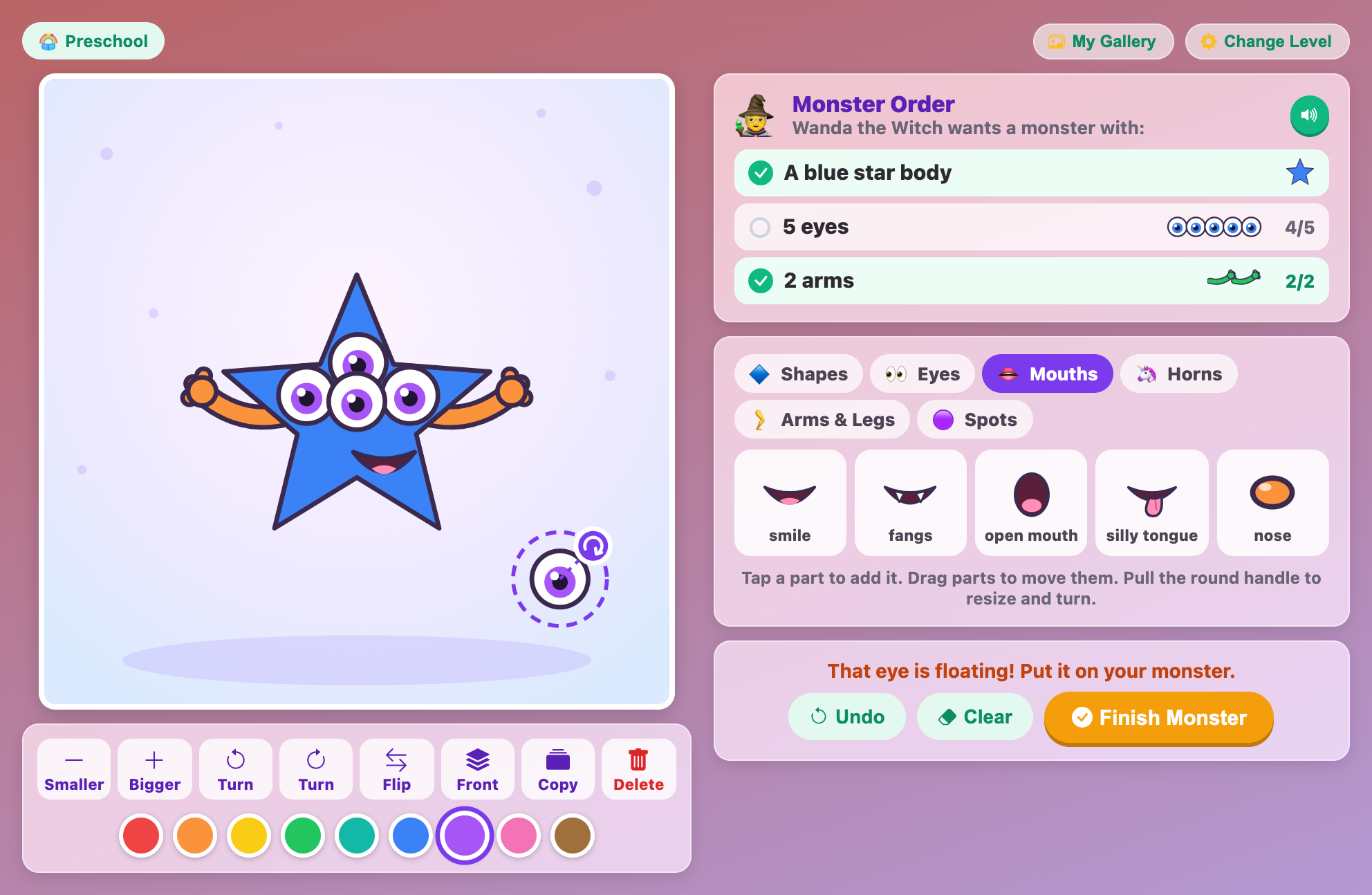
An eye counts when its center sits on one of your monster's shapes. If you drag an eye off into the air, the game says "That eye is floating! Put it on your monster." and your eye count goes down by one.
Horns, arms, legs, wings and tails must stick out
These parts are joined at one end, called the base. They count when their base touches the monster and their tip can be seen. If a horn slides all the way behind the body, the game says "The horn is hiding behind the body. Pull it out so it shows!" A hiding horn does not count.
A head sits on top
A head is a shape that touches the body, is smaller than the body, and sits clearly above the middle of the body. A shape stuck to the side of the body is not a head, even if it is the right shape.
Warm and cool colors
In this game, red, orange and yellow are warm colors, like fire and sunshine. Green, teal and blue are cool colors, like grass and water. Purple, pink, brown and gray are neither one.
🏆 Monster Maker Secrets for a Perfect 100
Where your points come from
Each finished monster scores up to 100 points. Up to 75 points come from the order: they are shared out between the goals, so in a 3-goal order each goal is worth 25. The other 25 points are a bonus: you get 5 points for every different kind of shape or part on your monster, up to 5 kinds. Your stars come from the score: 90 or more is ⭐⭐⭐, 70 or more is ⭐⭐, and 40 or more is ⭐.
Here is a surprise. If you fill the whole order but your monster has only 2 kinds of things, you get 75 + 10 = 85 points. That is just 2 stars! Add one more kind of part, like a smile, and you reach 90 and 3 stars.
Secret 1: pick the color first, then the shape
New parts come out in the color that is chosen in the color row. So if the order says "A yellow star body", tap the yellow dot first and then tap the star. It lands yellow, and the goal ticks right away. This saves you from painting it later.
Secret 2: keep the body the biggest
When you make a head bigger with the handle, watch out. If the head grows bigger than the body, it becomes the new body, and your body goal can lose its tick. Keep your head shape small and the body shape big, and the game always knows which is which.
Secret 3: count exactly
"3 eyes" means exactly 3, not 4. If you add one too many, the green tick turns into a red cross. Watch the little number next to the goal. When it says "3/3", stop adding that part. Spots are the one gentle goal: "Red spots" without a number just means 2 or more red spots.
Secret 4: mix your eyes for bonus points
The bonus counts kinds of parts. A plain eye and a googly eye are two different kinds, but they are both eyes. So for an order like "2 eyes", use one plain eye and one googly eye. The eye goal still ticks, and you earn two bonus kinds instead of one. Easy bonus kinds to add are a mouth, a nose, arms and legs, as long as the order does not ask for an exact number of them.
Secret 5: one turn tap is enough
For the goal "Turn one shape so it tilts", pick any shape that is not a circle and tap a Turn button once. One tap turns it a little bit, and that is already enough to count. A circle never counts, because a turned circle looks exactly the same. And don't turn a square all the way around a quarter turn, because then it looks upright again and stops counting.
Secret 6: drag parts out from behind
Horns, arms and legs are drawn behind your shapes, so a big body can hide them. If a horn goal won't tick, select the horn and drag it up a little until its pointy tip pokes out. Spots always sit on top of the shapes, and eyes and mouths sit on top of everything, so you never lose those behind the body.
Secret 7: watch out for spot colors
If you add a spot that is the same color as the shape under it, the game gives the spot a different color, so it doesn't disappear. That is kind, but it can trick you. If the order wants "Red spots", don't paint your body red. Pick a body color that is different from the spot color.
Secret 8: send it anyway only when you're stuck
Tapping Finish with a goal missing gives you a hint, like "You have 2 eyes. The order says 3." Read it, fix it, and then tap Finish. If you really can't do it, Send it anyway still gives you points for every goal you did meet. In a 3-goal order with 2 goals done and 5 kinds of parts, that is 50 + 25 = 75 points and 2 stars.
🧾 Real Orders, Solved One Tap at a Time
Toddlers: "A circle body. 2 eyes."
Tap a color you like, then tap the circle. It becomes a big round body, and the first goal ticks.
Open the Eyes tab and tap the eye twice. Both eyes land on the top half of the circle. "2/2", tick!
The order is done, but that is only 2 kinds of things. Add a smile from the Mouths tab, arms and legs from the Arms & Legs tab, and you have 5 kinds for a perfect 100.
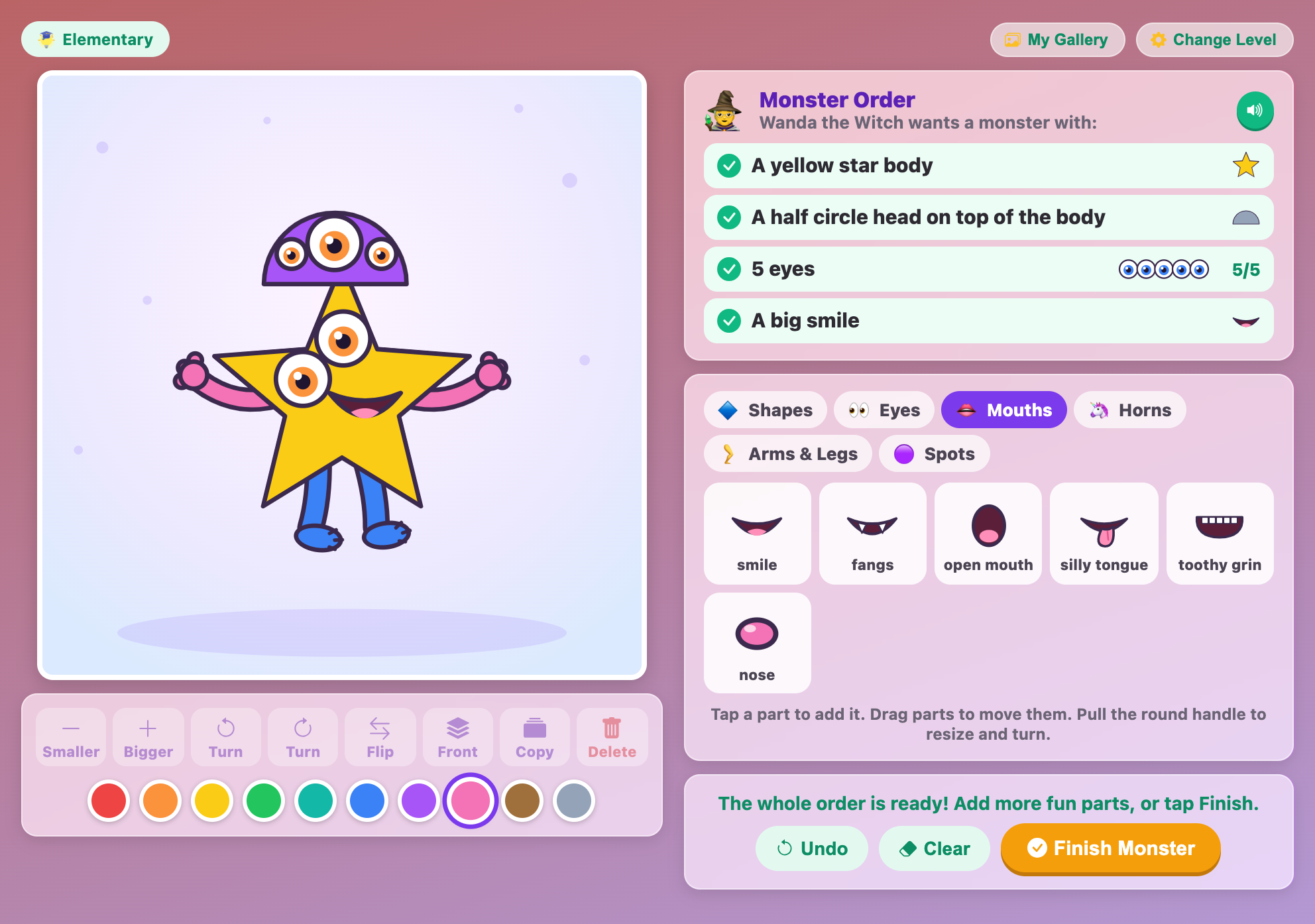
Elementary: "A yellow star body. A half circle head on top of the body. 5 eyes. A big smile."
Tap yellow, then the star. Now there is a big yellow star body.
Tap purple, then the half circle. It lands on top of the star, smaller than the body, so it counts as a head.
Tap the eye 5 times. The first eyes go on the head. When the head is full, the rest move down onto the body. They all count, because they are all on the monster.
Add the smile, then arms and legs. That is 4 of 4 goals and 6 kinds of things, so the score is 100.
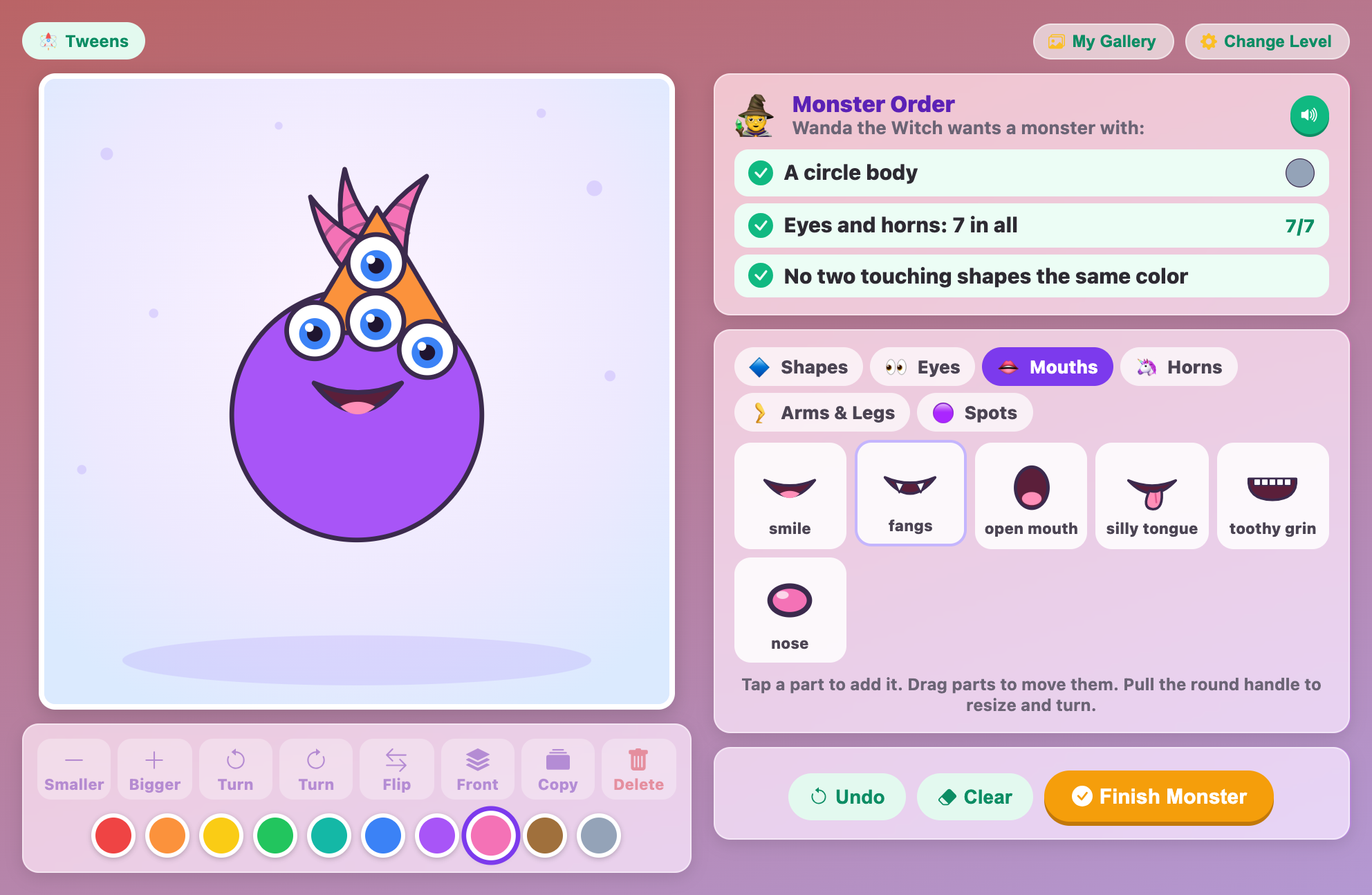
Tweens: "Eyes and horns: 7 in all"
This is a number puzzle. You need at least one eye and at least one horn, and together they must make exactly 7. So 4 eyes + 3 horns works. So does 2 eyes + 5 horns. Pick a split that fits on your monster's head, add the parts, and check that the goal says "7/7".
Tweens: "Twice as many horns as eyes"
"Twice as many" means double. The smallest answer is 1 eye and 2 horns, a cute one-eyed monster. 2 eyes and 4 horns works too. Zero eyes and zero horns does not count, because you need at least one eye.
Tweens: "No two touching shapes the same color"
This rule needs at least two shapes on your monster. Make the body one color and the head another, like a purple body with an orange head. If you add more shapes, check each pair that touches. The goal shows how many pairs clash, so you can find them. You can practice this same rule by coloring window pieces in Stained Glass Window, where no two touching pieces can match either.
Tweens: "Only cool colors"
Paint every shape, horn, arm, leg, nose, spot, plain eye and sleepy eye green, teal or blue. Remember: purple doesn't count as cool here! Here is a clever trick: googly eyes and mouths keep their own colors, so they never break a color rule. Use googly eyes and you don't have to worry about eye colors at all.
🎂 Shape Monster Maker for Kids from 2 to 12
Shape Monster Maker for toddlers (ages 2–4)
The Toddlers level keeps things big and simple. There are four shapes (circle, square, triangle and star), nine parts and seven colors. Each order has just two goals: a body shape, plus one more thing such as 1 to 3 eyes, a body color, a mouth, 1 or 2 horns, 2 or 3 legs or 2 arms. With the site's sound turned on, the game reads the order out loud and cheers each goal as it is met, like "Yes! 3 eyes!" If your little one loves monsters and counting, Monster Snack Counter lets them feed hungry monsters one cookie at a time.
Shape Monster Maker for preschoolers (ages 4–6)
The Preschool level adds the oval and the rectangle, plus sleepy eyes, a silly tongue, a nose, antennae, wings and a tail. There are nine colors now. Orders have three goals: a body shape (sometimes in a certain color), 1 to 5 eyes, and one more thing like colored spots, horns, legs, arms, a mouth or 2 antennae. The order is still read out loud, so a child who can't read yet can play alone.
Shape Monster Maker for elementary kids (ages 6–10)
The Elementary level gets all seven shapes, including the half circle, plus the toothy grin and all ten colors. Orders have four goals: a colored body shape, a head shape on top, a number of eyes, legs or arms, and one more challenge. That last one could be an exact number of colored spots, at least 4 or 5 shapes, 3 different kinds of shapes, a turned shape, at least 4 colors, horns, antennae or a certain mouth. Kids who read on their own can follow the goal list by themselves, and the 🔊 buttons read the order and the monster's line any time.
Shape Monster Maker for tweens (ages 10–12)
The Tweens level turns the order into a logic puzzle. Every order has a body shape and a number puzzle, like "As many arms as legs", "Twice as many horns as eyes" or "Eyes and horns: 7 in all". Then comes a rule: no two touching shapes the same color, only warm or only cool colors, exactly 4 to 6 shapes, or 3 to 4 kinds of shapes. Sometimes there is a head, a turned shape, spots or a mouth on top of that. Tweens have to plan before they build.
🌈 What Building Monsters Teaches
Shape names stick. When the order says "A rectangle body" and the oval looks almost right, kids learn to look closely at corners and sides. After a few orders, triangle, star and half circle are words they know by heart.
Counting becomes a game. "5 eyes" and the little "4/5" counter turn counting into a mission. Too many shows a red cross, so kids learn that the exact number matters.
Big and small make sense. The biggest shape is always the body. Kids figure out "bigger than" and "smaller than" by watching the body switch when a head grows too large.
Hands learn to be careful. Dragging an eye onto a head, or pulling a horn just far enough to show, is great practice for small, steady finger and mouse moves.
Thinking ahead pays off. Tweens solve "twice as many" and "7 in all" puzzles with real parts they can count, and they learn warm and cool colors by following a rule. Picking the color before the shape is a little lesson in planning, too.
Imagination gets a stage. The order is only the start. Kids can add wings, tails and extra spots, give the monster a funny look, and then hear what it has to say. A monster with fangs might say, "Don't worry, my fangs are only for eating broccoli!"
A Note for Grown-Ups
Shape Monster Maker is gentle and silly, never scary. The monsters smile, dance and tell jokes about pancakes and rainbow toothbrushes. It practices shape names, counting, comparing sizes, colors and careful hand control, and the Tweens level adds early number reasoning like doubling and adding to a total. Every order can be finished, and missed goals get a friendly hint instead of a "wrong" sound. It runs in the browser with no download and no sign-up. The monster in progress and My Gallery (the last 12 finished monsters) are kept in your browser on this device.
Ready to open your monster shop? Pick a level, read your first order, and see what kind of goofy creature you can build. Shape Monster Maker for kids is waiting with a fresh order right now. And when you want to draw a picture in a different way, try Connect the Dots, where you join numbered dots to make a mystery picture appear.
🖼️ See the Game in Action
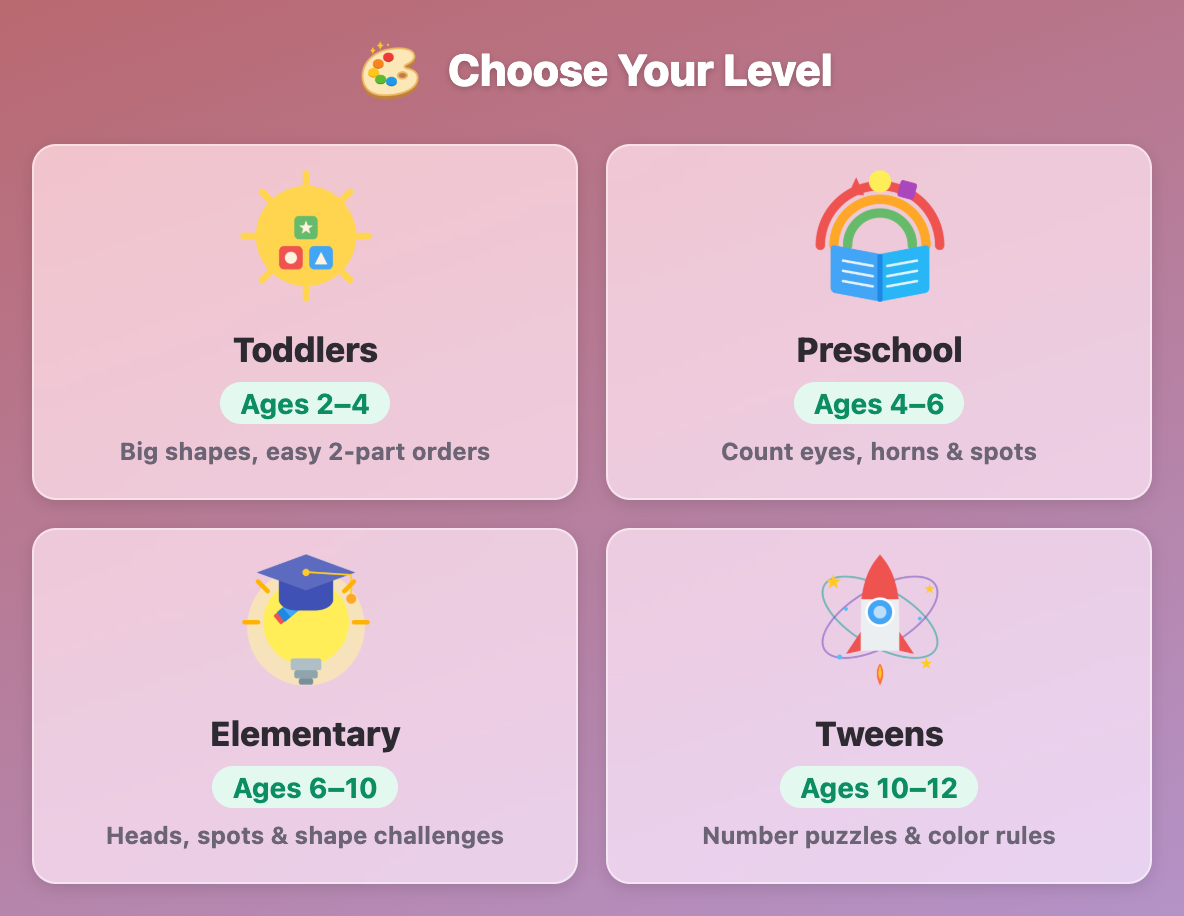
The Choose Your Level screen in Shape Monster Maker for kids, with Toddlers, Preschool, Elementary and Tweens cards
A purple circle monster with 2 orange eyes, pink arms and blue legs, filling a toddler order from Rex the Dino
A blue star monster in Shape Monster Maker for preschoolers, with one eye dragged off the body and a floating warning
A yellow star monster with a purple half circle head and 5 eyes, with all 4 elementary order goals ticked
A tweens order asking for eyes and horns, 7 in all, built on a purple circle monster with an orange cone head
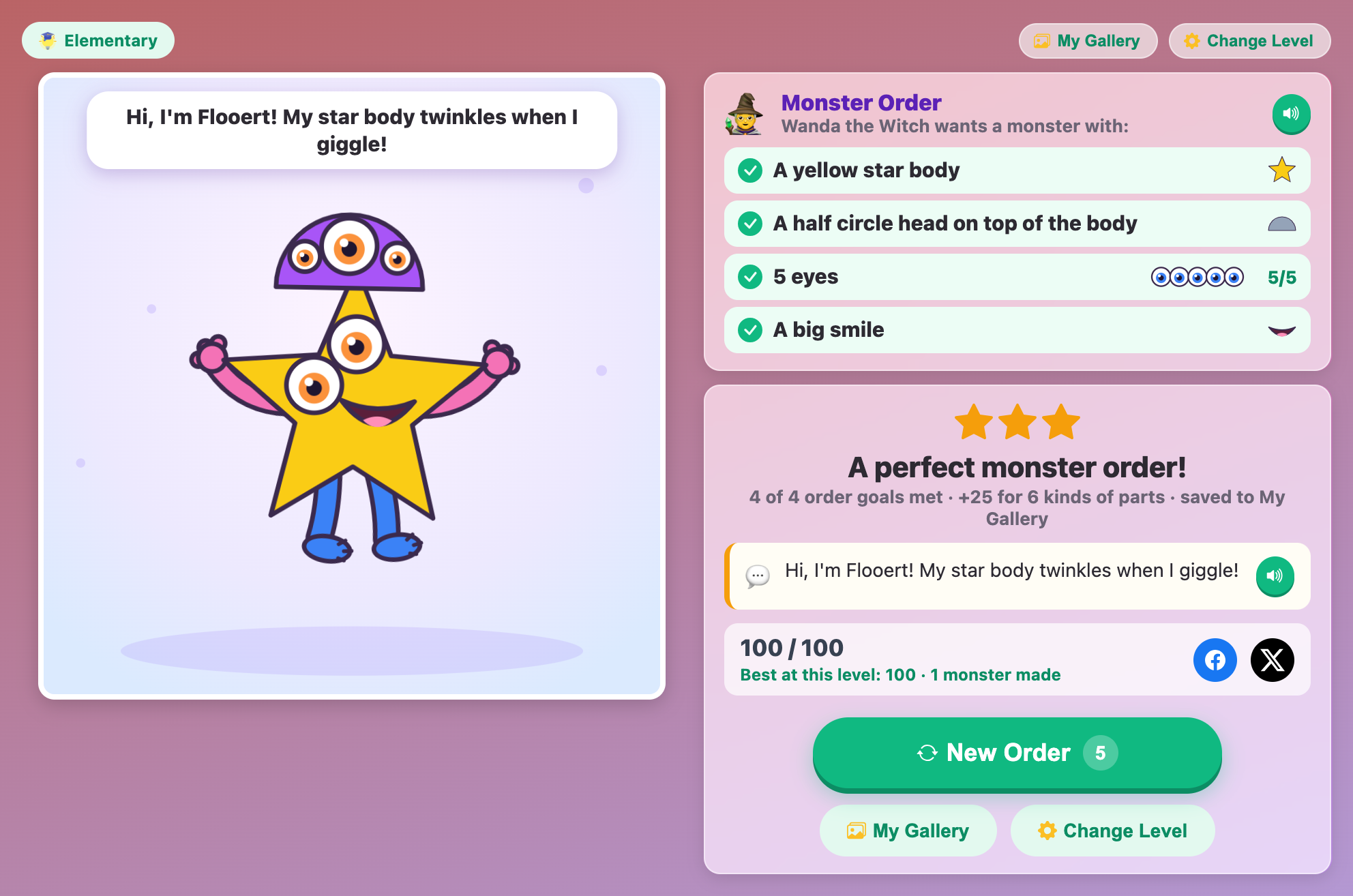
A finished star monster named Flooert dancing with a speech bubble, next to a 3-star result card scoring 100 out of 100
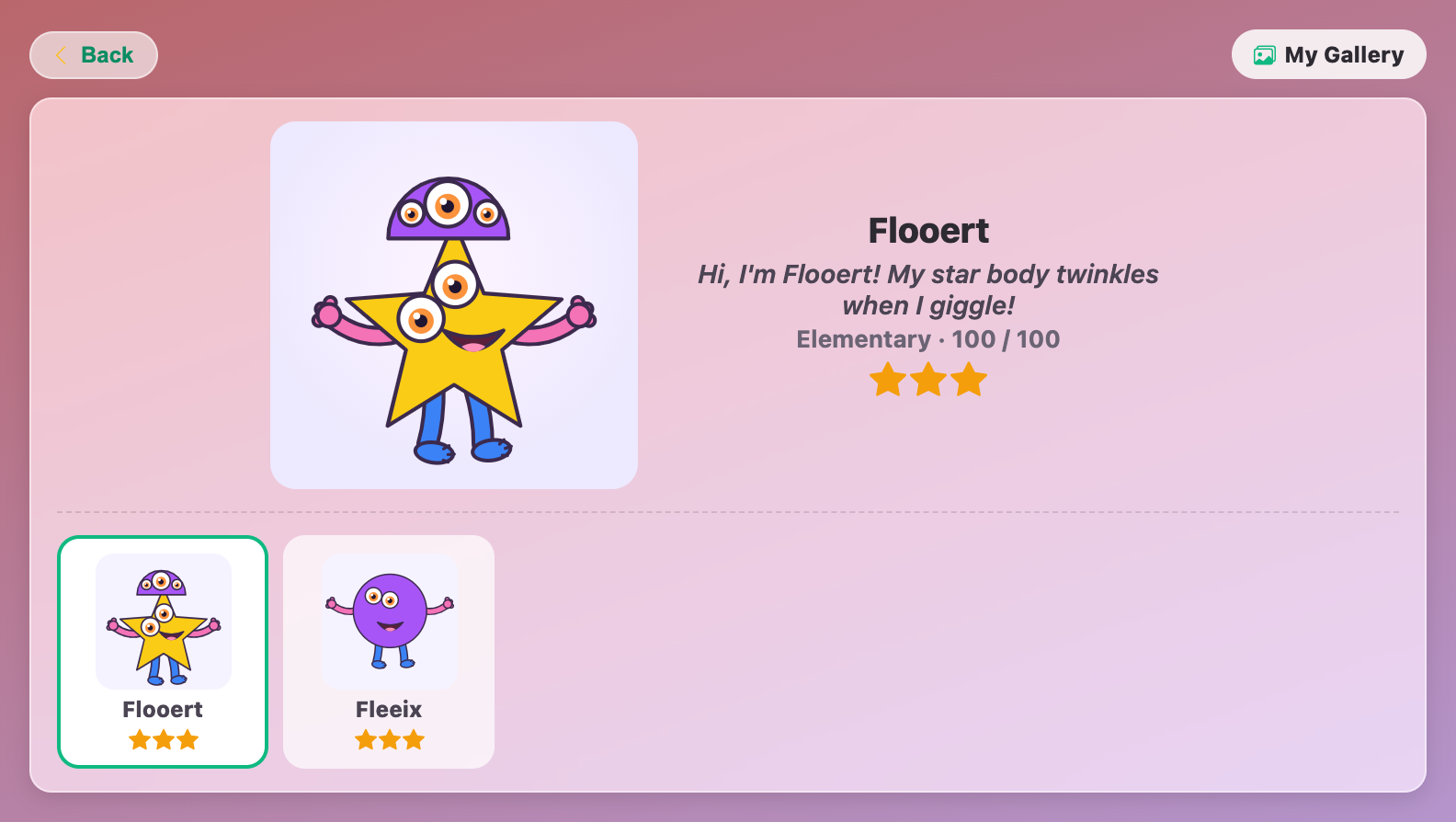
The My Gallery screen in Shape Monster Maker for kids, showing two saved monsters, Flooert and Fleeix, with 3 stars each
More Art Games
 202.1K plays
5.0
Art Spot the Difference
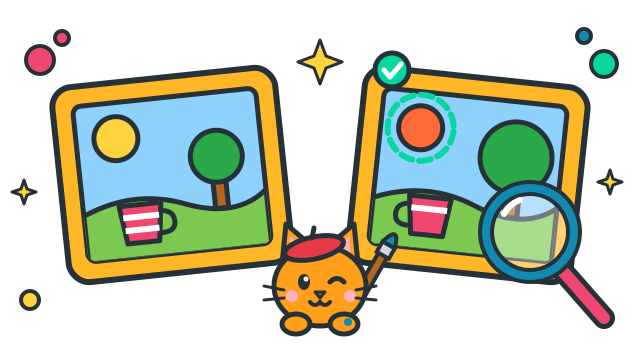
The Copycat Painter copied some paintings and made mistakes! Compare the original with the copy and tap every change: a new color, a lighter shade, a missing stripe, a flipped cup, a bigger tree. Each mistake you find tells you which art element changed, so you learn to look like an artist. Little ones find 3 big changes, big kids hunt for 7 tiny ones.
 52.6K plays
4.9
Tint & Shade Ladder
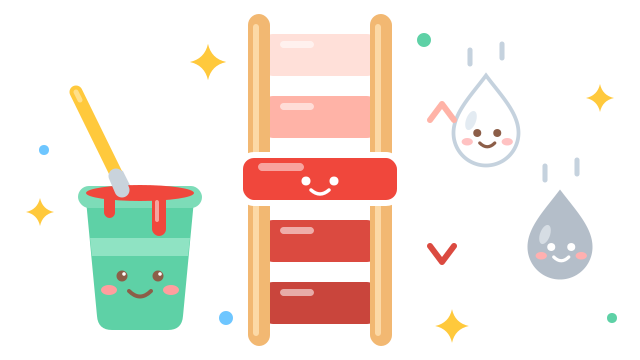
Climb the color ladder! A color sits in the middle, with lighter tints above it and darker shades below, but some rungs are still blank. Mix drops of white or black into your paint pot until it matches the sample, then paint the rung. Too much white? Add more color to fix it, just like a real painter. The closer the match and the fewer the drops, the more points you earn. Little artists paint short ladders with help from the pot, big kids judge by eye and mix tones with gray too.
 475.8K plays
4.9
Rainbow Temple Escape
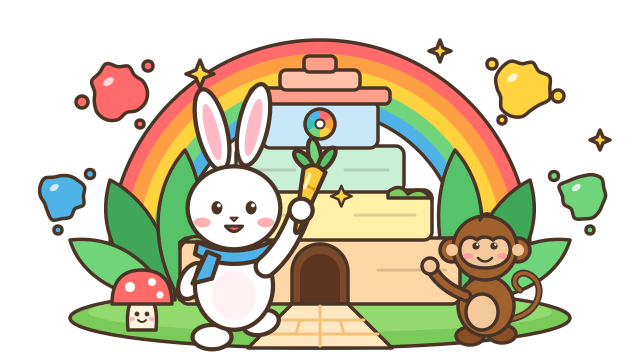
Help a baby bunny hop away with the Golden Carrot through a pastel 3D temple! The signs over the path are splats of paint: hop under the right color to zoom ahead of the cheeky monkeys. Find a color, mix red and yellow, pick the darkest blue, spot the warm color or find the opposite on the color wheel, while you jump logs, slide under garlands and dodge smiling mushrooms.
 16K plays
4.9
Pixel Art Nonograms
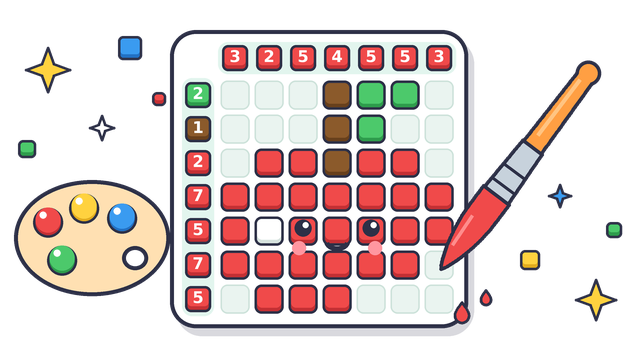
Paint a hidden pixel picture using number clues! Each clue tells you how many squares to paint and in which color: pick a paint, tap the squares, and watch an apple, a rocket or a tropical fish appear. Same colors need a gap between them, but different colors can touch. Little artists start with 5x5 pictures in 2 colors, big kids take on 10x10 pictures in 4 colors, and every finished picture hangs in your own gallery.
Most Played Games
 1.8M plays
4.9
Color & Draw
A free-drawing canvas with colors and brush sizes to unleash your creativity.
 154.5K plays
5.0
Mood Palette
Decide which color best fits a mood or theme before time runs out.
 584.9K plays
5.0
Tiny World Builder
Start with a tiny empty island and build your own blocky village — plant grass and trees, lay roads, and unlock houses, farms, a school and more!
 174.6K plays
4.9
Color Mixing
Look at two paint colors and pick which color they mix together to make.
Comments (54)