
Color & Draw
1.8M playsA free-drawing canvas with colors and brush sizes to unleash your creativity.
Draw half a butterfly, and the other half appears all by itself. That is the Mirror switch, just one of the little bits of magic in Color & Draw for kids. This is a free drawing and coloring studio right in your browser, with a rainbow brush, a spray can, a paint bucket, shapes, 40 stickers and 13 coloring pages ready to fill in.
There is no timer, no wrong answer and no "game over." You can scribble, color, erase and start again as many times as you like. And when you make something you love, one button saves it as a picture you can keep.
🎨 A Whole Art Box on One Screen
Color & Draw is like a big box of art supplies that never runs out. Across the top of the game you will find seven tools and a Pages button:
Pen: a smooth brush in the color you pick.
Rainbow: a magic brush that changes color as you draw. The longer your line, the more colors you get.
Spray: works like a can of spray paint. Move fast for a light sprinkle of dots, or hold still and the dots keep piling up into thick color.
Fill: a paint bucket. Tap inside a space and it fills up with color, stopping at the lines.
Eraser: rubs your marks away back to clean white paper.
Shapes: drag to draw a line, square, circle, triangle, star or heart. A Filled or Outline button chooses solid shapes or just their edges.
Stickers: 40 stickers, from ⭐ stars and 🌈 rainbows to 🐶 puppies, 🦄 unicorns, 🦖 dinosaurs, 🚀 rockets and 🍦 ice cream.
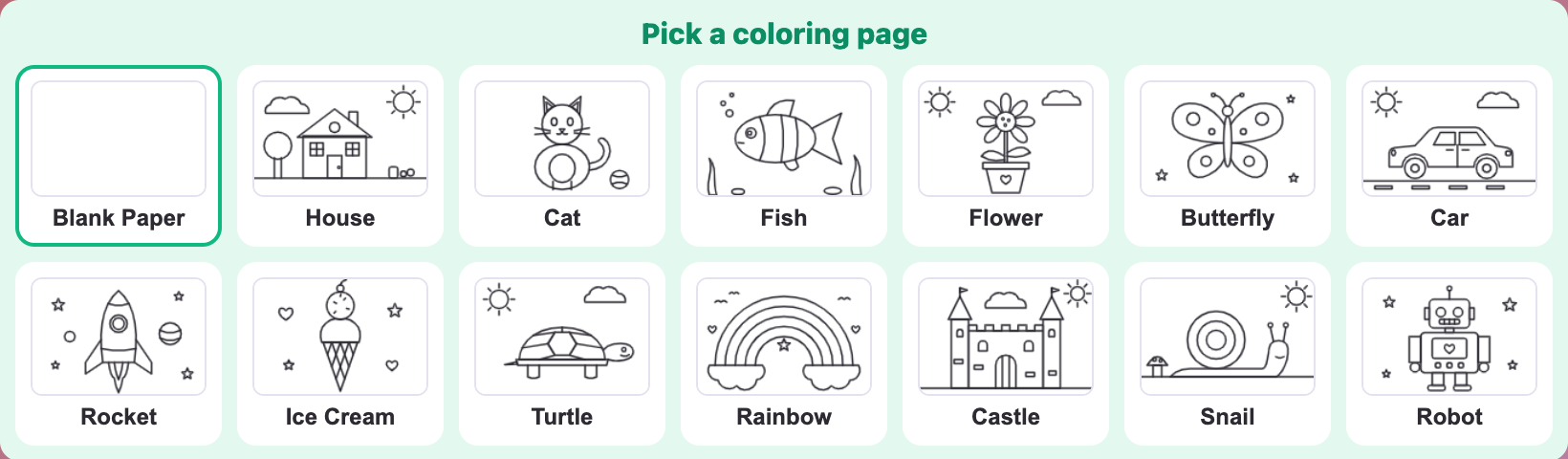
Pages: pick Blank Paper or one of 13 coloring pages: House, Cat, Fish, Flower, Butterfly, Car, Rocket, Ice Cream, Turtle, Rainbow, Castle, Snail and Robot.
Under the tools there are 18 colors, from black and gray to peach, navy, light pink and gold. If you want a color that isn't there, tap the rainbow circle to choose any color at all. Next to it, a slider sets the size of your brush, spray, eraser, shape lines or stickers, with a small preview so you can see how big it will be.
🖌️ How to Use Color & Draw on KidWorld
Pick a tool. Tap one of the big buttons at the top. The one you are using is outlined in green.
Pick a color and a size. Tap a color dot, then move the size slider. Each tool remembers its own size, so a thin pen and a fat spray can stay that way when you switch back and forth.
Draw on the paper. Press and move with your finger or mouse. If your line runs off the edge of the paper and comes back, it keeps going.
Choose a coloring page. Tap Pages, then tap a picture. The game switches to the Fill tool for you, because a coloring page is mostly filled in with taps.
Place a sticker. Choose Stickers, tap a sticker in the panel, then press on the paper. You can drag to slide it around, and it lands where you lift your finger.
Draw a shape. Choose Shapes, pick one, and drag from one corner to the other. The shape grows as you drag. A tap without dragging leaves nothing behind.
Turn on Mirror. A dashed line appears down the middle of the paper. Every brush stroke, shape and sticker on one side is copied onto the other side, flipped like a reflection.
Fix mistakes. Undo takes back your last step and Redo puts it back. You can undo up to 50 steps. On a keyboard, Ctrl+Z (Cmd+Z on a Mac) undoes and Ctrl+Y redoes. Clear wipes the paper, and you can even undo that.
Save your art. Press Save Drawing to download your picture as an image file, with the coloring page lines included.
Earn stars. The Actions counter goes up each time you finish a stroke, place a shape or sticker, or fill a space. Every 10 actions earns 10 ⭐ stars. Undo, Clear and changing pages don't count.
Come back later. Your picture is saved in your browser as you work, so if you refresh the page, it is still there. To start completely fresh, press the reload button under the game. The other buttons there turn on fullscreen and switch the music on or off.
🖍️ Art Tricks and Mini Projects to Try
Color & Draw has a few clever secrets. Once you know them, your pictures will look even better.
Secret 1: you can color "under" the lines
On a coloring page, the black outlines sit on their own layer on top of your paint, just like the lines in a real coloring book. That means you can scribble right over a line with the Pen or Rainbow brush and the outline stays crisp and dark. The Eraser rubs out your paint, but never the page's lines.
Project 1: color the whole House in a few taps
Open Pages and pick House. The Fill tool is already chosen.
Pick Sky blue and tap the big empty sky. The whole sky fills at once, around the cloud, the sun and the house.
Pick Green and tap below the ground line for grass.
Pick Yellow and tap the wall, Red for the roof and the chimney, and Brown for the door and the tree trunk.
Pick Blue and tap each little window pane. Each window has four panes, so that is four taps per window.
Finish with stickers: a 🦋 butterfly in the sky, a 🐶 puppy by the door and 🌸 flowers on the grass.
Tip: fill the biggest spaces first, like the sky and the grass. Then the small parts stand out clearly.
Project 2: a mirror butterfly
Choose Blank Paper and turn on Mirror.
Pick the Rainbow brush and draw the outline of one top wing on the left side, starting near the dashed line.
Draw a smaller bottom wing below it. The right side draws itself as you go!
Use Spray in pink and purple to add spots inside the wings.
Choose Shapes, pick a navy Circle, and drag a tall, thin oval along the dashed line. Mirror copies it too, so the two ovals meet in the middle as the body.
Project 3: a starry night
On Blank Paper, choose Fill, pick Navy and tap anywhere. The whole page turns dark blue. Now choose Shapes, pick Star with Filled on, and drag some gold stars across the sky. Add a 🌙 moon sticker and a few ✨ sparkle stickers. With Mirror on, you get twice the stars for half the work!
Secret 2: why the paint bucket sometimes "leaks"
The Fill tool stops at the coloring page lines and at lines you have drawn yourself. But if your own drawn line has a tiny gap, the color sneaks through the gap and fills the space on the other side too. If that happens, press Undo, draw over the gap to close it, and fill again. The lines on the coloring pages are always closed, so they never leak.
Secret 3: spray for soft shading
Spray is great for clouds, fur, grass and sunsets. Pick yellow, then orange, then pink, and spray each color in a band across the sky, letting the edges overlap. Hold the spray still in one spot for darker color, or sweep quickly for a light mist.
Secret 4: make sticker scenes
Stickers can be big or small. Use the size slider to make a giant 🌳 tree in the front and tiny ones far away. Little things look farther away, and that makes your picture look deep, like a real landscape.
If you enjoy picking the right colors, try Color by Number, where each number in a picture stands for one color, and you bring the picture to life by choosing the right one.
👶 Color & Draw for Kids From 2 to 12
Color & Draw for kids has no levels. Every child gets the same full set of tools and simply uses them in their own way. Here are some ideas for each age.
Toddlers (ages 2–4)
Color & Draw for toddlers is all about big, happy marks. Choose the Rainbow brush and turn the size slider all the way up, so every wiggle makes a colorful line. Fill is perfect for small hands: one tap colors a whole space on a coloring page. Stickers are a big hit too. Only one finger draws at a time, so a resting hand or a second finger won't leave extra marks.
Preschoolers (ages 4–6)
Color & Draw for preschoolers can practice naming colors and shapes. Ask, "Can you make the cat orange and the ball purple?" or "Draw three red hearts and two blue circles." Coloring pages like the Fish, the Turtle and the Ice Cream have big, simple spaces that are easy to fill.
Elementary kids (ages 6–10)
Color & Draw for elementary kids is a place for whole scenes and stories. Try drawing your own house, your family or a dream pet, then add stickers and save it to show a friend. Mirror makes it easy to explore symmetry, which is when both halves of a picture match.
Tweens (ages 10–12)
Color & Draw for tweens can go further: use the rainbow circle to mix exact colors, shade with spray, layer shapes to build robots or buildings, and design symmetrical patterns with Mirror. Tweens who want to learn more about how colors work can try Color Mixing, which asks what two paint colors make together.
🌟 Why Drawing Time Matters for Growing Kids
Creativity with no rules. There is no right picture. Children decide everything, and that builds confidence.
Steady hands. Coloring inside a shape, dragging a star to just the right size, or placing a sticker exactly where you want it all build fine motor control, the small hand movements kids later use for writing.
Colors and shapes. Picking Navy instead of Blue, or a Triangle instead of a Square, grows a child's vocabulary for the world around them.
Symmetry and patterns. Watching Mirror copy a line to the other side shows how reflections work. To practice spotting mirror images, try Symmetry Match.
Calm time. Drawing is relaxing. With no timer and no score to beat, it is a peaceful break from faster games.
Learning that mistakes are okay. With Undo just one tap away, kids learn to try bold ideas without worrying.
A note for parents: Color & Draw for kids is completely gentle and safe. There is no chat and nothing to buy, just paper, colors and cheerful stickers. Pictures stay on your own device: saving downloads a picture file to your computer or tablet, and nothing is shared unless you choose to share it. It practices creativity, fine motor skills, color and shape names, and symmetry.
Your blank paper is ready and waiting. Grab a brush, pick a color and make something wonderful with Color & Draw for kids on KidWorld! 🎨
🖼️ See the Game in Action
The Pick a coloring page panel in Color and Draw for kids with Blank Paper and 13 line drawings
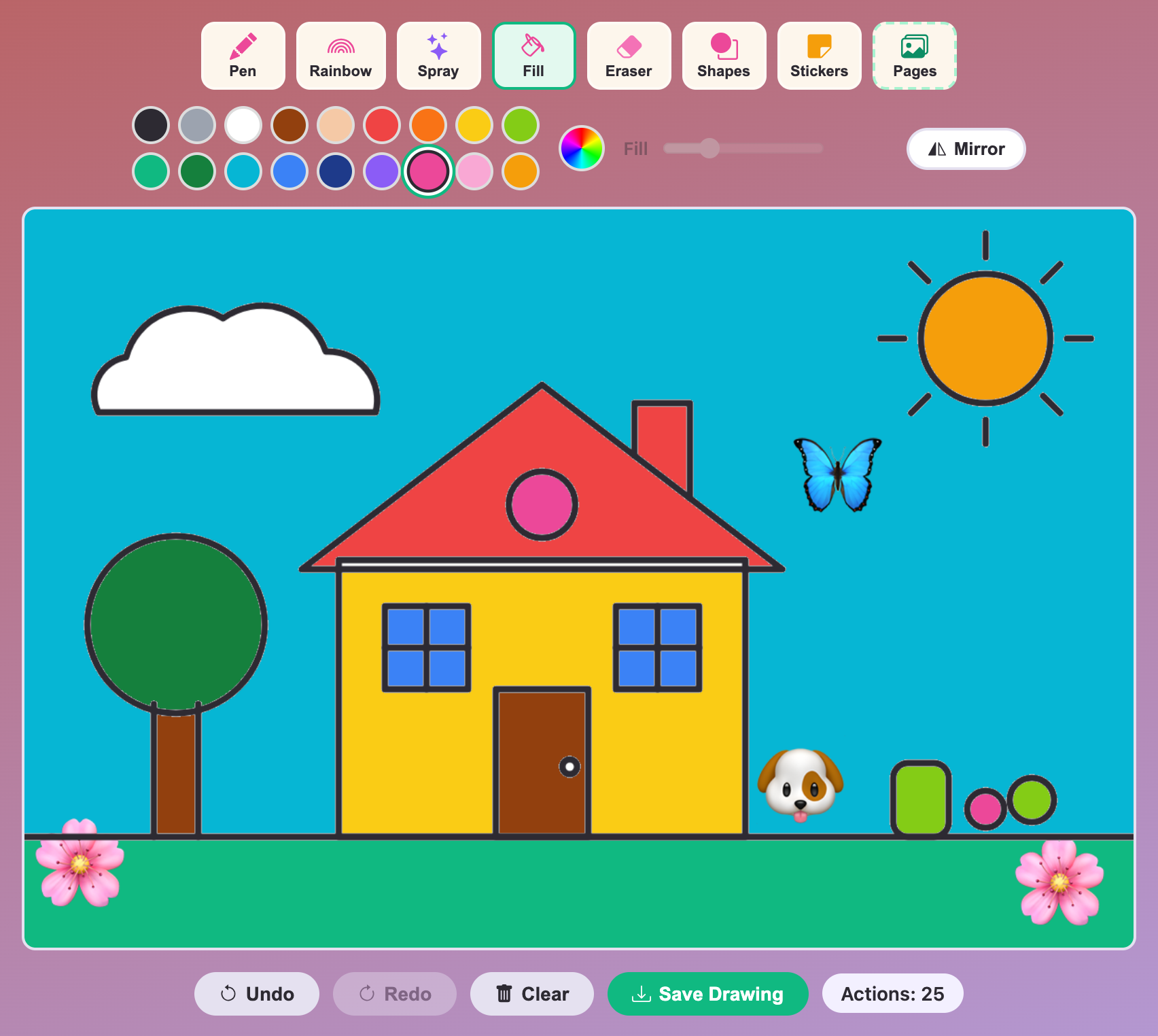
The House coloring page filled with a blue sky, red roof and yellow walls, plus dog, butterfly and flower stickers
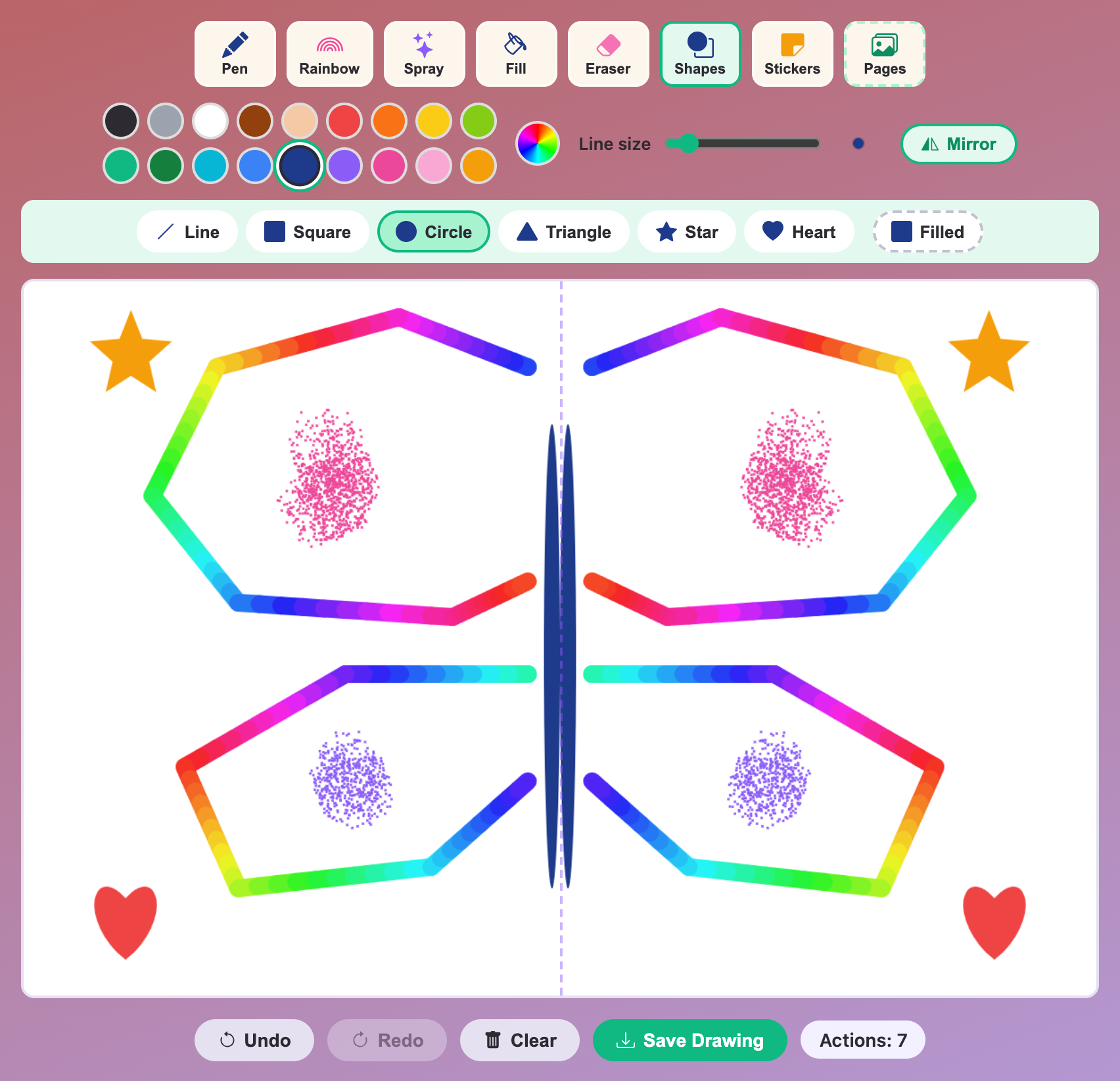
A rainbow butterfly drawn with Mirror on, with pink and purple spray dots, stars and hearts on both sides
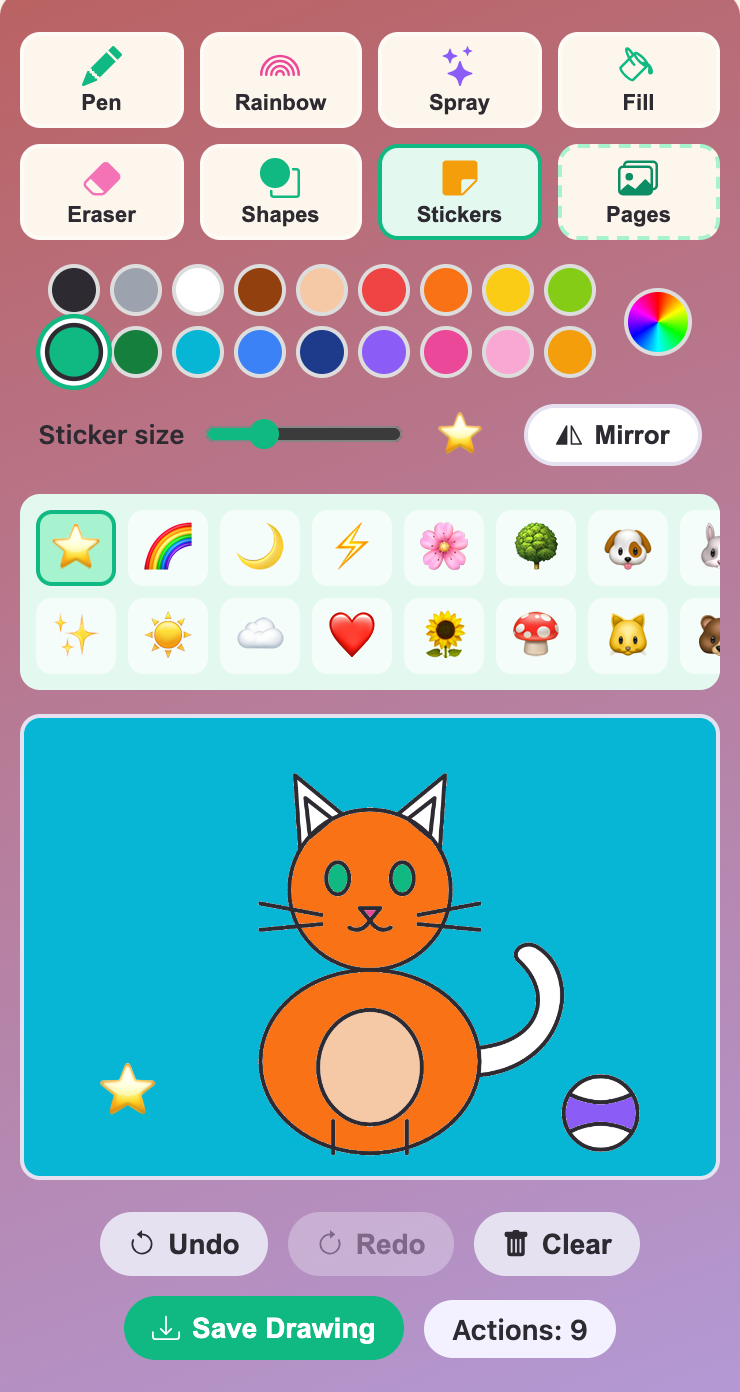
Color and Draw for kids on a phone, with an orange cat coloring page and the sticker panel open
More Art Games
 154.5K plays
5.0
154.5K plays
5.0
Mood Palette
Decide which color best fits a mood or theme before time runs out.
 584.9K plays
5.0
584.9K plays
5.0
Tiny World Builder
Start with a tiny empty island and build your own blocky village — plant grass and trees, lay roads, and unlock houses, farms, a school and more!
 174.6K plays
4.9
174.6K plays
4.9
Color Mixing
Look at two paint colors and pick which color they mix together to make.
 483.9K plays
5.0
483.9K plays
5.0
Build My House
Dig wood, stone and sand, craft blocks and furniture, then build and decorate your very own house in a blocky world!
Most Played Games
 59.5K plays
4.8
59.5K plays
4.8
Recycling Sort
Sort everyday items into the Recycle, Compost, or Trash bin before time runs out!
 365.8K plays
5.0
365.8K plays
5.0
Tic-Tac-Toe
Play a game of Tic-Tac-Toe against the computer and see if you can outsmart it.
 274.1K plays
5.0
274.1K plays
5.0
Sentence Builder
Pick your age level, then tap the shuffled words in the right order to build the sentence.
 1.1M plays
4.9
1.1M plays
4.9
Chess
Play the classic game of chess against the computer or a friend, with FIDE time controls, hints, and undo.
Comments (171)