
Chess
1.1M playsPlay the classic game of chess against the computer or a friend, with FIDE time controls, hints, and undo.
Sixty-four squares. Sixteen shining pieces lined up on each side. One king who must never be caught. That's chess — the most famous thinking game ever invented, and now it's glowing right here on your screen at KidWorld! Move your army of pawns, knights, bishops, rooks, and your powerful queen across the board, protect your king with everything you've got, and try to trap the other king before yours gets trapped first. It only takes a minute to learn how the pieces move, but chess is so clever and so much fun that people have been playing it for hundreds and hundreds of years — which is exactly why KidWorld's Chess has already been played more than 1,000,000 times, earning thousands of five-star ratings that add up to a glowing 4.9 out of 5 from happy players just like you!
♟️ What Is Chess?
Chess is played on a checkerboard of 64 squares, with each player starting behind their own wall of 8 pawns and a back row of 2 rooks, 2 knights, 2 bishops, 1 queen, and 1 king. White always moves first, then players take turns, one move at a time. The whole goal of the game is to checkmate the other king — trap it so it's under attack (that's called "check") and there's absolutely no way to save it, whether by moving it to safety, blocking the attack, or capturing the attacker. If a king isn't in check but the player to move has no legal move at all, that's a stalemate, and the game ends in a draw instead of a win. Chess can also end in a friendly draw if there simply isn't enough material left on the board to checkmate with, or if the same position happens three times, so not every game needs a winner to still be a great game.
🕹️ How to Play Chess on KidWorld
Pick your setup first. Chess opens on a setup screen (and a ⚙️ Change Setup button brings it back any time), where you choose exactly how you want to play:
Opponent — Player vs Computer (test yourself against the KidWorld AI), Player vs Player (pass the same device back and forth with a sibling or friend), or Computer vs Computer (sit back and watch two AIs battle it out).
Difficulty — Easy 🌸 (mostly random moves, perfect for younger kids just learning the board), Medium 🛡️ (thinks a couple of moves ahead and grabs obvious captures — the default), Hard 🔥 (searches several moves ahead and is genuinely tough to beat), or Expert 💎 (thinks deep into the future and is extremely tough to beat — even grown-ups have to concentrate hard here!).
Play As — choose White (you move first) or Black (the computer moves first) when you're facing the computer.
Theme — 3D for realistic rendered pieces on a tilted, tabletop-style board, or 2D for the classic flat glyph pieces on a plain grid.
Time Control — Disabled for a relaxed game with no clock at all, or Standard, Rapid, or Blitz, each giving both sides their own official chess clock that only ticks on their own turn and gains a little extra time back after every move. Let your clock run all the way to zero, and that's an automatic loss — so keep an eye on it!
Move a piece by tapping it — every square it's legally allowed to move to lights up right away — then tap one of those glowing squares to make your move. Tap a highlighted square that has an enemy piece on it, and you'll capture that piece and take its spot.
Special moves work automatically. Walk a pawn all the way to the far end of the board and a promotion picker pops up so you choose what it becomes: Queen, Rook, Bishop, or Knight (most players pick the Queen, since she's the strongest piece on the board!). Tap your king two squares toward a rook that hasn't moved yet — if the path is clear and safe — and you'll castle, tucking your king into a cozy corner while bringing that rook out to help, both in one single move. And if an enemy pawn just zoomed past one of your pawns using its very first two-square move, you can still capture it as if it had only moved one square — that sneaky rule is called en passant, French for "in passing."
Changed your mind? Tap the ↩️ Undo button any time it's your turn. Playing against the computer, one tap rewinds both the computer's reply and your own move before it, so you can try something new. Playing a friend, it simply hands the last move back.
Stuck on what to do? Tap 💡 Hint to have KidWorld glow the best move for the side to move — but go easy, you only get 3 hints per game, and each one used costs a small piece of your score.
When the king falls, the clock runs out, or the board fills with a draw, a done screen shows your result and turns it into stars ⭐ for your KidWorld profile — win, lose, or draw, everyone earns something for playing.
Handy tools: tap the fullscreen button above the game to make the board bigger and easier to tap on a tablet, and use the reload button any time you want to jump straight back to the setup screen for a brand new game with fresh settings.
♞ Meet Your Chess Army
Every piece moves in its own special way, and learning these shapes and paths is the real secret to enjoying chess:
♙ Pawn — marches straight forward one square at a time (or two squares on its very first move), but captures only diagonally, one square ahead. It's the smallest piece, but reach the far end of the board and it transforms into anything you want!
♘ Knight — hops in a bouncy "L" shape: two squares one way, then one square sideways. It's the only piece that can jump clean over other pieces, which makes it wonderfully sneaky.
♗ Bishop — glides diagonally as far as it likes in one straight line, but always stays on the same color square it started on for the whole game.
♖ Rook — slides straight up, down, left, or right, as far as the board allows. Powerful in open, straight lines.
♕ Queen — combines the rook and the bishop's powers into one piece, gliding any direction, any distance. She's the most powerful piece on the board, so protect her well!
♔ King — only steps one square in any direction, but he's the piece that matters most of all. Lose him, and the game is over, so keeping him safe always comes first.
🧠 Secrets to Winning at Chess
Chess looks simple at first glance, but real players use a handful of proven ideas to stay several steps ahead. Here are the ones every KidWorld champ should know:
Control the center. The four squares right in the middle of the board give every piece the most room to move. Push a center pawn or two early, and your pieces will have far more places to go for the rest of the game.
Develop your knights and bishops before your queen. Bringing these pieces out early gives you more options and more safety, while rushing your powerful queen out alone just makes her an easy target to be chased around.
Castle early. Tucking your king into the corner keeps him far from the busy center of the board, where most of the fighting happens — one of the best safety habits in all of chess.
Watch for forks. A fork is when one piece attacks two enemy pieces at the exact same time — knights are famous for this bouncy trick, since their "L" shape can sneak up from an angle nobody expects. No matter which piece your opponent saves, you capture the other!
Watch for pins. A pin happens when a piece can't safely move because a more important piece — often the king — is standing right behind it in a straight line. A pinned piece is basically frozen, so hunting for pins is a favorite trick of strong players.
Think about every capture before you make it. Before trading pieces, ask yourself: is the piece I'm about to capture worth more, the same, or less than the piece I'm using to capture it? Trading a pawn for a queen is a dream trade — trading a queen for a pawn is a disaster!
Push toward checkmate, not just captures. Winning lots of pieces feels great, but the real goal is always trapping the king. Near the end of a game, try walking your own king toward the center too — he becomes a surprisingly strong fighting piece once most of the danger has cleared off the board.
KidWorld's 💡 Hint button can spot tricks like these for you up to 3 times a game — but the real fun (and the real learning) comes from finding them yourself first!
🎯 Quick Chess Practice
Here are a few mini brain-teasers that use the exact same kind of pattern-spotting real chess players rely on. Picture the pieces in your head and see if you can answer before checking!
Your knight sits in the middle of the board, close enough to jump onto a square that attacks both the enemy queen and the enemy king in one single move. What powerful trick have you just found? (Answer: A fork — and since it attacks the king, your opponent must deal with the check first, letting you scoop up the queen right after!)
You want to keep your king extra safe early in the game and bring a rook into play at the very same time. What one special move does both jobs at once? (Answer: Castling! Just make sure your king and that rook haven't moved yet, and the squares between them are empty and safe.)
Your pawn has marched all the way down to the very last row of the board. What exciting choice do you get to make? (Answer: Promotion — swap that pawn for a Queen, Rook, Bishop, or Knight. Most players choose the Queen since she's the strongest piece around!)
An enemy bishop is aimed straight at your king, with only your own queen standing in the way. Can you safely move your queen somewhere else this turn? (Answer: No — your queen is pinned! Moving her would leave your own king in check, which isn't allowed, so she has to stay put until the danger passes.)
🌟 Why Chess Is Such a Great Fit for Kids
A wooden-looking board of squares might look old-fashioned, but it packs in a huge amount of good-for-you brain practice:
Planning ahead. Every single chess move affects what can happen several moves later, so kids naturally start thinking not just "what can I do right now?" but "what happens after that, and after that?" — real strategic thinking, built one move at a time.
Pattern recognition. Learning to spot forks, pins, and safe squares trains the same kind of visual scanning that helps with reading, math, and even sports.
Math and geometry, without it feeling like math. Diagonals, straight lines, "L" shapes, and counting squares are all secretly geometry lessons hiding inside a fun game.
A safe place to make mistakes. The ↩️ Undo button means trying a bold, risky idea is never scary — a young player can test a move, see what happens, and take it back to try again, building confidence instead of fear of "getting it wrong."
Real patience and focus. Chess rewards players who slow down and really look at the board before moving — a wonderful, gentle way to practice patience that carries over far beyond the game itself.
Good sportsmanship. Wins, losses, and draws all count, and every single game earns stars for trying — kids get lots of low-stakes practice at winning graciously and shaking off a loss.
A gentle path to mastery. Because the difficulty scales all the way from mostly-random moves to a genuinely deep-thinking computer, kids get to feel the satisfying climb from "I won by luck" to "I understand exactly why I won" — one of the most rewarding feelings in any game.
🎮 Chess for Every Age
What makes KidWorld's Chess such a wonderful chess game for kids is that the very same board can be a gentle first look for a toddler or a genuine challenge for an older kid, all from one setup screen:
Chess for toddlers (around ages 2 to 4): a full game is still a big ask at this age, so start by sitting together and watching Computer vs Computer mode like a colorful moving picture, naming each piece out loud as it moves — "there goes the knight, hop hop!" Tapping a piece to watch its friendly glowing dots light up is also a great, low-pressure first taste of "this piece can go here."
Chess for preschool (around ages 4 to 6): set the difficulty to Easy, choose Play As White so your child always moves first, turn Time Control off so there's never any rush, and pick the 3D theme so the pieces look extra real and easy to tell apart.
Chess for elementary (around ages 6 to 10): Medium difficulty is the sweet spot for learning real ideas — teach opening habits like controlling the center and castling early, let hints be used sparingly so tactics like forks and pins get discovered rather than just shown, and try Player vs Player for a friendly rematch with a sibling or classmate.
Chess for tweens (around ages 10 to 12): switch on Hard or Expert difficulty for a genuine test of strategy, add Rapid or Blitz time control to build fast, confident thinking under pressure, and study a Computer vs Computer game at Expert level to see deep planning play out move by move.
Because every setting can be changed instantly from the same setup screen, one child can start by simply watching the pieces move today and work their way up to genuinely challenging the Expert computer next year — all without ever leaving the game, making it one of the most flexible chess games for kids around for a family with players of very different ages.
A game of patience, planning, and clever surprises that people have loved for centuries — that's chess, and now it's ready and waiting on KidWorld. Pick your setup, make your first move, and see how far your thinking can take you!
🖼️ See the Game in Action
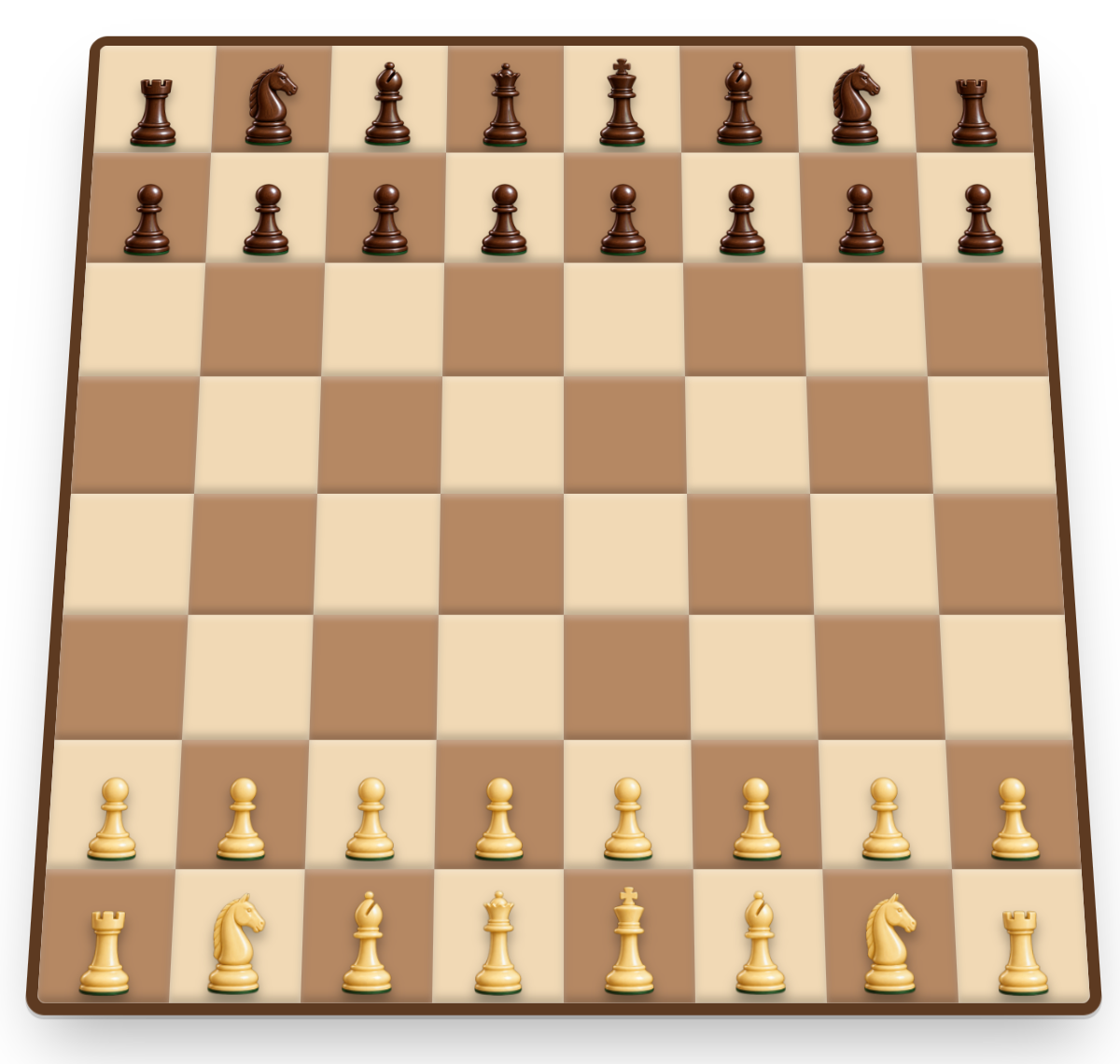
A screenshot when start a Chess game with 3D theme
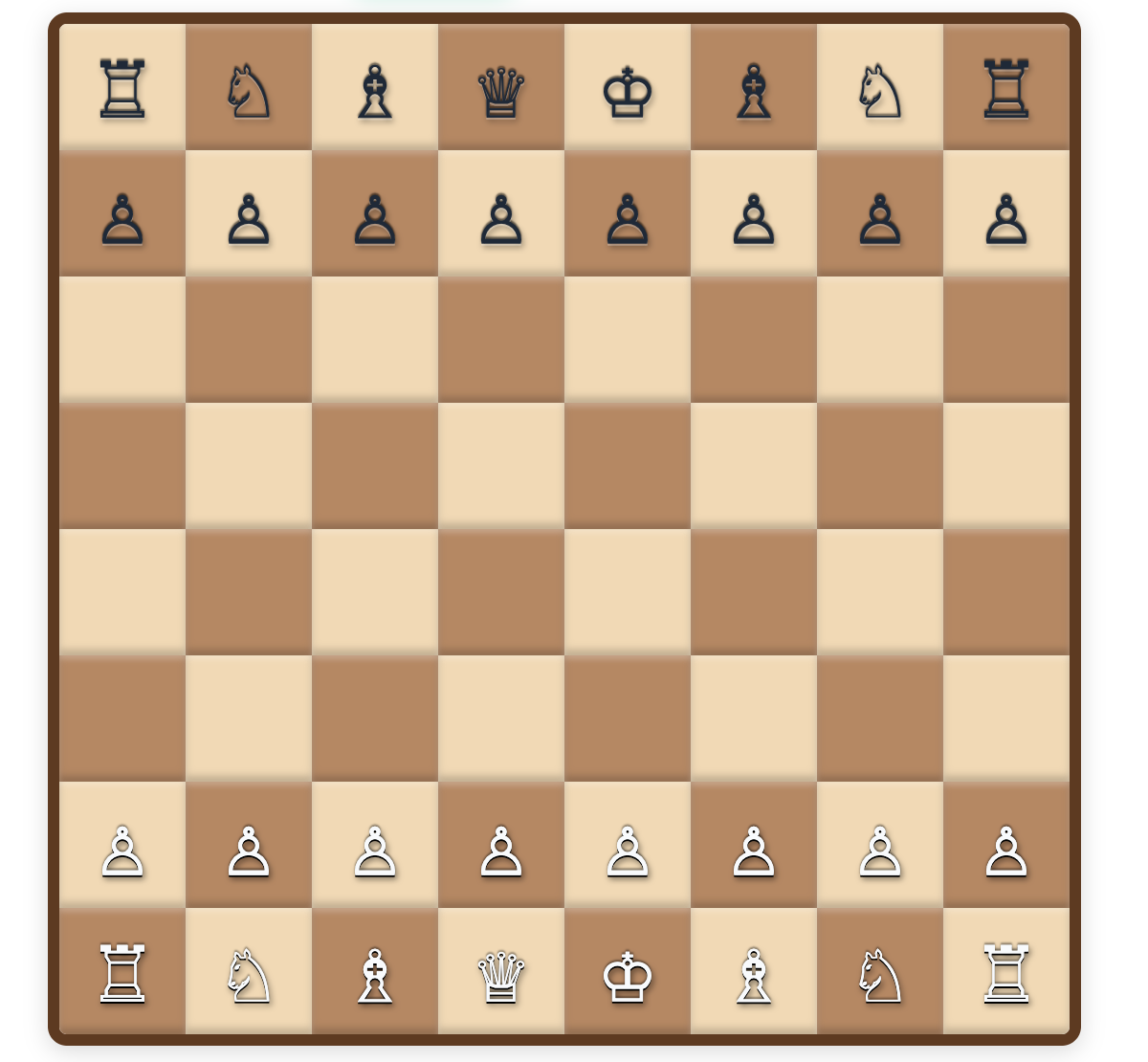
A screenshot when start a Chess game with 2D theme
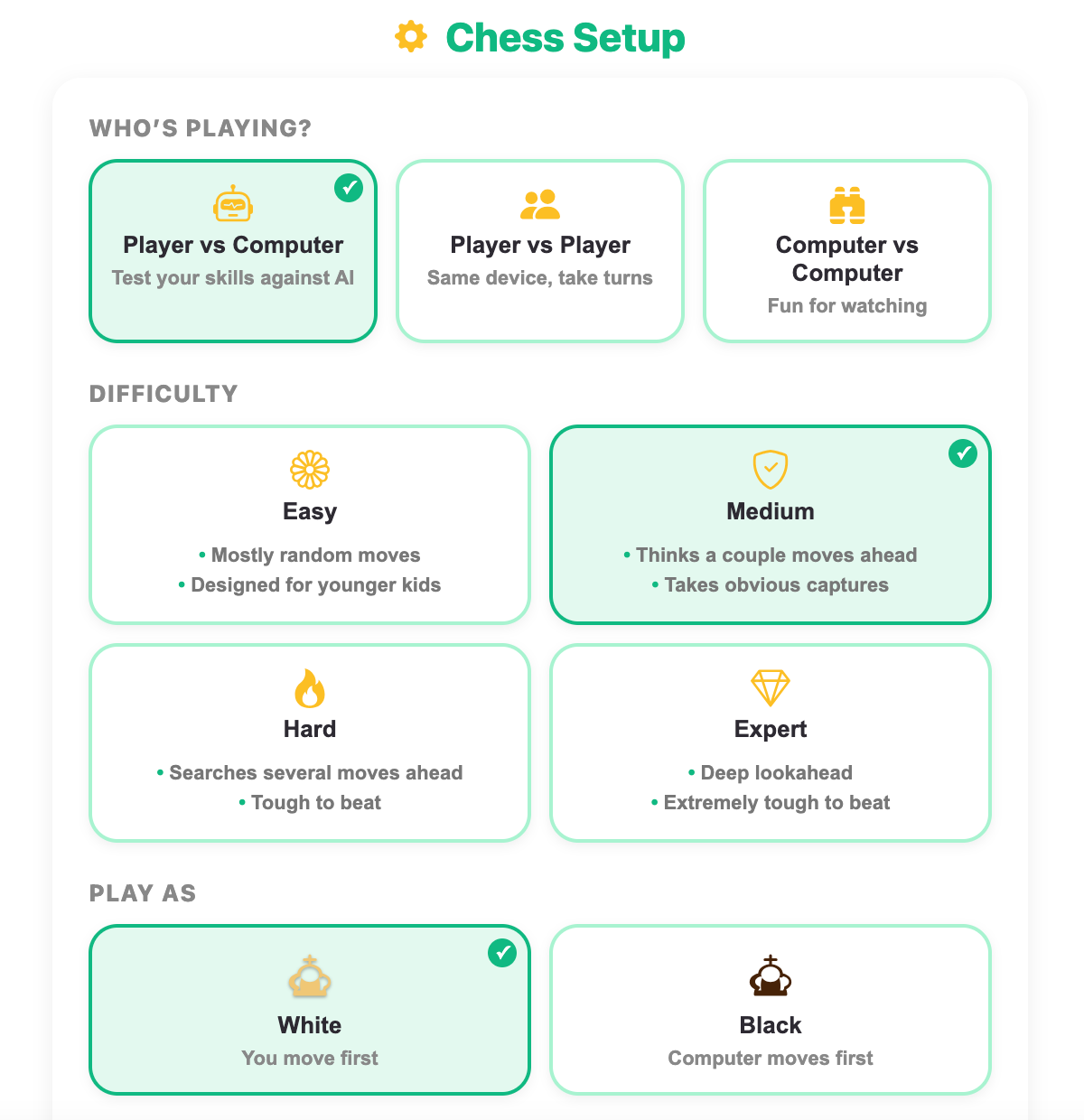
Setup screen in the Chess game
More Mind Games
 365.5K plays
4.9
365.5K plays
4.9
Tic-Tac-Toe
Play a game of Tic-Tac-Toe against the computer and see if you can outsmart it.
 568.6K plays
4.9
568.6K plays
4.9
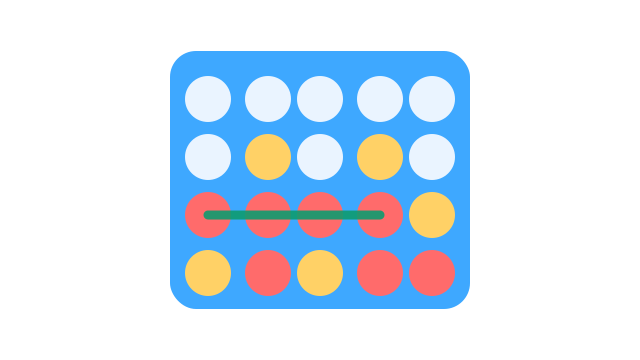
Connect Four
Drop your pieces and be the first to connect four in a row against the computer or a friend.
 244.7K plays
5.0
244.7K plays
5.0
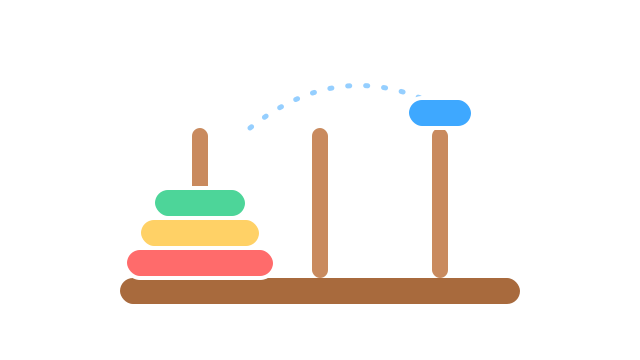
Tower of Hanoi
Move the stack of rings from one tower to another without ever placing a bigger ring on a smaller one.
 973.3K plays
4.9
973.3K plays
4.9
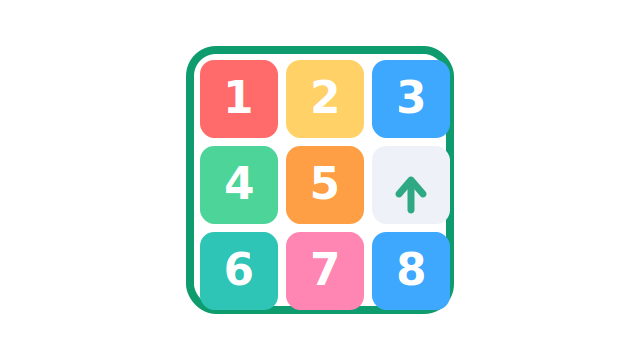
Sliding Puzzle
Slide the numbered tiles — or a fun picture! — one at a time until they line up in order, from a cozy 5-tile board all the way up to the classic 15 puzzle.
Most Played Games
 1.8M plays
5.0
1.8M plays
5.0
Color & Draw
A free-drawing canvas with colors and brush sizes to unleash your creativity.
 59.3K plays
5.0
59.3K plays
5.0
Recycling Sort
Sort everyday items into the Recycle, Compost, or Trash bin before time runs out!
365.5K plays
4.9
Tic-Tac-Toe
Play a game of Tic-Tac-Toe against the computer and see if you can outsmart it.
 85.7K plays
4.9
85.7K plays
4.9
Grow a Plant
Plant seeds in sunny and shady garden beds, then water, feed and protect them day by day. Watch the roots grow underground and harvest sunflowers, tomatoes, carrots and more!
Comments (68)