
Connect Four
568.6K playsDrop your pieces and be the first to connect four in a row against the computer or a friend.
Picture seven skinny towers standing side by side, each one just waiting for you to drop something in. That's the whole secret behind Connect Four — one of the most famous drop-and-connect games ever invented, and now glowing right on your screen at KidWorld! Take turns dropping a colorful piece into any column you like, watch gravity pull it straight down to the lowest open spot, and race to be the first to line up four of your own pieces in a row before your opponent does. It's simple enough to learn in one minute, but clever enough to keep grown-ups thinking hard too — which is exactly why KidWorld's Connect Four has already been played more than 500,000 times, earning thousands of five-star ratings adding up to a shiny 4.9 out of 5 from happy players just like you!
🔴🟡 What Is Connect Four game?
Connect Four is played on a tall standing grid — 7 columns across and 6 rows down, so there are 42 little slots waiting to be filled. Two players take turns dropping one piece at a time into any column that still has room; gravity always pulls it down to the lowest empty spot, so you can never choose exactly which row your piece lands in — only which column. The first player to line up four of their own pieces in a row wins the whole game! That row of four can go sideways ➡️, straight up and down ⬇️, or slanted diagonally ↘️↙️ — so you always have to keep your eyes open in every direction at once. If all 42 slots fill up and nobody has connected four, the game ends in a friendly draw.
🕹️ How to Play on KidWorld
Jump right in: the game starts the moment it loads — no forms to fill out! You'll be playing Player vs Computer on Medium difficulty right away, with the Classic 🔴 vs 🟡 theme on the board, and 🔴 always dropping first.
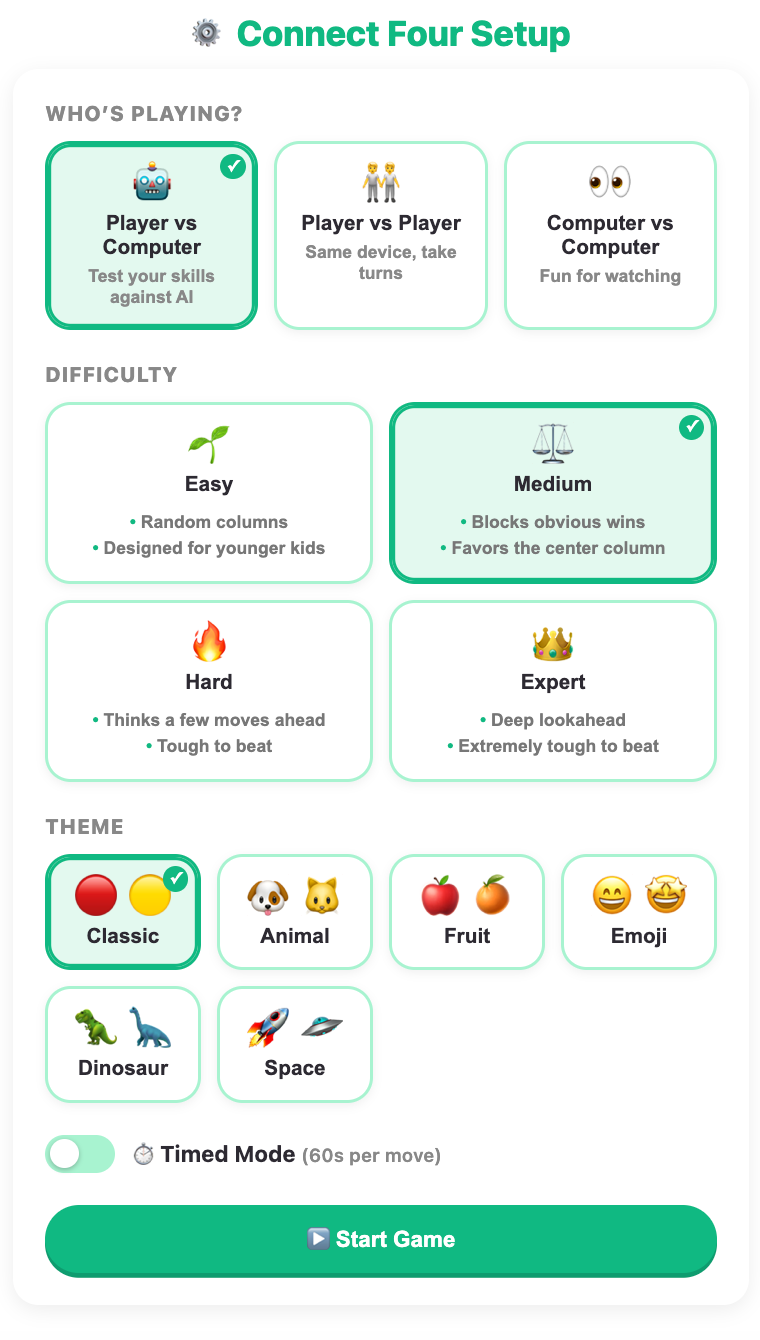
Tap ⚙️ Change Setup any time to open the setup screen and pick exactly how you want to play:
Opponent — Player vs Computer (test your skills against the KidWorld AI), Player vs Player (pass the same device back and forth with a sibling or friend), or Computer vs Computer (sit back and just watch two AIs battle it out).
Difficulty — Easy 🌱 (the computer drops pieces totally at random — great for very young beginners), Medium ⚖️ (the computer grabs its own obvious wins and blocks yours, while leaning toward the strong center column — default), Hard 🔥 (the computer thinks several moves ahead and is genuinely tough to beat), or Expert 👑 (the computer searches even deeper and is extremely tough to beat — Connect Four has so many possible games that even KidWorld's smartest setting isn't a perfectly unbeatable player the way Tic-Tac-Toe's Expert is, which keeps a real, exciting fight possible even at the top level).
Theme — the board opens with the Classic look (🔴 vs 🟡), and you can swap it any time for Animal (🐶 vs 🐱), Fruit (🍎 vs 🍊), Emoji (😄 vs 🤩), Dinosaur (🦖 vs 🦕), or Space (🚀 vs 🛸).
Timed Mode — turn this on for a friendly 60-second countdown on every turn. Think too long and a random legal column gets picked for you automatically, so it's a fun way to practice quick thinking!
Drop a piece by tapping the ⬇️ arrow above any column, or by tapping anywhere inside that column on the board — either way, watch your piece fall straight to the bottom of the stack with a satisfying little pop.
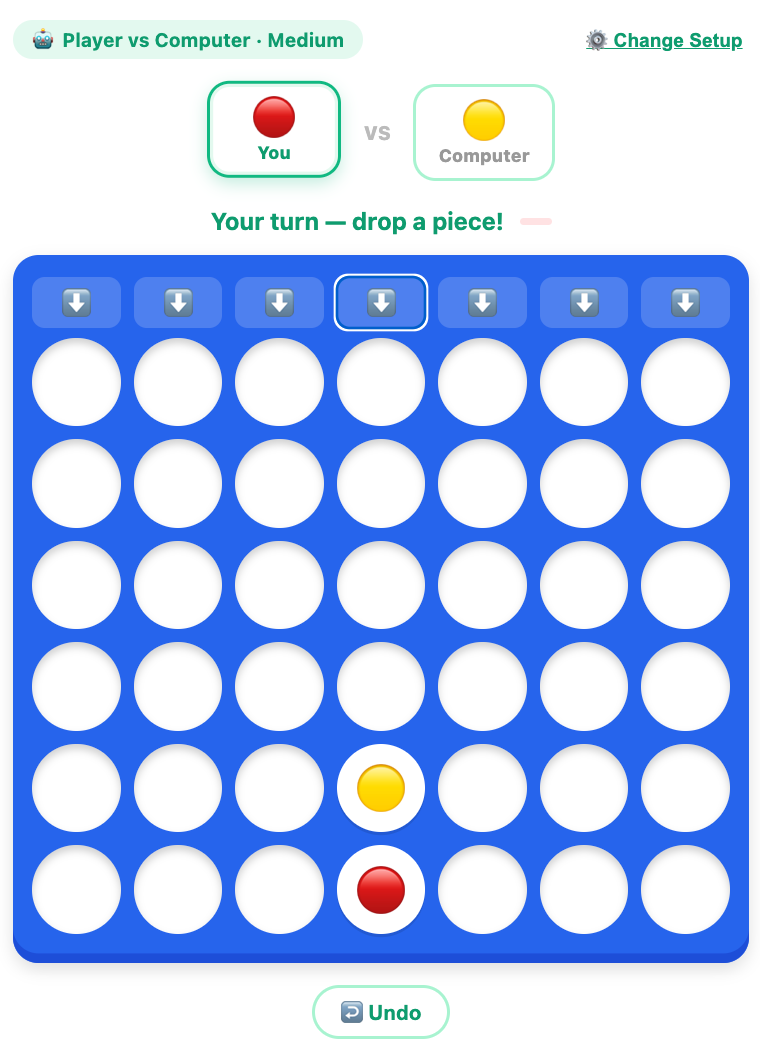
Changed your mind? Tap the ↩️ Undo button below the board any time it's your turn. Playing against the computer, one tap rewinds both the computer's last reply and your own move before it, so you can try a completely different column. Playing a friend, one tap simply hands the last move back to whoever made it. It's the perfect way to explore "what if I tried that column instead?" without any pressure.
Watch for the glowing line: the instant four matching pieces connect, KidWorld highlights every piece in that line so you can see exactly how the win happened.
See your result: when the round ends, a done screen shows your outcome and turns it into stars ⭐ for your KidWorld profile — win, lose, or draw, everyone earns something for playing.
Handy tools: tap the fullscreen button above the game to make the board bigger and easier to tap on a tablet or phone, and use the reload button any time you want to jump straight back to the setup screen for a brand new game.
Each round is just one quick game — 🔴 always drops first in the default Classic theme — so it's perfect for a fast round between classes, a quick brain break, or an all-afternoon tournament with a sibling.
🧠 Secrets to Winning (or At Least Never Losing Easily!)
Connect Four might look simple, but real players use a handful of tricks to stay several steps ahead. Here are the ones KidWorld champs swear by:
Start in the middle. The center column (the 4th of the 7) is part of more possible four-in-a-rows than any other column — sideways, up-and-down, and both diagonal directions all pass through it. Dropping there first gives you the most options for the rest of the game.
Always look for your own three-in-a-row. Before every turn, scan the board for three of your pieces lined up with an open spot on either end. If you spot one, drop there and win right away!
Always check your opponent's three-in-a-row too. If they have three in a row with an open end, you must block that spot on your very next turn, or they'll connect four right after you.
Think about what's underneath. Before you drop a piece, imagine the very next open spot in that same column. If dropping there would create an open three-in-a-row for you, but the spot right above it would hand your opponent a free win, it might be smarter to wait — a mistake even careful grown-ups make!
Watch for double threats. A truly sneaky move sets up two different winning spots at once, so blocking one still leaves the other wide open. Whenever you drop a piece, take a second to check: "Could my opponent's next move threaten two wins at the same time?"
Plan a few moves ahead, not just one. The best Connect Four players imagine the whole column filling up, not just the very next piece — that's exactly what KidWorld's Hard and Expert computer opponents do when they search several moves into the future.
🎯 Quick Connect-Four Practice
Here are a few mini puzzles that use the same kind of pattern-spotting you'll use in the real game. Picture the board in your head and see if you can solve each one before checking the answer!
You already have 🔴 pieces stacked in the bottom three rows of one column, with the top spot in that same column still open. What should you do? (Answer: Drop there and win instantly — four in a row straight up that column!)
Your opponent has three 🟡 pieces in a row across the bottom, and both ends of that row are still open. It's your turn. What should you do? (Answer: Block one of the open ends right away — if you don't, they can win from either side on their very next turn!)
The board is completely empty and it's your very first move. Which column gives you the best chance to win later? (Answer: The middle column — it's part of the most possible four-in-a-row lines in every direction!)
You have 🔴 pieces forming a diagonal line going up and to the right, with three already connected and one more open spot to complete it. What powerful pattern is this, and why is it easy to miss? (Answer: A diagonal three-in-a-row! Diagonals are the easiest wins to overlook because they don't line up neatly like a row or column, so champions always double-check every slanted direction before ending their turn.)
🌟 Why Connect Four Is Such a Great Fit for Kids
A tall grid of falling discs might look like simple fun, but it packs in a surprising amount of good-for-you brain practice:
Planning ahead. Because gravity decides which row a piece lands in, kids quickly learn to think not just about right now, but about what a whole column will look like several drops later — an early, hands-on taste of real strategic thinking.
Pattern recognition in every direction. Spotting three-in-a-row across, up-and-down, and diagonally all at once trains the same visual scanning skills that help with reading, math, and even sports.
A safe place to experiment. The ↩️ Undo button means trying a bold, risky column is never scary — a young player can test an idea, see what happens, and take it back to try again, building confidence instead of fear of "getting it wrong."
Good sportsmanship. Rounds are short, so wins, losses, and draws all come quickly and often — kids get lots of low-stakes practice at winning graciously and losing without it feeling like a big deal.
Social play. Player vs Player mode turns a screen into a shared activity instead of a solo one — a real, face-to-face game with a sibling, friend, or parent, just using a tablet as the game board.
A gentle path to mastery. Because the difficulty scales from totally random drops to a deep-thinking computer, kids get to feel the satisfying climb from "I won by luck" to "I understand exactly why I didn't lose" — a great, achievable goal to work toward.
🎮 Connect Four for Every Age
What makes KidWorld's Connect Four such a great Connect Four game for kids is that the very same 7x6 grid can be gentle for a beginner or genuinely challenging for an older kid, all from one setup screen:
Connect Four for preschool (around ages 4 to 6): set the difficulty to Easy and pick a fun Animal or Fruit theme so the pieces feel like familiar characters, not plain discs. The computer's random drops keep every round light and low-pressure, so little ones can focus on simply learning what "four in a row" looks like, and practice counting to four while they play.
Connect Four for elementary (around ages 6 to 10): Medium difficulty is the sweet spot — the computer plays sensibly and blocks obvious wins, so kids have to actually look ahead, while Player vs Player mode is perfect for challenging a classmate or sibling on the same device during a rainy indoor recess.
Connect Four for tweens (around ages 10 to 12): switch on Hard or Expert difficulty for a real test of strategy — the computer searches deep enough that only careful planning, center control, and double-threat spotting will keep up. Add Timed Mode for an extra dose of pressure, or try Computer vs Computer to study how two strong AI opponents battle it out.
Because every setting can be changed instantly from the same setup screen, one child can start on Easy today and work their way up to genuinely testing the Expert computer next month — all without ever leaving the game, making it one of the most flexible Connect Four kid games around for a family with players of very different ages.
Simple enough to learn in under a minute, yet packed with genuine strategy the more you play — that's exactly why Connect Four has been a favorite for generations, and exactly why it feels right at home on KidWorld today. Drop in, connect four, and see how high you can climb!
🖼️ See the Game in Action
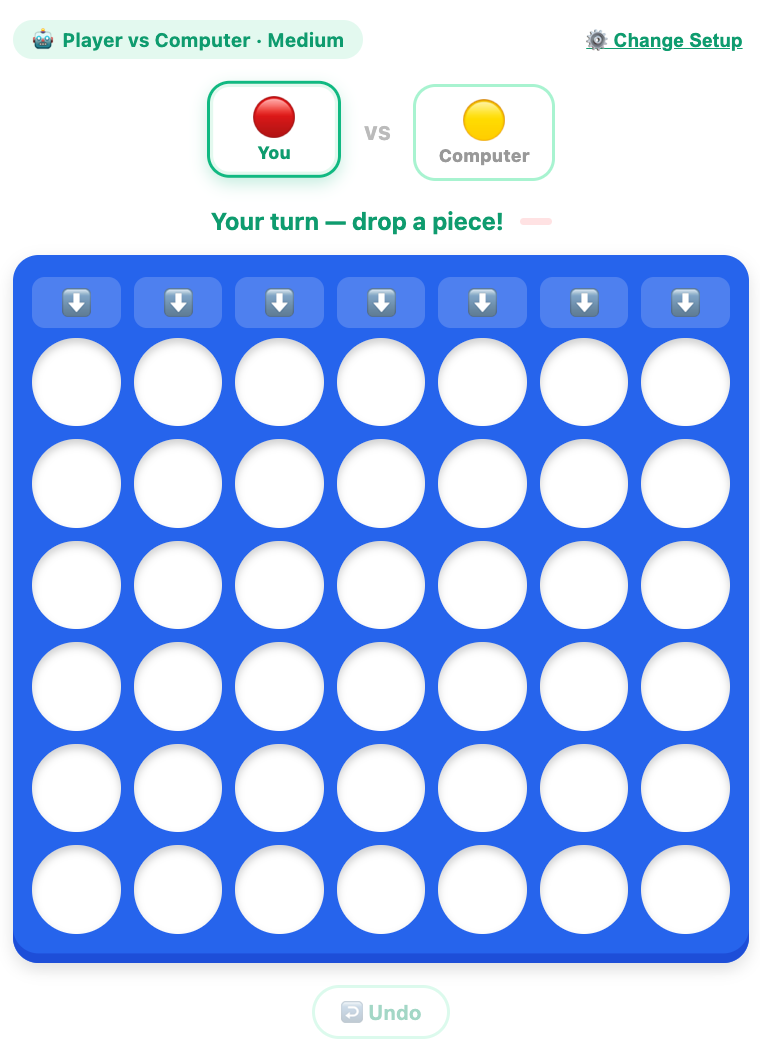
A screenshot when start a game
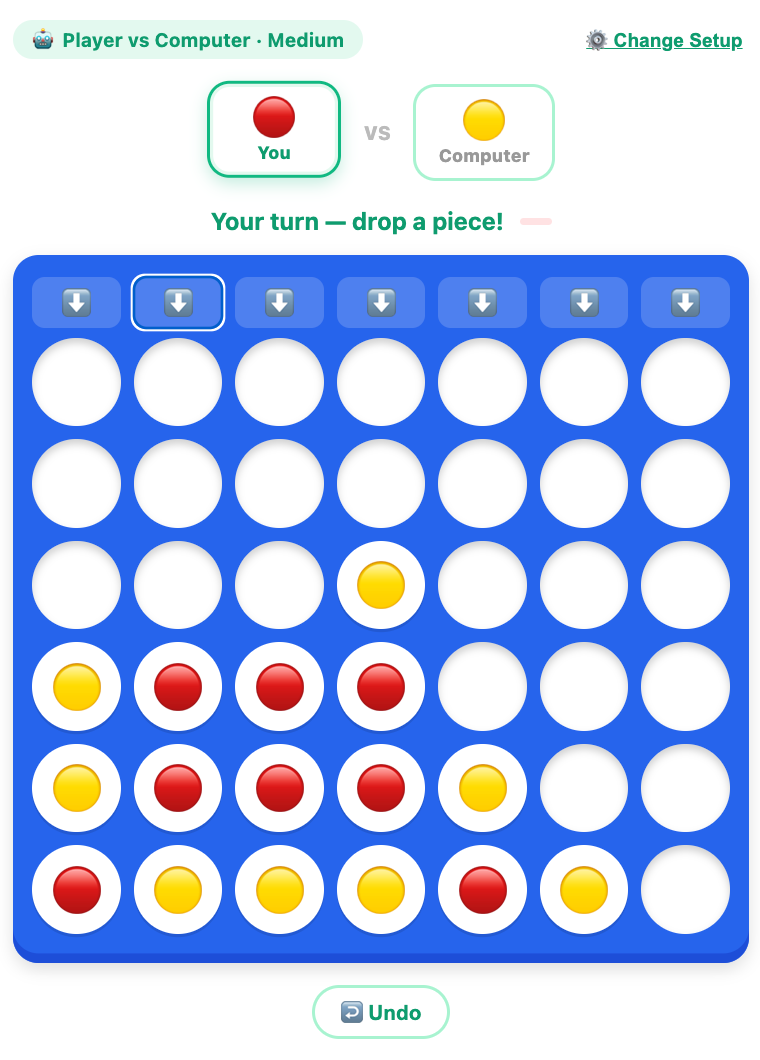
A screenshot when a game is playing
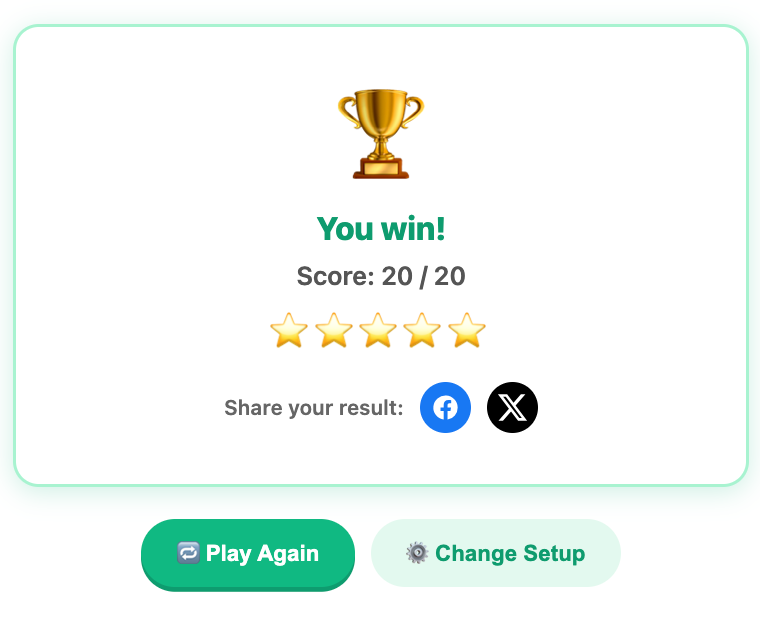
A screenshot when complete a game
More Mind Games
 365.5K plays
4.9
365.5K plays
4.9
Tic-Tac-Toe
Play a game of Tic-Tac-Toe against the computer and see if you can outsmart it.
 1.1M plays
4.9
1.1M plays
4.9
Chess
Play the classic game of chess against the computer or a friend, with FIDE time controls, hints, and undo.
 244.7K plays
5.0
244.7K plays
5.0
Tower of Hanoi
Move the stack of rings from one tower to another without ever placing a bigger ring on a smaller one.
 973.3K plays
4.9
973.3K plays
4.9
Sliding Puzzle
Slide the numbered tiles — or a fun picture! — one at a time until they line up in order, from a cozy 5-tile board all the way up to the classic 15 puzzle.
Most Played Games
 1.8M plays
5.0
1.8M plays
5.0
Color & Draw
A free-drawing canvas with colors and brush sizes to unleash your creativity.
 59.2K plays
5.0
59.2K plays
5.0
Recycling Sort
Sort everyday items into the Recycle, Compost, or Trash bin before time runs out!
365.5K plays
4.9
Tic-Tac-Toe
Play a game of Tic-Tac-Toe against the computer and see if you can outsmart it.
1.1M plays
4.9
Chess
Play the classic game of chess against the computer or a friend, with FIDE time controls, hints, and undo.
Comments (133)