
Science Village Builder
153.3K playsBuild a village on a blocky island! Answer questions about animals and plants, weather and space, your body, and forces and energy to earn wood, stone, flowers and diamonds for every house, road, farm and school. Give your farms water and sunshine, plant trees by the houses, and make every villager happy.
Science Village Builder for kids is a free building game where science answers pay for every block. You turn an empty sandy island into a busy village, and each house, road, farm and school costs wood, stone, flowers or diamonds that you earn by answering science questions about living things, Earth and space, your body, and forces and energy.
It's a blocky island seen from above at an angle, a bit like a tiny Minecraft world, and it plays in your browser on a computer, tablet or phone, with nothing to download and no sign-up. Twelve quests guide you from the first square of grass to a 2×2 school, and the village has a science twist of its own: farms need water and sunshine, and houses want a shady tree nearby.
🔬 Four Kinds of Science, Four Building Materials
On this island, every material comes from one kind of science question. When you get a question right, you earn that material.
🪵 Wood comes from Living Things. Animals, plants and life cycles. Wood builds houses (2 wood each), fences and bridges.
🪨 Stone comes from Earth & Space. Weather, rocks and planets. Stone builds rocks and roads.
🌸 Flowers come from Body & Health. Your senses, your organs and staying healthy. Flowers grow trees and farms (2 flowers each).
💎 Diamonds come from Forces & Energy. Pushes, pulls, magnets, light and electricity. This is the hardest kind, and diamonds build the shop, the playground and the school (the school costs 2).
Two pieces are free: 🌱 Grass and 💧 Lake. So the very first quest teaches you how to build before any question shows up.
The questions are written for each age. A toddler might see "Which animal says moo?" with pictures of a 🐄 cow, a 🐶 dog and a 🐱 cat. An elementary kid might get "Why do you sweat when you are hot?" or "A loop that electricity flows all the way around is a…" (the answer is a circuit). A tween might be asked which part of a cell releases energy from food, or which material stops electricity from flowing.
🏝️ From Sand to Village: Playing on KidWorld, Step by Step
Choose your level. Pick Toddlers, Preschool, Elementary or Tweens. The level picks the questions and also the size of your island (from 16×16 up to 24×24 squares) and how big each quest is. You can switch any time with Change Level.
Follow the quest card. The green card at the top says what to do next, like "Plant 16 squares of grass on the sand", with a counter (0/16) and a picture of the piece it unlocks. Finish a quest and a new piece in the palette opens up: Grass, then Tree, Rock, House, Road, Fence, Farm, Shop, Playground, School, Bridge and Lake.
Build by tapping or dragging. Pick a piece in the palette under the island, then tap a square. Drag to paint lots of grass at once, or to draw a long road or fence (road pieces join up by themselves). Tap a tree again to change its kind, a house again to repaint it, or a farm again to plant a different crop.
Answer to earn. If you try to build something you can't afford, a question card pops up for the material you need. Pick the right answer (tap it or press 1–4) and you earn the material, and the piece is built right away. You can also earn ahead of time with the ➕ buttons on the materials bar.
Learn from a wrong answer. If you pick a wrong answer, the card shows the right one ("Not quite! The right answer: …"). Then tap Try another question for a fresh one. If you close a card without answering, the same question waits for you next time, so you can't skip a hard one by closing it.
Look around. The round arrow buttons turn the island (or press Q and E), and ➕/➖ zoom in and out. Use the ✋ Move tool or the arrow keys to slide around when you're zoomed in.
Fix mistakes for free. The 🧽 Eraser removes a piece, and ↩️ Undo takes back your last change. Both give your materials back, so a right answer is never wasted.
Finish your village. Tap 🏁 Finish Village whenever you're happy. You get a picture of your island, your score out of 100, and lists of "Science you got right" and "Practice these again".
Your island saves itself in your browser after every change, so you can close the page and come back later. 🏝️ New Island starts over with fresh sand. You also have the page's fullscreen, reload and music buttons, and a 🔊 button on every question card that reads the question and its answers out loud.
☀️ Happy Villagers: Water, Sunshine, Roads and Trees
Buildings in this village have needs, just like real living things and real towns. When a need isn't met, the building shows a little thought bubble, like a 💧 over a thirsty farm.
🌾 A farm needs fresh water and sunshine. It must be within 2 squares of the stream or a lake. The salty sea doesn't count! And nothing tall can stand on any square touching it, not even corner to corner. A tree, house, shop or school there would shade the crops.
🏠 A house wants a road next door and a tree within 2 squares, for shade and fresh air.
🏪 A shop needs a road and 2 houses within 3 squares. A 🤸 playground needs a road and one house within 3 squares.
🏫 The school needs a road and 3 houses within 4 squares. It's a big 2×2 building, so save room for it!
Above the island you can see how many villagers live there (4 for each house) and what share of your buildings are happy.
🧠 How to Build the Best Village: Smart Builder Tips
Tip 1: Plan the middle of your island first
Before you paint grass everywhere, pick a spot for your main road. A road through the middle lets you put houses on both sides, and the shop, playground and school all need a road too. Leave one 2×2 space next to the road for the school. If the school can't fit later, you'll need the Eraser.
Tip 2: Keep farms out in the open
The most common mistake is planting a tree right next to a farm. The tree blocks the sun, and the farm gets sad. Remember the rule: no tall piece on any of the 8 squares around a farm. Fences are fine, because they're short. So a fence around your farm keeps it neat and never steals its sunshine.
Tip 3: One tree can help a house without shading a farm
A house needs a tree within 2 squares, and a farm hates a tree right next to it. Put the tree on the side of the house away from the farm. That way one tree makes the house happy, and the farm still gets full sun.
Tip 4: Dig a lake where you want farms
If your best grassy spot is far from the stream, make your own water! The 💧 Lake piece is free and digs fresh water into the land. A farm within 2 squares of your lake has all the water it needs. It's also the last quest, so you'll need to dig one anyway.
Tip 5: Count your materials before you build
Each right answer gives a set amount. On the Elementary level, a Living Things answer gives 3 wood. A house costs 2 wood, so one answer pays for a house and a piece of fence. A school costs 2 diamonds, but each Forces & Energy answer gives only 1 diamond on that level, so plan on answering two questions in a row. When you see that, it's not a mistake. The game will simply ask again.
Tip 6: Use Undo to try ideas
Not sure where the playground looks best? Build it, look at it from all four sides with the turn buttons, and press Undo if you don't like it. The diamond comes right back. Because your materials always equal what you earned minus what's on the map, moving things around never costs you anything.
Tip 7: Read every word of the question
Science questions often have a tricky option that is almost right. Slow down, read the whole question, and press 🔊 to hear it if you like. Here are some examples, and how to think them through.
"Which planet is the hottest?" Many kids pick Mercury, because it's closest to the Sun. But the answer is Venus! Its thick clouds trap the heat like a blanket. The word to notice is "hottest," not "closest."
"Why do you sweat when you are hot?" The options might be "To cool your body down," "To warm you up," "To grow hair" and "To make you taller." Ask yourself: what happens when water dries on your skin? It feels cool. So sweat cools you down.
"All the bones in your body together are your…" Skin, blood and muscles are all real body parts, so they sound right. But only one of them is made of bones: your skeleton.
"You kick a ball. What is that?" A preschool question with pictures. A kick moves the ball away from you, so it's a push. Opening a drawer toward you is a pull.
"Which material stops electricity from flowing?" A tweens question. Copper, iron and aluminum are all metals, and metals let electricity through. Rubber doesn't, which is why wires are wrapped in it.
Tip 8: Know how your score works
When you tap Finish Village, you get up to 100 points. Half is for building: 35 points shared across the 12 quests, 10 for how many of your buildings are happy, and 5 for using lots of different kinds of pieces. The other half is for science: 50 points times the share of questions you got right. So a careful answer is worth just as much as a fast build. If you want every point, finish all 12 quests, make every building happy, and think before you tap an answer.
👨👩👧 Science Village Builder for Kids at Every Age
Science Village Builder for toddlers (ages 2–4)
Science Village Builder for toddlers uses the smallest island and the easiest questions, with only 3 answers to choose from, most with pictures: animal sounds, things that roll or float, what a magnet picks up. Each right answer gives the most materials (4 wood or 4 stone). Buildings have no needs at this level, so a little builder doesn't have to think about water, sun or roads yet. The game reads every question out loud when sound is on, so a parent can sit together and ask, "Which one says moo?"
Science Village Builder for preschoolers (ages 4–6)
Science Village Builder for preschoolers adds a fourth answer and shows the needs as thought bubbles, but the quests still count every building. That's a gentle first look at the science of farms: "Look, the farm wants water. Where is the lake?" Questions are about baby animals (a baby cat is a kitten), where animals live, what plants need to grow, and pushes and pulls.
Science Village Builder for elementary kids (ages 6–10)
Science Village Builder for elementary kids makes the needs count for real. The Farm quest only counts farms that have both fresh water and sunshine, and the shop, playground and school must have their roads and houses. Questions cover planets, the heart and lungs, gravity, friction and simple machines like levers. Each answer gives a little less, so kids answer more questions to finish the village.
Science Village Builder for tweens (ages 10–12)
Science Village Builder for tweens has the biggest island (24×24), the biggest quests (24 squares of grass, 5 houses, 3 farms) and the hardest questions: cells and their parts, photosynthesis, conductors and insulators, and forces like friction. Only 2 materials come from each answer, so tweens will answer around 30 questions before their village is done. Tweens who enjoy the island but want a different challenge can build the same kind of village with word questions in English Village Builder.
🌍 Why Building With Science Is So Good for Kids
Science that feels useful. Every right answer turns into something your child can see: a new house, a road, a school. Science stops being a list of facts and becomes the thing that builds their town.
Living things need things. A farm without water or sun shows a thought bubble until you fix it. That's the same lesson a real gardener learns: plants need water and sunlight to grow. Kids also notice that only fresh water helps, not the salty sea.
Planning and patience. A school needs a road and three houses near it, and it's 2×2. Kids learn to look ahead and leave room, and to fix a plan without getting upset, since Undo and the Eraser always give materials back.
Mistakes that help. A wrong answer never costs a building. The card simply shows the right answer, and the finish screen lists the questions to practice again. Children get to try again without feeling bad. Kids who'd like to practice numbers the same way can try Math Village Builder, and little ones who just want to build with no questions at all will love Tiny World Builder.
A note for parents and teachers
Science Village Builder is free to play in the browser, with no download and no account needed. There's nothing scary in it: no monsters, no fighting and no timer, just a calm island and villagers walking along the roads. It practices science across four topics (living things, Earth and space, the human body, and forces and energy), plus reading, planning and spatial thinking. The questions were written by hand and checked so every wrong answer is wrong in any fair reading, which means kids aren't marked wrong for a reasonable idea.
Ready to build? Pick your level, plant your first square of grass, and let your science answers grow a whole village. Science Village Builder for kids turns every right answer into a home for someone. 🏡🌳🔬
🖼️ See the Game in Action
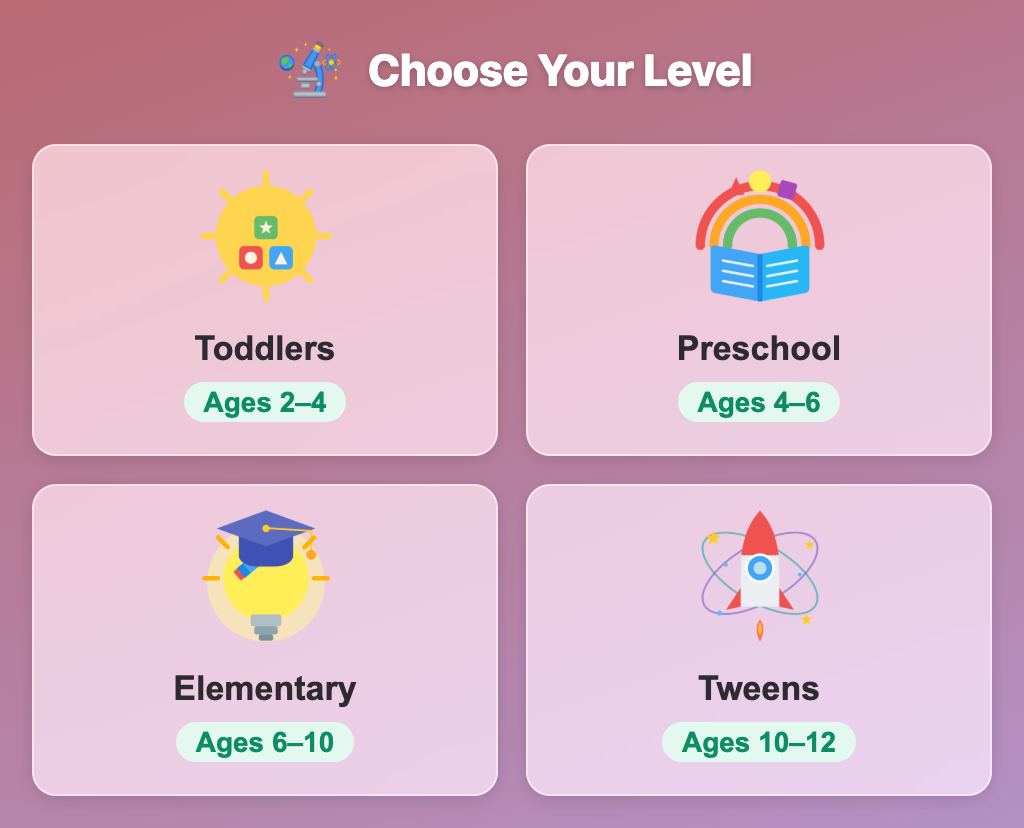
The Choose Your Level screen in Science Village Builder for kids, with Toddlers, Preschool, Elementary and Tweens cards
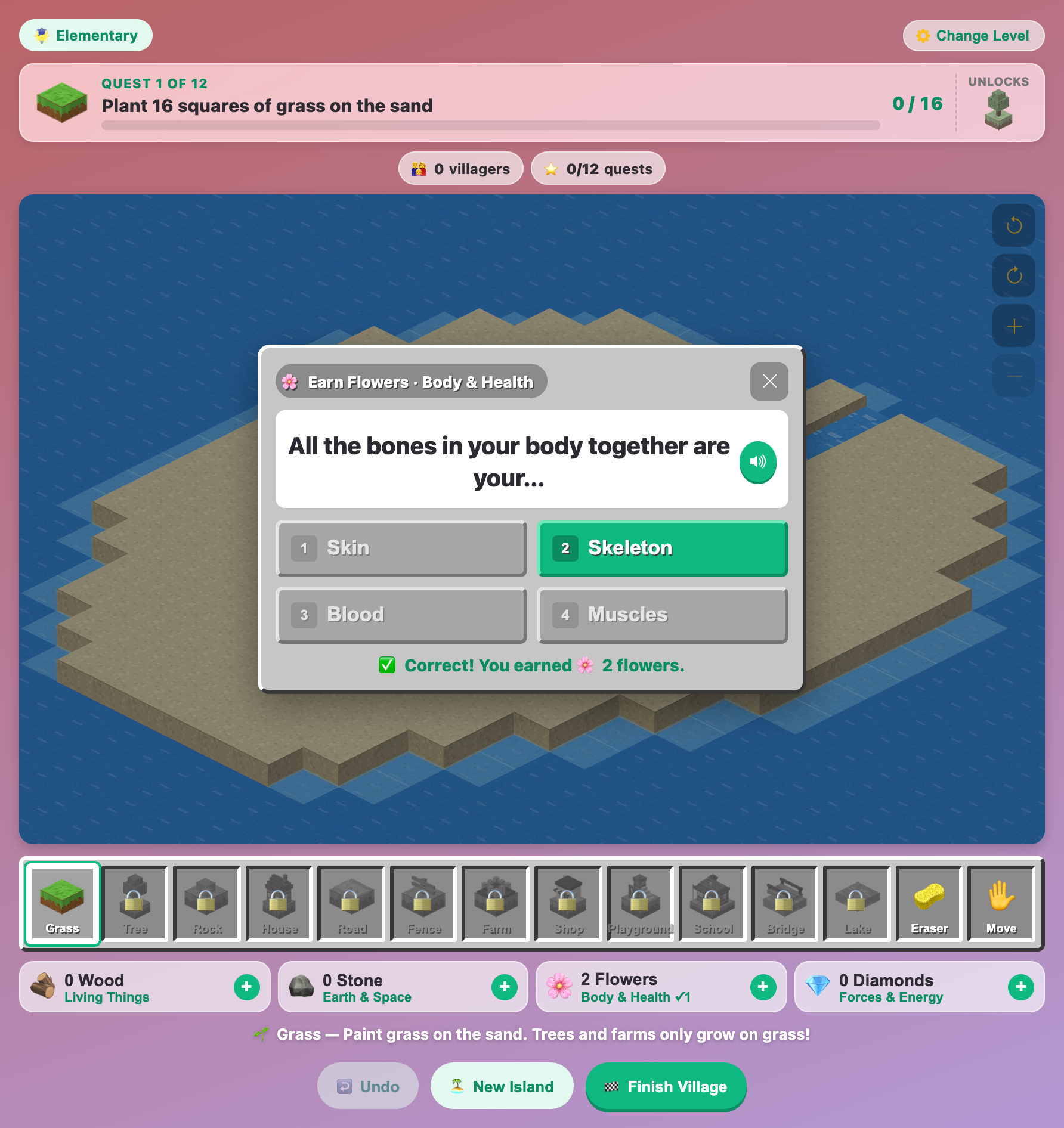
A Body and Health question card asking what all the bones in your body are called, answered right
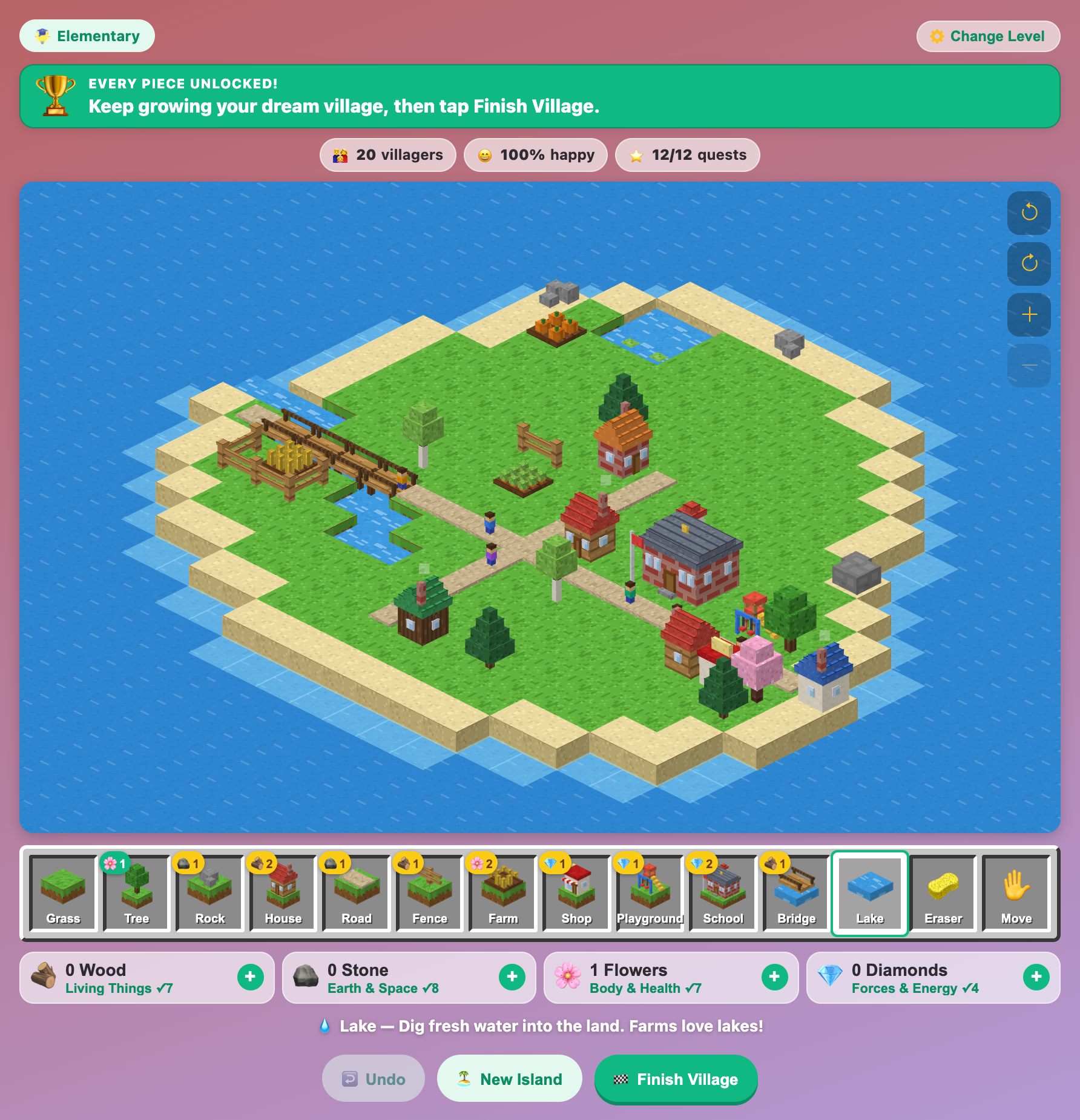
A finished blocky island village at the Elementary level with houses, a school, farms, a bridge and happy villagers
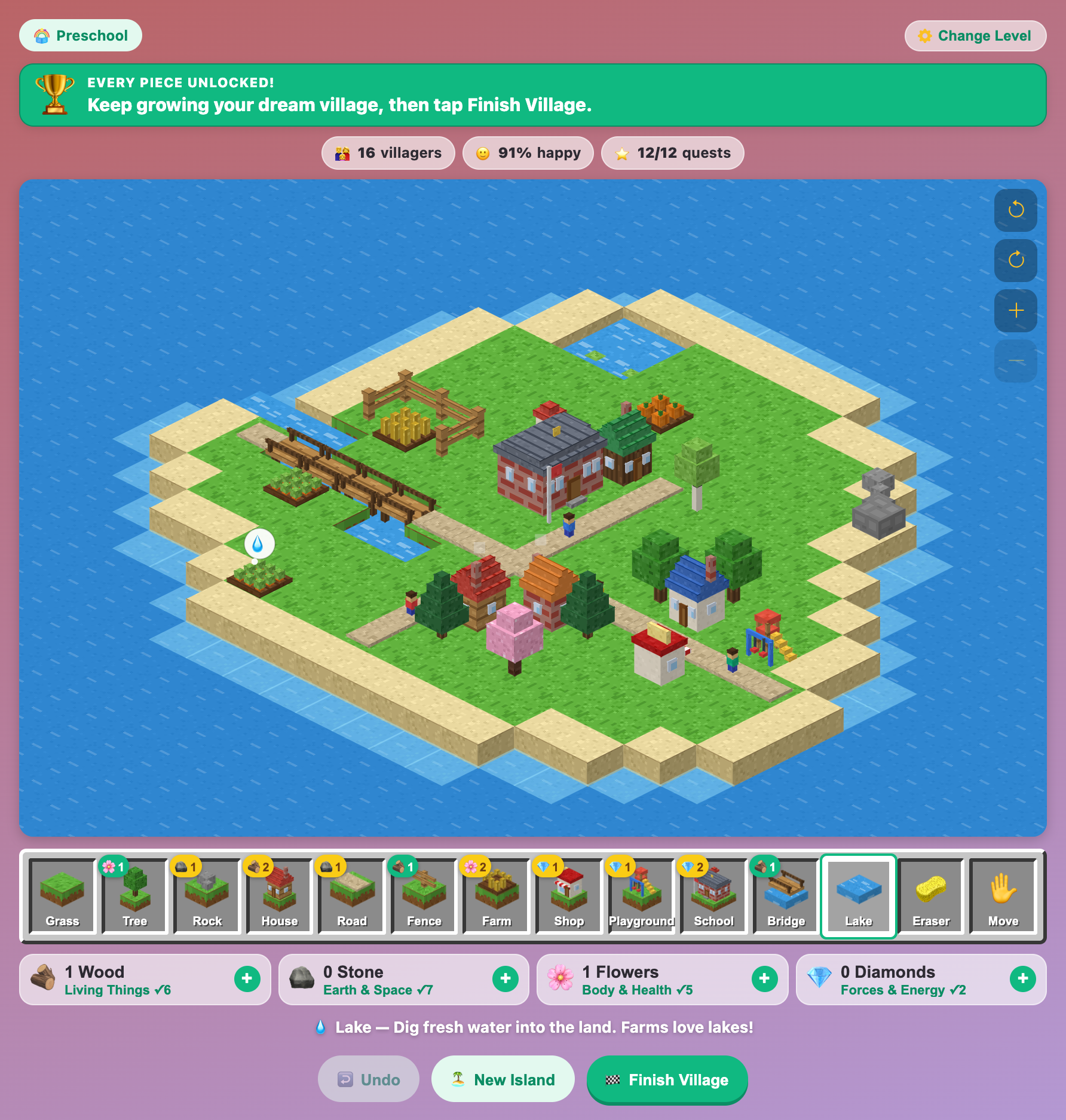
A preschool village in Science Village Builder where a farm far from water shows a water drop thought bubble
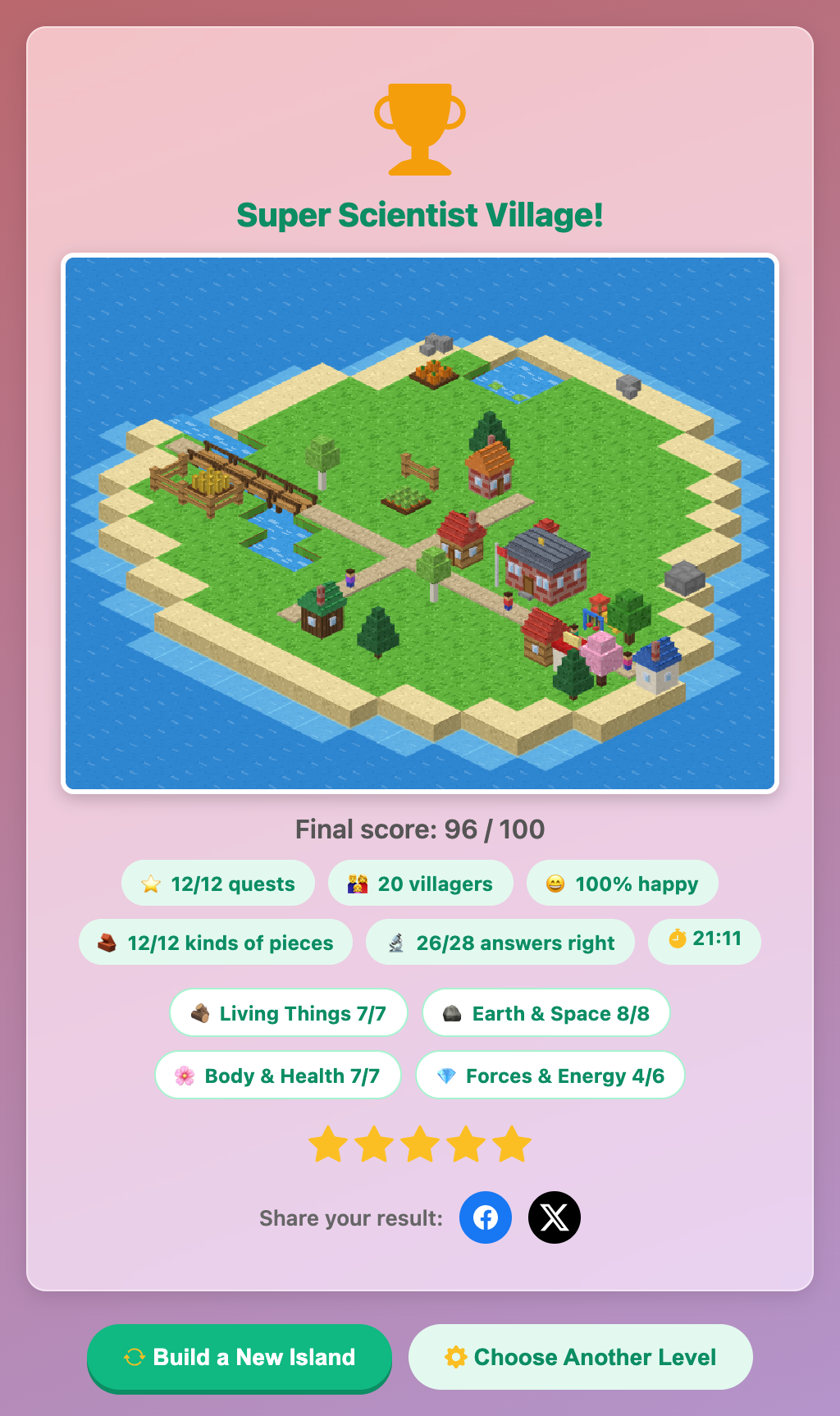
The Super Scientist Village results card with a picture of the island and a score of 96 out of 100
More Science Games
 59.5K plays
4.8
59.5K plays
4.8
Recycling Sort
Sort everyday items into the Recycle, Compost, or Trash bin before time runs out!
 85.7K plays
4.9
85.7K plays
4.9
Grow a Plant
Plant seeds in sunny and shady garden beds, then water, feed and protect them day by day. Watch the roots grow underground and harvest sunflowers, tomatoes, carrots and more!
 438.6K plays
4.9
438.6K plays
4.9
Magnet Experiment
Guess which objects a magnet will pull, then drag the magnet to test every guess. Does gold stick? Does a battery?
 386.9K plays
4.9
386.9K plays
4.9
Five Senses Match
Decide which of your five senses you would use for each everyday scene before time runs out.
Most Played Games
 1.8M plays
4.9
1.8M plays
4.9
Color & Draw
A free-drawing canvas with colors and brush sizes to unleash your creativity.
59.5K plays
4.8
Recycling Sort
Sort everyday items into the Recycle, Compost, or Trash bin before time runs out!
 365.8K plays
5.0
365.8K plays
5.0
Tic-Tac-Toe
Play a game of Tic-Tac-Toe against the computer and see if you can outsmart it.
 274.1K plays
5.0
274.1K plays
5.0
Sentence Builder
Pick your age level, then tap the shuffled words in the right order to build the sentence.
Comments (48)