Solar System Explorer
94.6K playsExplore a real 3D solar system, zoom into planets from the Sun to Pluto, and discover moons, space missions, and wild records!
Saturn would float in a giant bathtub. One day on Venus lasts longer than a whole Venus year. And Pluto got its name from an 11-year-old girl. Those are three of the 114 secrets hidden in Solar System Explorer, a real 3D model of our neighborhood in space that you can spin, zoom and tap.
The Sun glows in the middle, and eight planets plus Pluto circle around it on their own paths, all at once. Tap any of them and the camera flies over to it and keeps chasing it as it moves. That's Solar System Explorer for kids on KidWorld.
🌞 Ten Worlds Floating in One Screen
Our solar system is the Sun and everything that travels around it. The path a planet follows around the Sun is called its orbit. In this game you can visit ten worlds:
The Sun ☀️, the star in the middle. It is so big that it holds about 99.8% of all the stuff in the solar system.
Four inner planets 🪨: Mercury, Venus, Earth and Mars. They are small, rocky and close to the Sun.
Four outer planets 🌀: Jupiter, Saturn, Uranus and Neptune. They are giant balls of gas and ice, far from the Sun.
One dwarf planet ❄️: Pluto, a small, icy world out past Neptune.
The Sun and the eight planets wear real pictures made from NASA images, so Jupiter has its stripes and Saturn has its rings. Uranus has a thin, faint ring too, just like the real one.
One thing to know: the model is not to scale. That means the sizes and distances have been squeezed. In real life, Neptune is about 30 times farther from the Sun than Earth is, and you could fit more than 1,300 Earths inside Jupiter. If the game used real sizes, the inner planets would be tiny dots crowded together, and Neptune would be off the edge of your screen. So the game keeps every world in the right order and still shows the big ones bigger. It also keeps one real rule: planets closer to the Sun go around faster. Watch Mercury zip around while Neptune creeps along!
🕹️ Flying Around: Every Button Explained
Look at the whole system. When the game opens, you see the Sun, the orbit lines and all the planets moving. There's no level to pick. Everything is ready to explore.
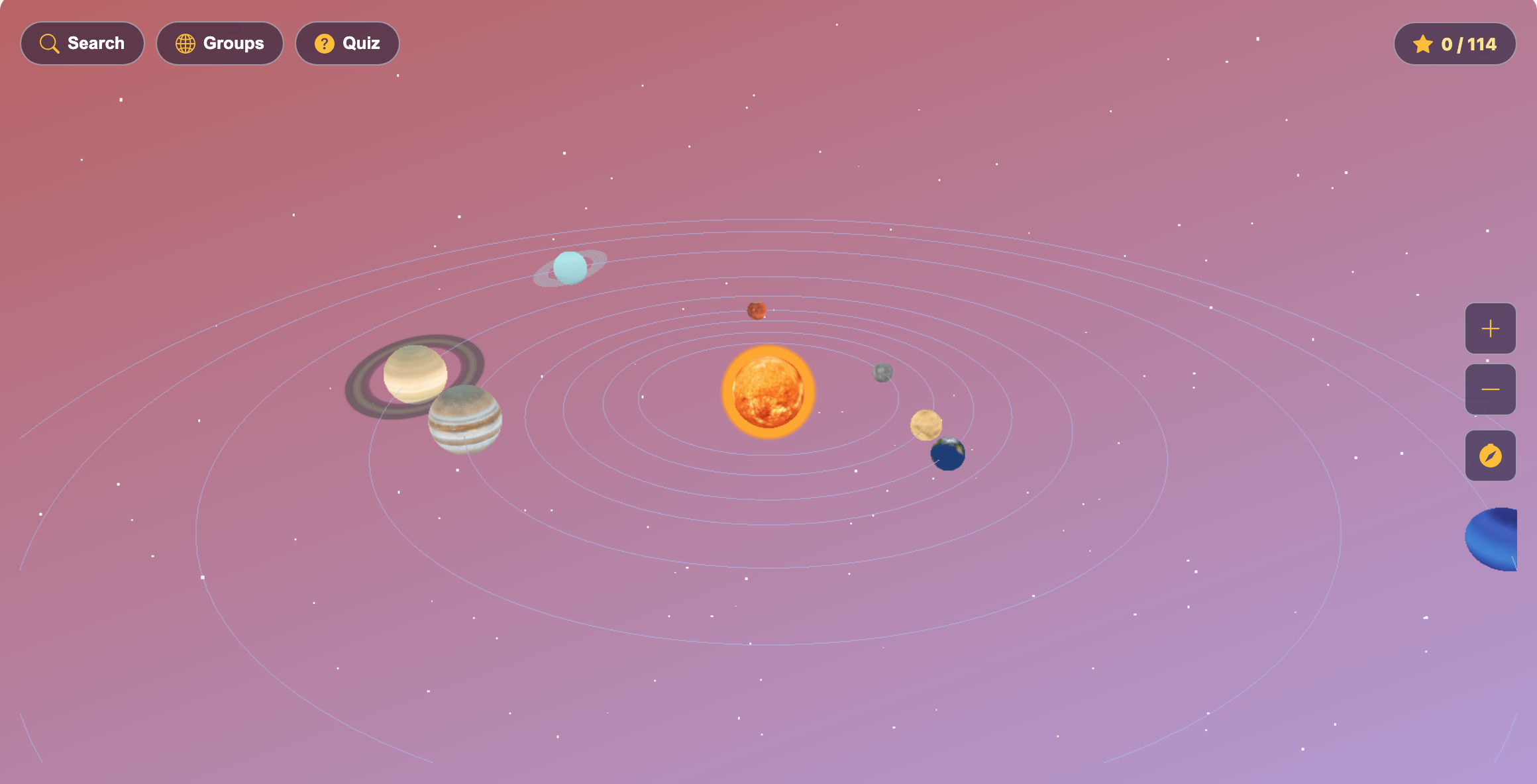
Spin and zoom. Drag with your mouse or finger to turn the whole solar system. Scroll the mouse wheel or pinch with two fingers to zoom. The + and − buttons on the right zoom too.
Tap a world. Tap the Sun, a planet or Pluto. The camera flies in close and keeps following it around its orbit. A panel opens with the world's name, a short description and three numbers: its Diameter (how wide it is), its Distance from Sun and how many Moons it has.
Open a fact category. Each world has six buttons: 🔎 Overview, 🌙 Moons, 🚀 Exploration, 🏆 Records, 🌬️ Weather and 🏛️ Mythology. Each one holds two discoveries, and a small counter like 0/2 shows how many you have found. The Sun, Mercury and Venus have no moons, so their Moons button shows 0/0.
Discover a fact. Tap a discovery card that says “Tap to discover.” A card opens with a picture, a short explanation and a 💡 bonus fact. The first time, it also says “New discovery!” and gives you stars. Afterward, that card says “Discovered!” and has a green check.
Use the toolbar. Search finds worlds, groups and facts by name. Groups shows the Sun, Inner Planets, Outer Planets and Dwarf Planets, with a bar for how many you've explored. Quiz asks you questions about the facts.
Come back to the middle. Close a panel with the ✕ to stay close to your planet and watch it travel. Tap the 🧭 compass button to fly back out to the whole solar system.
Check your counter. The ⭐ pill in the top-right corner shows how many of the 114 facts you have found, like 12 / 114.
Use the page buttons. Next to the game are buttons for fullscreen, reload and music on or off.
⭐ Stars, Checkmarks and Your Space Log
Solar System Explorer has no timer and no “game over.” You explore as long as you like, and you earn stars in two ways:
New discoveries earn 2, 3 or 5 stars. Easy facts give 2, medium facts give 3, and the hardest facts give 5. You only earn stars the first time you open a fact.
Right quiz answers earn 10 stars each. A wrong answer costs nothing. The game just shows you the right world.
Every time you collect 10 more stars, they are added to your KidWorld star total. Your checkmarks are saved in the browser you are using. Come back tomorrow on the same computer or tablet and every fact you found is still checked off. A different device starts fresh.
All 114 discoveries add up to 354 stars, and the quiz never runs out, so there's always more to earn.
🚀 Solar System Explorer for Kids: How to Become a Top Space Explorer
There's no single way to “win.” The big goal is to fill your counter to 114 / 114 and collect as many stars as you can. These tips start easy and get smarter.
1. Take the tour in order
Open Groups and start with The Sun, then Inner Planets, then Outer Planets, then Dwarf Planets. Tap a group, then tap a world's name, and the camera flies right to it. Going in order from the Sun outward helps you remember which planet comes next.
2. Open all six buttons on every world
The game doesn't tell you which facts are the 5-star ones before you open them. So the best plan is to open every card. A fact you already found never gives stars again, so look for the cards that still say “Tap to discover.”
3. Read the 💡 bonus fact
Every discovery has a bonus fact at the bottom, and those are often the most amazing part. Mars's Olympus Mons, for example, is nearly three times taller than Mount Everest. Reading carefully also helps you in the quiz, because every quiz question is built from the names of these same discoveries.
4. Use the numbers on each panel
The panel's three numbers tell a story. Distance from Sun is measured in AU. One AU is the distance from Earth to the Sun, about 150 million km, so Earth is exactly 1 AU. Saturn is 9.58 AU, almost ten times farther out than us. Compare the Moons numbers too: Mercury and Venus have none, while Saturn has 146!
5. Search for a word
The Search box looks through every world, group and fact title. Type a word like “storm” and you'll find storms on several planets at once, such as Jupiter's Giant Storms, Saturn's Hexagon Storm and the dust storms on Mars. Tapping a fact in the results flies you to its world and opens the card.
6. Crack the quiz with clues
Every quiz question asks, “Which one is home to …?” It names a discovery and shows its picture, with four worlds to choose from. Look for clues in the name. Something hot or bright points toward the Sun or the planets close to it. Something icy or dark points to the far-out worlds.
7. Cross out the wrong worlds
The three wrong choices are picked at random, so often you can rule some out quickly. If you know the name belongs to a moon, a choice like Mercury or Venus can't be right, because they have no moons. If it's about rings, think of Saturn and Uranus.
8. Keep playing the quiz
Once most of your discoveries are found, the quiz is your best source of stars. Each right answer is worth 10, and a wrong one costs nothing, so tap Next Question and keep going. Every wrong answer shows you the right world, which helps you get it next time.
9. Go close up
After reading about a planet, close the panel with the ✕ instead of the compass. The camera stays near the planet and follows it as it moves. You can drag around it to see Saturn's rings from the side, or look for the Great Red Spot on Jupiter.
🔭 Five Quiz Questions, Thought Through
“Which one is home to Extreme Cold? 🥶”
The choices were Earth, Neptune, Pluto and Mercury. Mercury is the closest planet to the Sun, and Earth is just right for life, so cross them out. Neptune is cold, but Pluto is even farther away and smaller. Pluto's surface can drop to about −230°C. Answer: Pluto.
“Which one is home to Olympus Mons? 🌋”
The 🌋 picture says “volcano.” The tallest volcano in the whole solar system sits on the red planet. Answer: Mars.
“Which one is home to Sideways Spin? 🔄”
One planet is tipped right over on its side, so it rolls around the Sun like a ball. It's the pale blue ice giant with the faint ring. Answer: Uranus.
“Which one is home to Diamond Rain? 💎”
Scientists think the crushing pressure deep inside one far-away ice giant may squeeze carbon into diamonds. It's the deep blue planet that is also the windiest. Answer: Neptune.
“Which one is home to Ra? 𓁛”
Ra is a name from Mythology, the stories people told long ago. Ancient Egyptians believed Ra sailed across the sky in a boat every day. That makes Ra a god of the Sun. Answer: The Sun.
👨👩👧 Space Exploring at Every Age
Solar System Explorer has no levels. Everyone sees the same solar system and the same 114 facts, so here's how different ages can enjoy it.
🐣 Solar System Explorer for toddlers (ages 2–4)
Little ones love spinning the system and tapping the big, glowing Sun or ringed Saturn. A grown-up can name the planets as they go by and read a fact out loud now and then. They won't read the fact cards alone yet, and that's fine: the colors, rings and moving worlds are the fun part.
🎨 Solar System Explorer for preschoolers (ages 4–6)
Preschoolers can learn the order of the planets and spot the big differences: which ones have rings, which one is red, which one is our home. Read the short descriptions together, and let them pick the answers in the quiz while you read the question.
📚 Solar System Explorer for elementary kids (ages 6–10)
This is the sweet spot. Kids can read most fact cards on their own, compare the numbers on each panel and race to fill the ⭐ counter. Kids who enjoy exploring a 3D world can also spin a whole globe in Discovery Earth, where every country hides its own landmarks, animals and foods.
🚀 Solar System Explorer for tweens (ages 10–12)
Tweens can dig into the Exploration and Records facts: the Voyager probes, the Parker Solar Probe, the Huygens landing on Titan. They can also think about why the model isn't to scale, and use the AU numbers to work out how far apart the planets really are. Answering the quiz from memory, without opening the panel first, makes a good challenge.
🌱 What Kids Learn on a Trip Through Space
Real science facts. Every card is about the real solar system: real missions, real moons, real weather. Kids learn that Venus is hotter than Mercury, that Mars is red because of rust, and that Saturn is light enough to float.
Big numbers and comparing. Diameters in kilometers, distances in AU and moon counts give kids a reason to compare big numbers. Which is wider? Which is farther? How many times farther?
How things move. Watching the inner planets race ahead while the outer ones crawl shows a real rule of space without a single word. If your child enjoys watching nature work by itself, Water Cycle Explorer shows the water cycle running all on its own in a 3D landscape.
Curiosity and memory. Because they explore by choice, kids follow what interests them, and the quiz helps the facts stick. Kids who like checking what's true can also try True or False?, where they decide whether science statements are right.
A note for grown-ups: Solar System Explorer is calm and safe. There's no timer, no game over and no chat, and a wrong quiz answer never costs anything. Facts are written for kids but use real numbers and real mission names, so it works well as a reading activity to share. It practices reading, comparing numbers and remembering facts, and it encourages questions about space.
Ready for lift-off? Spin the solar system, fly to your favorite planet, and see how close you can get to 114 out of 114. Have fun exploring Solar System Explorer for kids! 🪐
🖼️ See the Game in Action
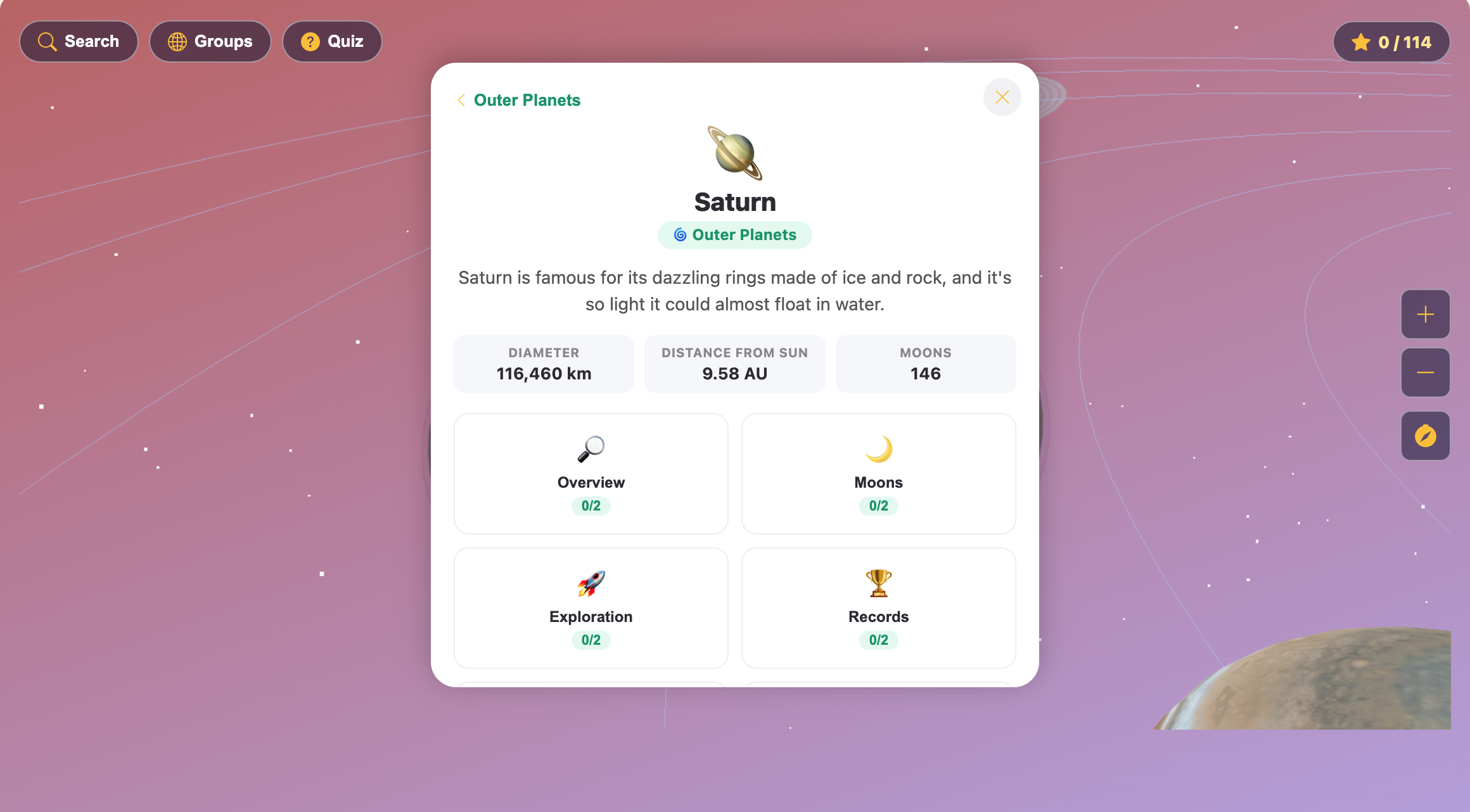
The Saturn panel showing its diameter, distance from the Sun, 146 moons and the Overview, Moons, Exploration and Records buttons
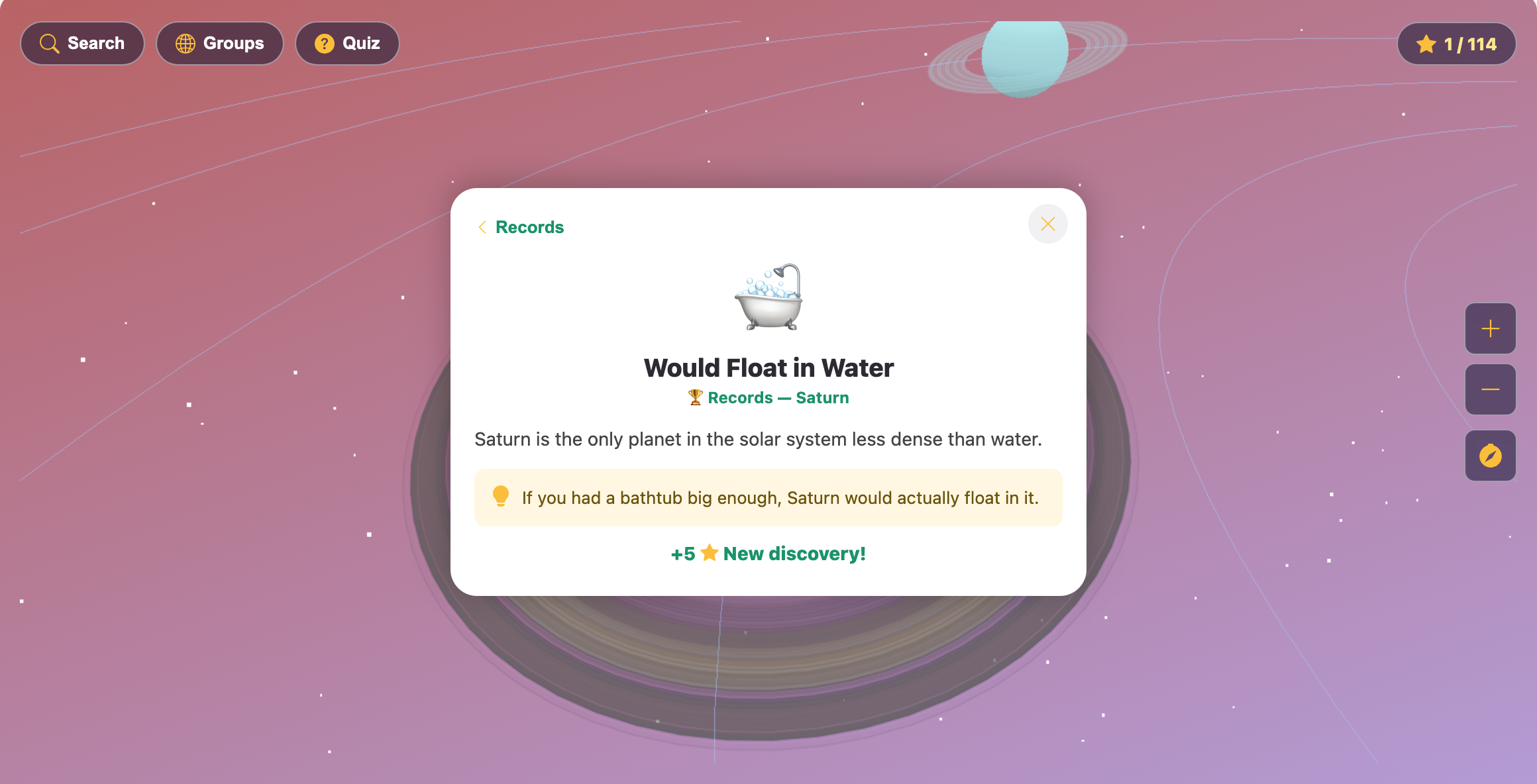
A Saturn Records card called Would Float in Water, with a bathtub picture and plus five stars for a new discovery
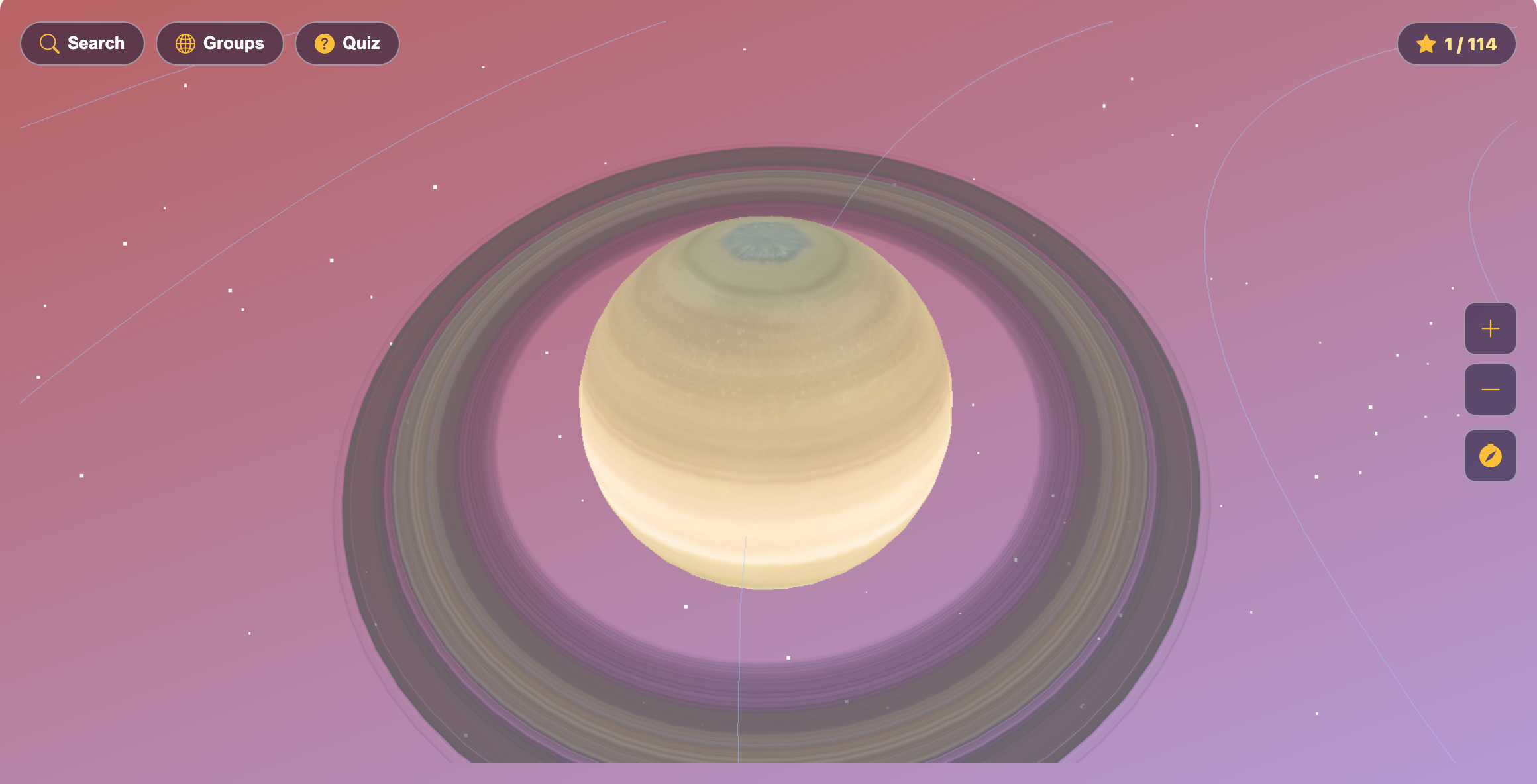
A close-up of Saturn and its wide rings after the camera flew in to follow the planet
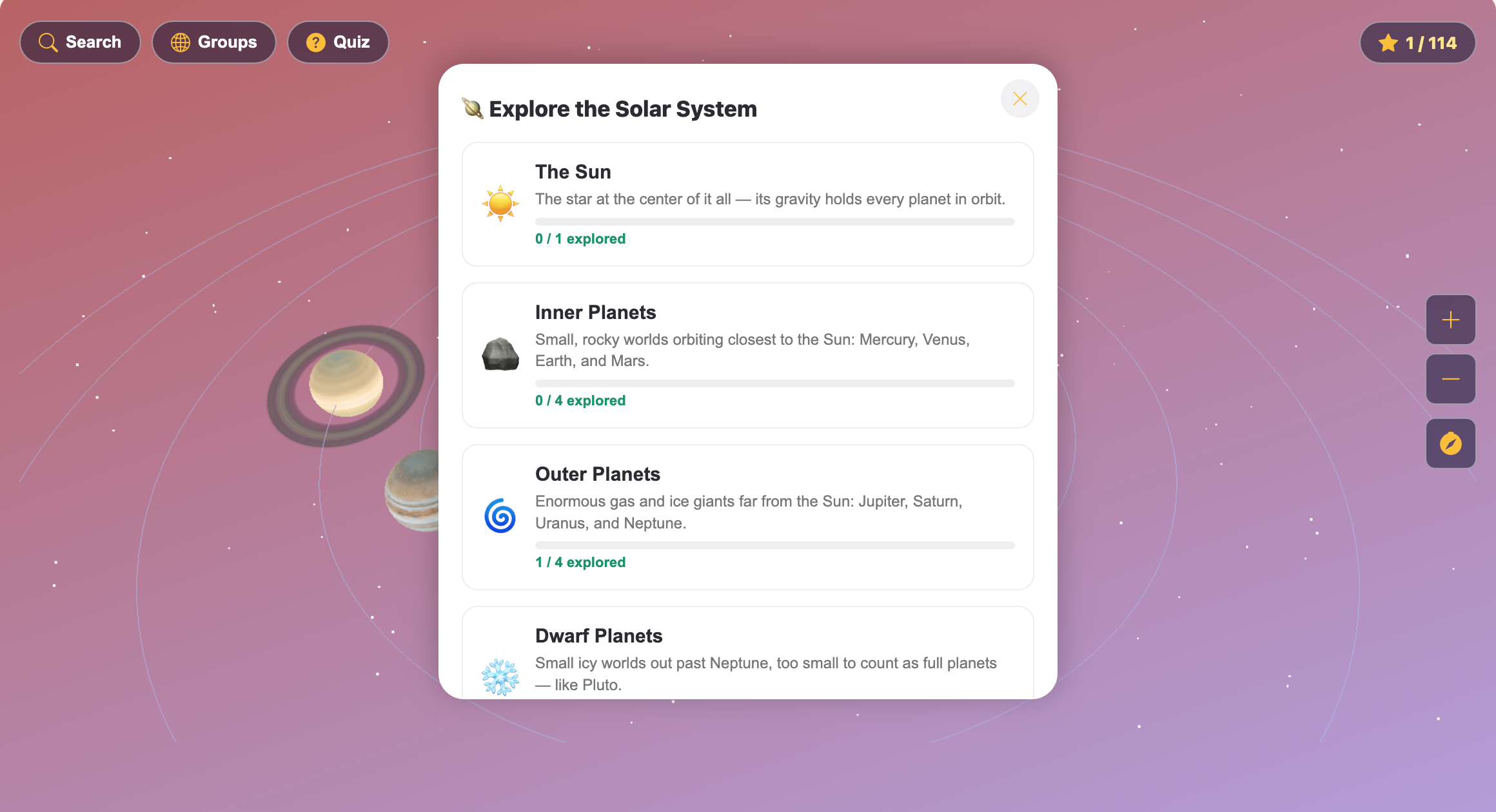
The Explore the Solar System list with The Sun, Inner Planets, Outer Planets and Dwarf Planets and how many of each are explored
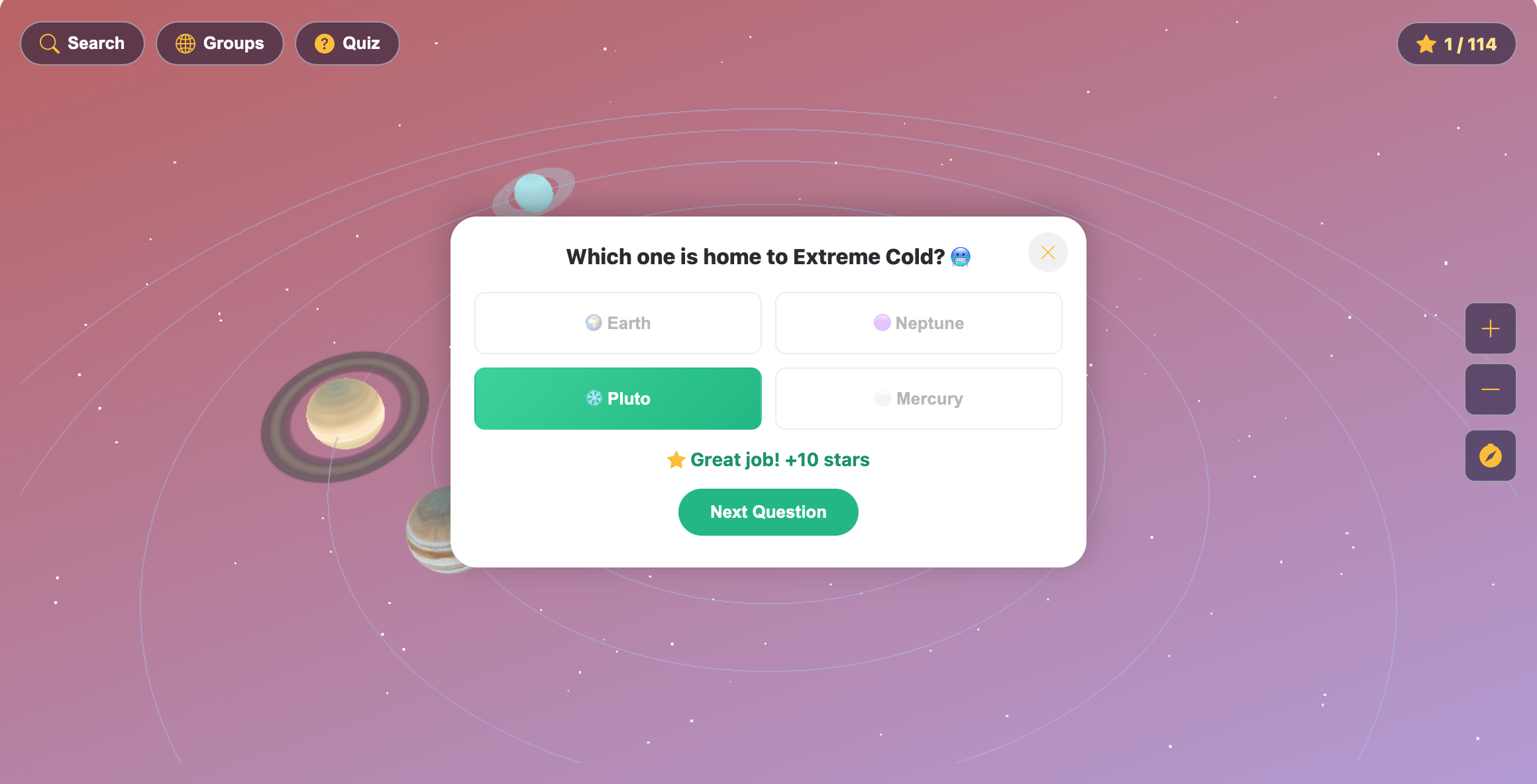
A quiz question asking which world is home to Extreme Cold, with Pluto marked right and Great job plus ten stars
More Science Games
 59.6K plays
4.8
59.6K plays
4.8
Recycling Sort
Sort everyday items into the Recycle, Compost, or Trash bin before time runs out!
 85.7K plays
4.9
85.7K plays
4.9
Grow a Plant
Plant seeds in sunny and shady garden beds, then water, feed and protect them day by day. Watch the roots grow underground and harvest sunflowers, tomatoes, carrots and more!
 438.6K plays
4.9
438.6K plays
4.9
Magnet Experiment
Guess which objects a magnet will pull, then drag the magnet to test every guess. Does gold stick? Does a battery?
 386.9K plays
4.9
386.9K plays
4.9
Five Senses Match
Decide which of your five senses you would use for each everyday scene before time runs out.
Most Played Games
 1.8M plays
4.9
1.8M plays
4.9
Color & Draw
A free-drawing canvas with colors and brush sizes to unleash your creativity.
59.6K plays
4.8
Recycling Sort
Sort everyday items into the Recycle, Compost, or Trash bin before time runs out!
 365.8K plays
5.0
365.8K plays
5.0
Tic-Tac-Toe
Play a game of Tic-Tac-Toe against the computer and see if you can outsmart it.
 274.1K plays
5.0
274.1K plays
5.0
Sentence Builder
Pick your age level, then tap the shuffled words in the right order to build the sentence.
Comments (88)