
Kaleidoscope Draw
118.3K playsDraw one line and watch it bloom into a kaleidoscope! Pick 2, 4, 6, 8 or 12 slices and draw in the bright slice: every stroke is copied and mirrored all the way around the circle in real time. Paint with the pen, rainbow, dots and glow brushes, or tap star, heart and petal stamps. Each goal card asks for something to make, like a snowflake, a sun with 8 rays or a flower with 6 petals, and checks your picture. Big kids switch between mirror and turn symmetry to build pinwheels and spinning galaxies. Finished pictures spin and go into your gallery.
Pick 8 slices and draw one short pink line. Now count the pink lines on the screen: there are eight! That is the trick behind Kaleidoscope Draw for kids, a free art game you play right in your browser. Every line, dot and stamp you add is copied around a circle, so even a wobbly scribble turns into a round, shining pattern.
Each round gives you a goal card, like Make a snowflake or Make a sun with 8 rays. The card checks your picture while you draw and ticks off each goal. There are four levels for ages 2 to 12. You can draw with a mouse or with a finger on a tablet or phone, and there is nothing to download and no sign-up.
🔭 A Tube of Mirrors, Now on Your Screen
A real kaleidoscope is a tube with mirrors inside. You look in one end and turn it. Little bits of colored glass bounce between the mirrors, and you see each bit many times, in a perfect round pattern.
A Scottish scientist named David Brewster invented the kaleidoscope in 1816, more than 200 years ago. Its name comes from old Greek words that mean “looking at beautiful shapes.”
Kaleidoscope Draw works the same way, but you make the colored bits yourself. The circle is cut into slices, like a pizza. You can pick 2, 4, 6, 8 or 12 slices. Whatever you draw in one slice shows up in every other slice, right away.
Mirror copies and turn copies
In Mirror mode, the slice next door is a mirror picture, the way your left hand matches your right hand. The lines between the slices act like mirrors, so the game calls them mirror lines. Each mirror line goes all the way across the circle, so you always get half as many mirror lines as slices: 12 slices make 6 mirror lines, 8 slices make 4, and 2 slices make just 1 line down the middle, like a butterfly.
In Turn mode, the copies are not flipped. They are just turned around the middle, like the arms of a pinwheel. Draw a curl, and every copy curls the same way, so the whole picture seems to spin. Only the Tweens level has Turn mode.
🖍️ How to Play Kaleidoscope Draw on KidWorld
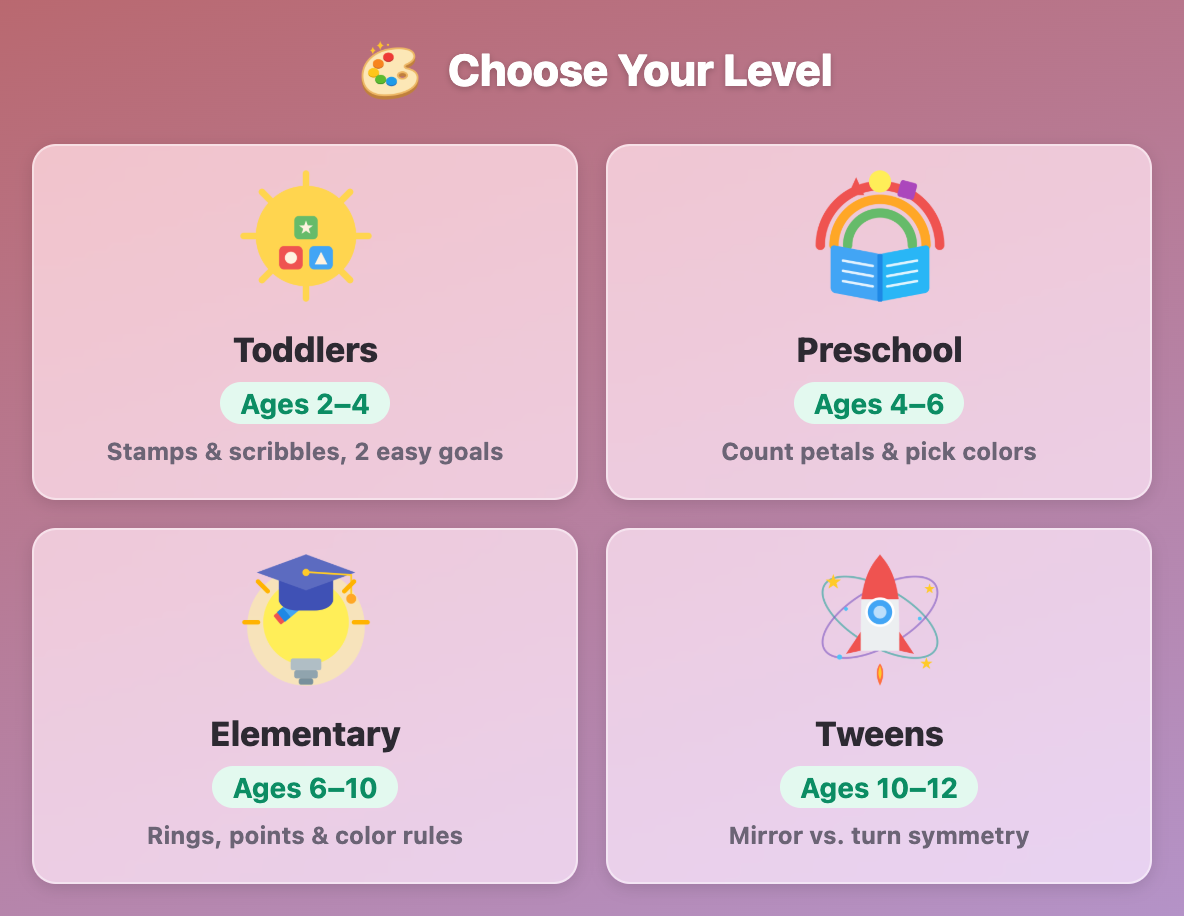
Pick your level. The first time, the game starts at Elementary. Tap Change Level at the top to see all four cards: Toddlers (“Stamps & scribbles, 2 easy goals”), Preschool (“Count petals & pick colors”), Elementary (“Rings, points & color rules”) and Tweens (“Mirror vs. turn symmetry”).
Read your goal card. It names the picture to make and lists 2 to 4 goals. Tap the green 🔊 button to hear it. When the sound is on, the game also reads each new card by itself.
Set up your circle. Tap a number under Slices: 2, 4, 6, 8 or 12. Every new card starts with 6. Pick a Paper color: Night, Black, White or Sky. On Tweens, a Mode row lets you pick Mirror or Turn. You can change the slices at any time, even after drawing. The whole picture is drawn again with the new number of copies.
Choose a brush. Pen draws a plain line. Rainbow changes color as you draw. Dots leaves a row of round dots. Glow draws a shiny line with soft light around it. Stamps has a star, a heart, a petal, a circle and a diamond. Eraser rubs ink away. Each brush has a small, medium and large size, and there are 11 colors to pick from. Toddlers and Preschool start on the large size.
Draw in the bright slice. One slice is lighter than the others. It sits just to the right of the line that points straight up. Drag to draw, or tap once to place one stamp. You may draw anywhere, but the bright slice is where you see the one “real” copy that all the others follow.
Watch the goals tick. A goal turns green with a check mark as soon as your picture meets it. Small numbers show how far along you are, like “2/3” colors or “18%/25%” of the circle colored. If you break a rule such as “Only warm colors”, that goal shows a red cross and a tip.
Fix mistakes. Undo takes back your last stroke, and it also undoes a change of slices, mode or paper. On a keyboard, Ctrl+Z (or Cmd+Z on a Mac) does the same. Clear wipes the circle, and Undo can bring it back. Hide lines hides the dashed slice lines, so you see only your picture.
Tap Finish. If some goals are still open, the game gives you a tip, and the button changes to Finish anyway. Tap again if you really are done. Then the lines disappear, and your kaleidoscope spins all the way around and keeps turning slowly.
See your stars. The result card shows up to 3 stars, your score out of 100 and a sentence about your picture, such as “Your flower has 8 slices, 4 mirror lines and 4 colors!” The New Card button counts down from 5 and then starts your next card by itself. My Gallery keeps your last 12 finished pictures.
Use the buttons around the game. Make the game fill the screen with the fullscreen button, and turn the music on or off with the music button. The reload button starts the game over and clears the picture you were drawing. If the whole web page reloads by accident, your picture is still there when it comes back.
⭐ Where the 100 Points Come From
Your score has two parts. The goals are worth 75 points, shared evenly between them. On a card with 4 goals, each goal is worth about 19 points. On a Toddlers card with 2 goals, each one is worth about 38.
The other 25 points are a bonus for a rich picture:
5 points for each brush you use, up to 3 brushes. The eraser doesn’t count.
5 points for 3 or more colors.
5 points when about a fifth of the circle is colored in.
90 points or more earns 3 stars, 70 or more earns 2, and 40 or more earns 1. Say you meet every goal with one brush, two colors and only a little of the circle colored. That is 75 + 5 = 80 points and 2 stars. Add a second and a third brush, plus one more color, and you reach 95 or 100 and all 3 stars.
🌀 Kaleidoscope Draw for Kids: Secrets for a Perfect Picture
The goal cards are fair, but they count very carefully. These secrets help you make exactly what the card asks for.
1. Count the copies before you draw
In Mirror mode, a shape inside the bright slice is copied once for every slice. One petal with 8 slices makes 8 petals. Two petals in each slice of a 6-slice circle make 12. So before you draw, ask: how many slices, and how many shapes in one slice?
2. Inside the slice, or right on a line?
A shape that sits right on top of a dashed line is its own mirror picture. Its copy lands on top of it, so it gets only half as many copies. With 12 slices, a line drawn inside the bright slice makes 12 arms, but a line drawn right on the dashed line makes only 6. Big kids use this trick for the trickiest Tweens cards.
3. Leave gaps between petals
The game counts petals, leaves and rays as separate patches of color around the middle. If two petals touch, they melt into one patch, and the count goes down. Put each petal in the middle of the bright slice, away from the dashed lines. If they still bump into each other, pick a smaller size.
4. Rays, arms and sparks must reach the edge
Goals like “8 rays that reach the edge” count lines that touch the outside of the circle. A ray that stops halfway won’t count. Drag all the way out to the rim, and the count appears next to the goal.
5. One arc makes a whole ring
For “rings around the middle”, drag a curve across the bright slice from one dashed line to the other. In Mirror mode the copies join up into a full circle. A band of color counts as a ring when it goes about a third of the way around or more. Make rings at different sizes, like the rings inside a tree trunk. A big circle stamp in the middle can count as a ring too.
6. A big circle stamp fills the middle
Some cards want the middle colored, and some want “a yellow middle.” Pick Stamps, choose the circle, pick the large size and the right color first, then tap the very middle of the circle once. Done in one tap!
7. Be careful with the Rainbow brush
The Rainbow brush paints lots of colors in one stroke. That is perfect for a “Use 3 colors” goal. But it breaks color rules like “Only warm colors” (red, orange and yellow), “Only white and blues” and “Only greens.” On those cards, use the Pen, Dots or Glow brush in the allowed colors.
8. Fill big parts of the circle fast
Cards like the stained-glass window ask you to color half of the circle. Use the large size, thick Glow or Dots bands, and stamps dragged in a line. Every stroke is copied into every slice, so a few fat strokes fill the circle quickly. Watch the percent number climb next to the goal.
9. In Turn mode, make shapes that lean
Turn-mode cards want “No mirror lines, so it spins.” Straight spokes from the middle and plain circles look the same from both sides, so they make mirror lines and break the goal. Draw hooks, curls and comma shapes instead, and make them the biggest part of your picture.
🧩 Five Goal Cards, Solved One Stroke at a Time
Toddlers: “Make a snowflake”
The goals are Use 12 slices and Use some white.
Tap 12 under Slices. The first goal turns green.
Pick white and the Pen. Drag one line from the middle out toward the edge, inside the bright slice. Now there are 12 white arms, and the second goal is green.
For extra sparkle, draw a little V shape on the arm, then a light blue Dots curve. Every arm gets the same branches. Using two brushes earns 10 bonus points.
Preschool: “Make a sun with 8 rays”
The goals are A yellow middle, 8 rays that reach the edge and Only warm colors.
Tap 8 under Slices. This is the step kids forget! With the starting 6 slices, one ray makes only 6 rays.
Pick Stamps, the circle, the large size and yellow. Tap the very middle.
Pick the Pen and orange. Drag one line from the yellow circle all the way to the rim, inside the bright slice. You get 8 rays.
Want more bonus points? Add red Dots around the sun. Red is a warm color, so the color rule still holds. Skip the Rainbow brush here!
Forgot to change the slices and counted only 6 rays? No problem. Tap 8 now, and the whole picture is drawn again with 8 rays.
Elementary: “Make a flower with 8 petals”
The goals are 8 petals around the middle, A yellow middle, 2 rings around the middle and Use 3 colors.
Tap 8 under Slices.
Pick Stamps, the petal, the large size and pink. Tap once inside the bright slice, about halfway out. Eight petals pop up, and each one points away from the middle, the way flower petals grow.
Switch to the circle stamp in yellow and tap the very middle.
Pick Glow in teal and drag an arc across the bright slice, just outside the petals. It becomes a glowing ring.
Pick Dots in purple and drag another arc near the edge. That is one more ring and a fourth color.
That flower meets all 4 goals, uses 3 brushes and 4 colors, and colors plenty of the circle: a perfect 100 out of 100.
Tweens: “Make a real snowflake”
The goals are Mirror mode, 6 mirror lines, 6 arms that reach the edge and Only white and blues. Real snowflakes have 6 arms, so this card is a puzzle.
Pick Mirror and 12 slices. 12 slices make 6 mirror lines.
But a line inside the bright slice would make 12 arms, not 6! So draw the arm right on top of the dashed line that points straight up, from the middle to the edge. A line on a mirror line gets half the copies: 6 arms.
Add small branches partway along the arm, but keep them away from the edge, so the count stays at 6 arms. Mirror mode copies each branch to the other side of the arm for you. Use only white, light blue and blue.
Tweens: “Make a pinwheel”
The goals are Turn mode: the copies spin, Use 4 slices, No mirror lines, so it spins and Use 2 colors.
Tap Turn under Mode and 4 under Slices.
Pick the Rainbow brush and draw a big curl from the middle out toward the edge. It turns into 4 swirling arms, all bending the same way.
Add a curve of yellow Dots that leans the same way. The pinwheel looks like it is spinning even before you tap Finish.
🎂 Kaleidoscope Draw for Every Age, 2 to 12
Kaleidoscope Draw for toddlers (ages 2–4)
There are 9 simple cards, each with just 2 goals: a snowflake, a flower made of petal stamps, a butterfly with 2 slices, a starry sky, a clover, a heart pattern, a target and more. Brushes start on the large size, so a short scribble already looks great. When the sound is on, the game reads the card and cheers each goal (“Yes! Heart stamps!”). A grown-up can help pick the slices, while the child taps the stamps.
Little ones who want to practice drawing steady lines can also try How to Draw, which shows a faint green line for each step of a simple picture.
Kaleidoscope Draw for preschoolers (ages 4–6)
Preschool has 8 cards with 3 goals each. Now kids count: 6 petals on a flower, 8 rays on a sun, 4 leaves on a four-leaf clover. Color rules appear too, like “Only greens” for the clover and “Only warm colors” for the sun. The game still reads everything aloud when the sound is on.
Kaleidoscope Draw for elementary kids (ages 6–10)
Elementary has 7 cards with 4 goals each: a mandala with 3 rings, a snowflake with 12 points, a blazing sun, a compass star, a firework made with the Glow brush and a stained-glass window that needs half the circle colored in 5 colors. Kids plan ahead and mix brushes to meet every goal.
Kaleidoscope Draw for tweens (ages 10–12)
Tweens get 8 cards with 4 goals, plus the Mode row. The goals count mirror lines and ask for Turn mode: a spinning galaxy, a swirly sun with 12 rays and no mirror lines, a rose window with 6 mirror lines and 4 rings, and a perfect flower with 6 petals and 6 mirror lines. These cards turn symmetry into a real puzzle.
💡 What Kids Learn While the Circle Spins
Symmetry, the fun way. When one stroke turns into 12, kids see what a mirror line really does. Tweens go further and see the difference between flipping a shape and turning it. These same patterns show up in snowflakes, flowers, round church windows and wheels.
Mirror symmetry is also the idea behind Symmetry Match, a quick puzzle where you pick the picture that completes a mirror half.
Counting and early multiplying. Two rays in each of 6 slices make 12 rays. Kids work this out by trying it, long before they learn times tables at school.
Color groups. Cards like “Only warm colors” and “Only white and blues” teach which colors belong together.
Planning and steady hands. Drawing an arm right on a dashed line, or a petal that doesn’t touch its neighbors, takes care. Kids learn to stop, think, then draw.
Trying again without fear. Undo is always there, and “Finish anyway” is fine. Every picture spins, gets stars and goes into the gallery.
When your artist wants to draw with no goals at all, Doodle Finish hands them a funny squiggle to turn into a monster, a snail or anything they can dream up.
A note for parents and teachers
Kaleidoscope Draw has no chat, no scary pictures and gentle music you can turn off. Kids can play without an account. Finished pictures are saved in My Gallery in this browser on your own device. It works on a computer, tablet or phone. Along the way, kids practice symmetry, counting, color groups, fine hand control and following a few steps in order. In class, try drawing the same stroke with 6 slices and then with 12, and ask the kids what changed.
Ready to see one little line bloom into a whole circle of color? Pick your slices, grab a brush and start your first goal card in Kaleidoscope Draw for kids. Your next masterpiece is just one stroke away! 🌈
🖼️ See the Game in Action
The Choose Your Level screen in Kaleidoscope Draw for kids, with Toddlers, Preschool, Elementary and Tweens cards
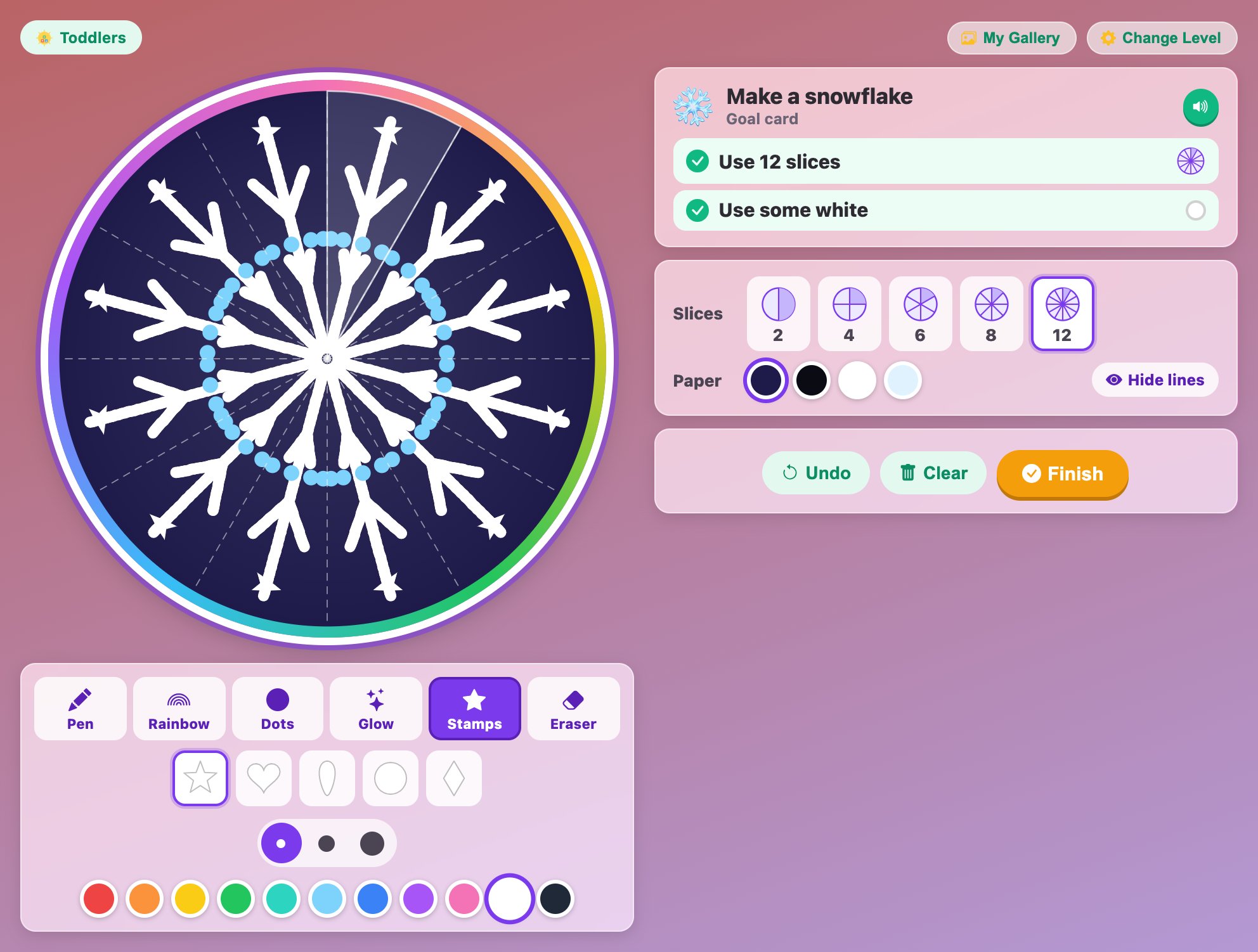
A white snowflake with 12 branching arms and a ring of light blue dots, made in Kaleidoscope Draw for toddlers
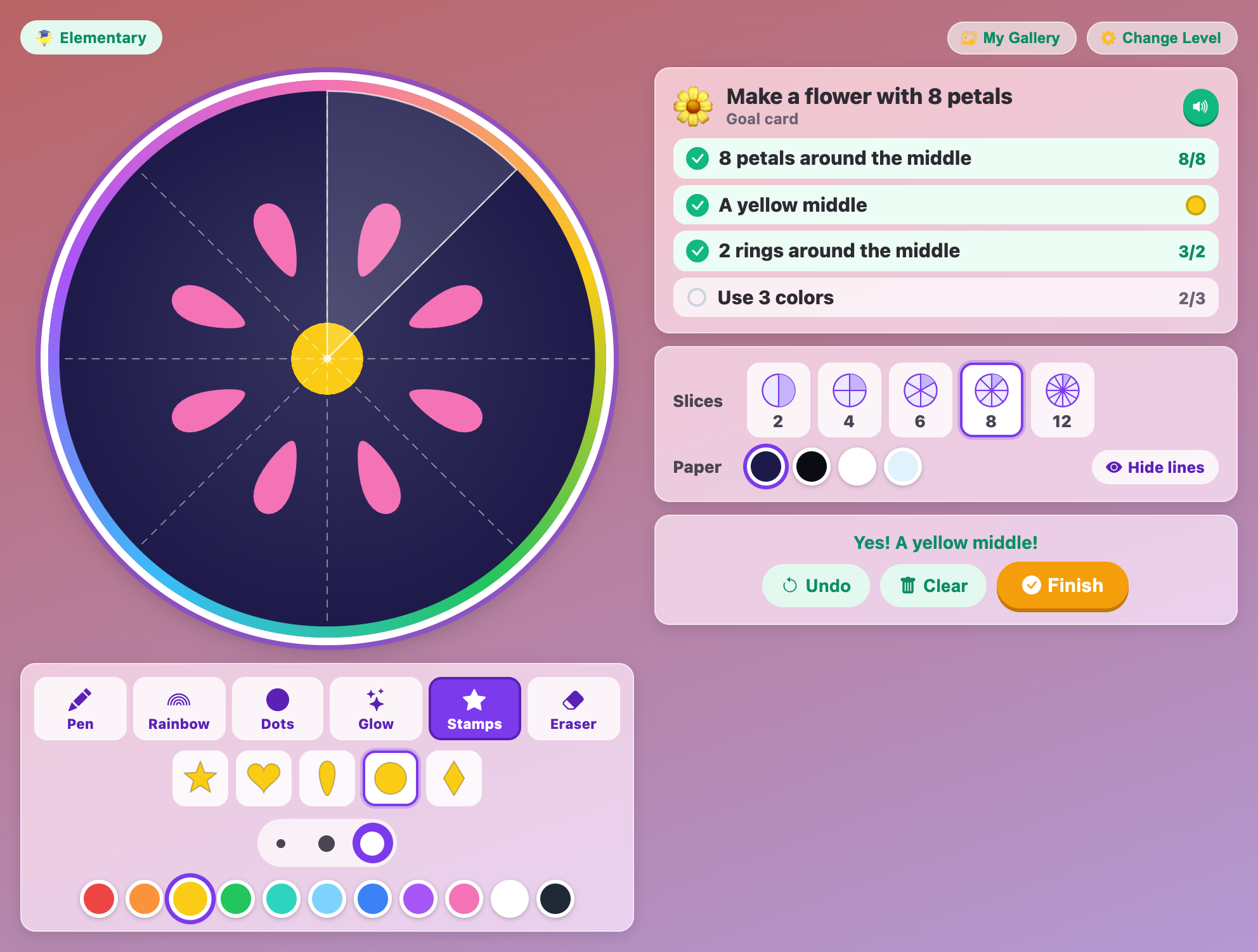
Eight pink petal stamps around a yellow circle on the goal card Make a flower with 8 petals
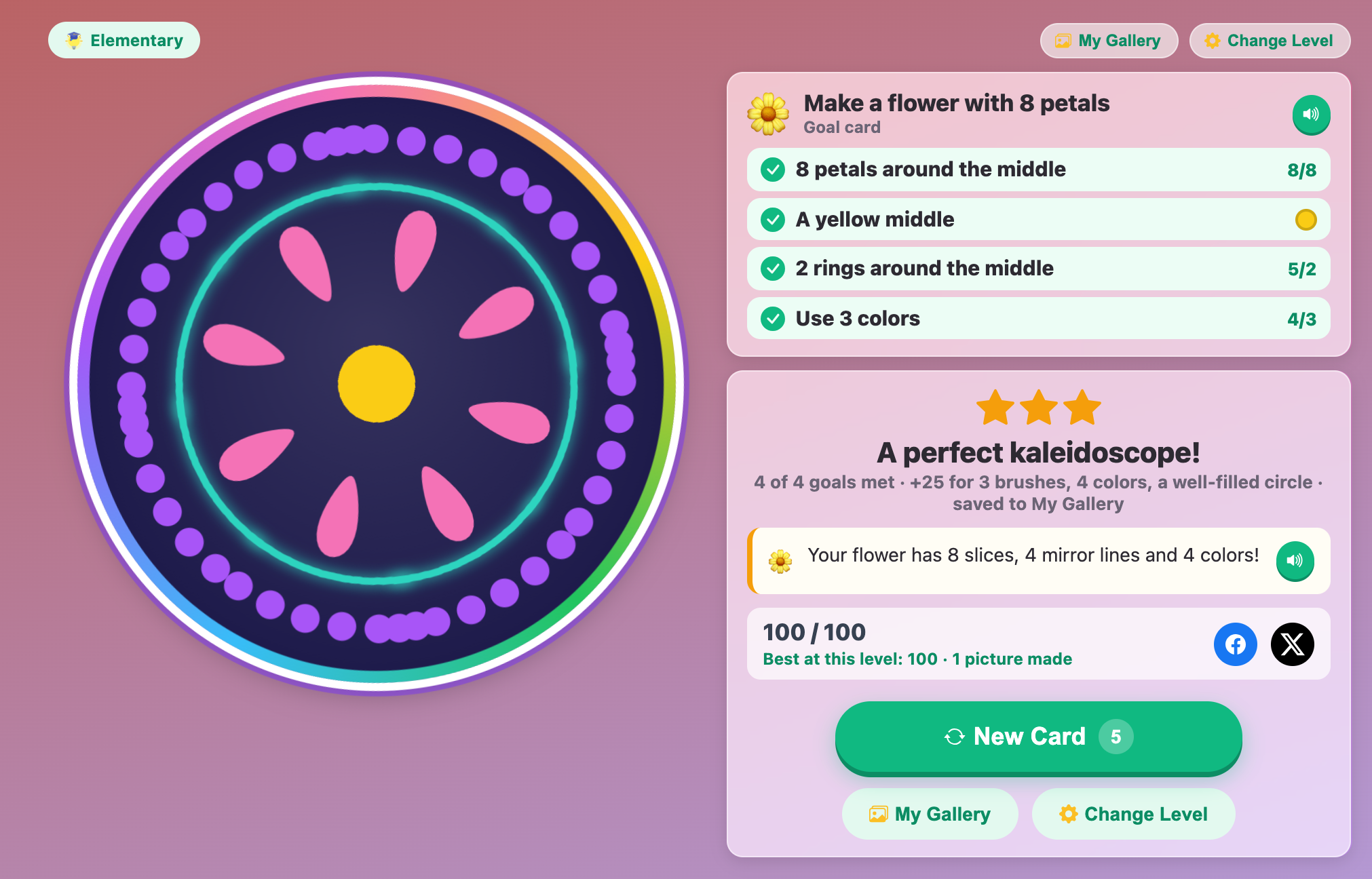
The result card in Kaleidoscope Draw with three stars, 100 out of 100 and a finished flower kaleidoscope
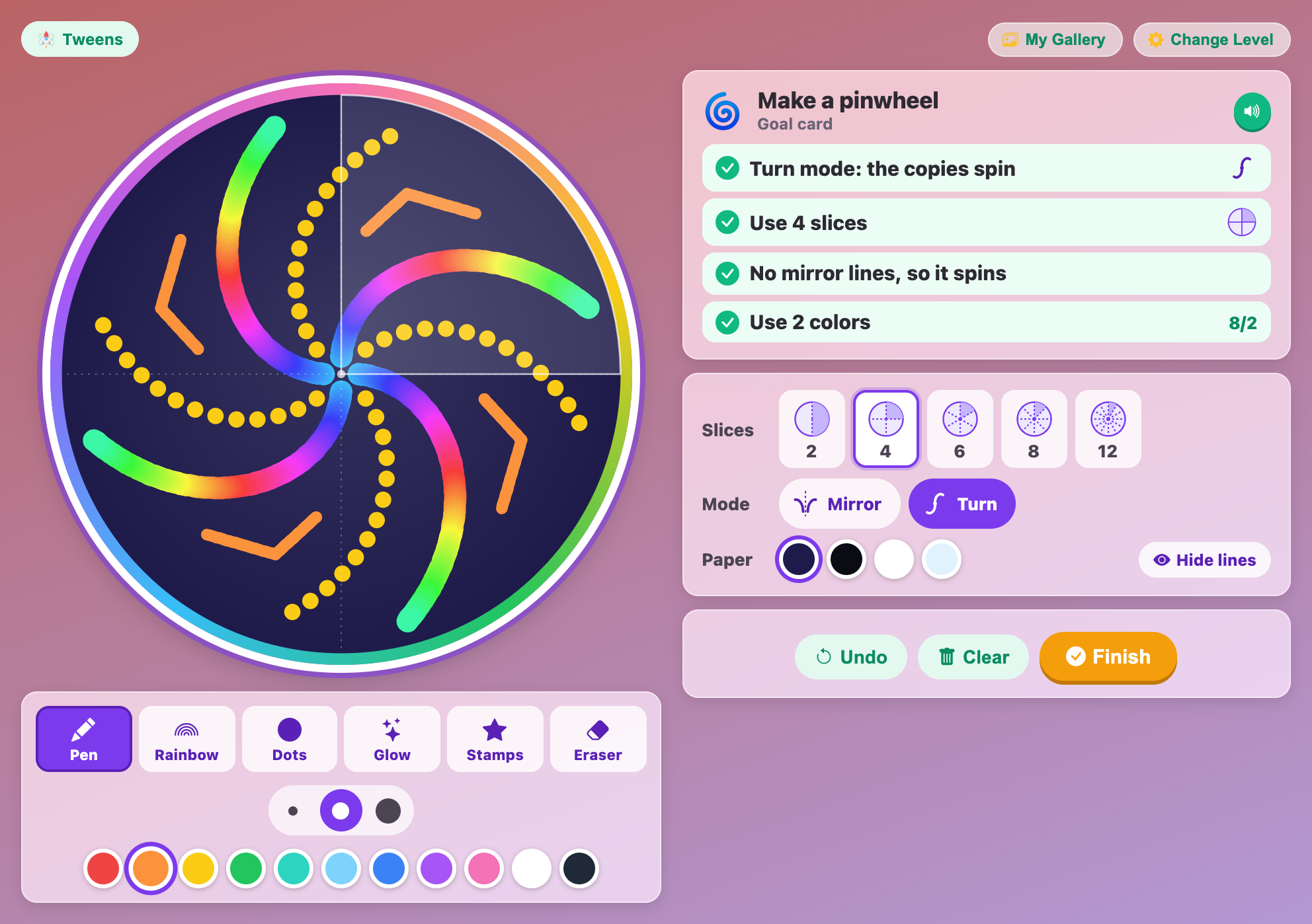
A spinning pinwheel of rainbow swirls and yellow dots in Turn mode with 4 slices, in Kaleidoscope Draw for tweens
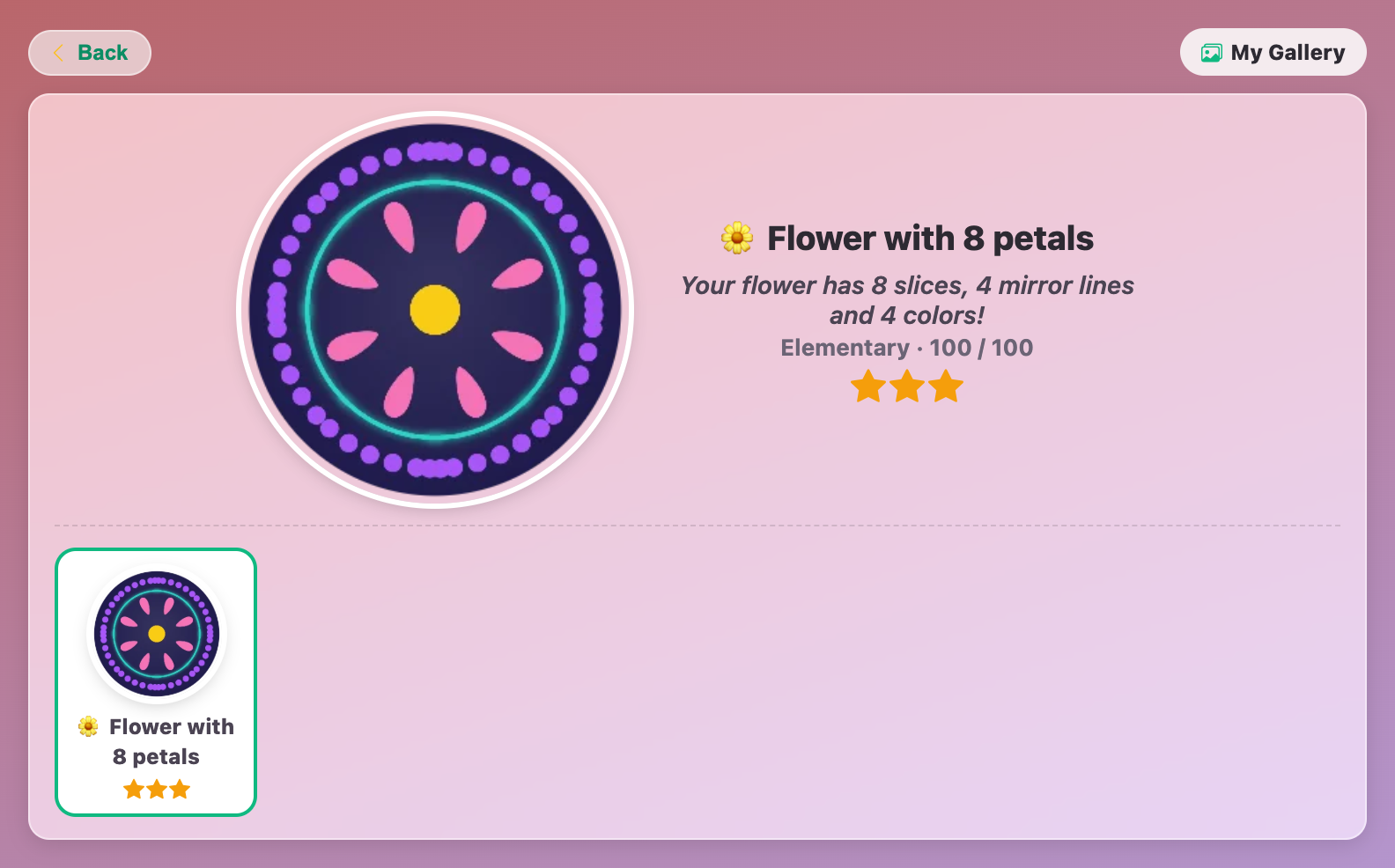
The My Gallery screen showing a saved flower kaleidoscope with pink petals, a glowing teal ring and purple dots
More Art Games
 68.4K plays
5.0
Magic Crossbow: Line Hunt
Hunt down every zigzag, wavy or spiral line with your magic crossbow and learn the lines artists use! Little ones spot straight, zigzag, wavy, thick and thin lines, bigger kids find dotted, dashed, parallel and crossing lines and tell geometric shapes from organic ones, and big kids track down textures like hatching, cross-hatching and stippling.
 112.9K plays
5.0
Masterpiece Slider
Slide the tiles to fix a famous painting! The Starry Night, the Mona Lisa, The Great Wave and more are cut into tiles and mixed up, with one tile missing. Slide them back into place, then guess who painted it for bonus stars and read the museum label to learn one amazing fact. Small kids slide 8 tiles with numbers to help, big kids take on 15.
 125.4K plays
5.0
Shape Monster Maker
Build a silly monster out of shapes! Pick circles, squares, triangles and stars, then add googly eyes, fangs, horns, wiggly arms, legs, wings and spots. Drag every part into place, make it bigger or smaller, turn it, flip it and paint it any color. Each monster order asks for something different, like a triangle body with 3 eyes and blue spots, and big kids solve tricky orders such as twice as many horns as eyes. When the order is done, your monster dances and says something funny, then moves into your gallery.
 75.3K plays
5.0
Doodle Finish
The game draws a funny squiggle: what can it become? Add to it with pens, rainbow ink, paint and googly eyes, turn a blob into a monster or a loop into a snail, then give your doodle a name. There are no wrong answers! Fill the whole page for extra stars, and see every squiggle next to your finished drawing in your before-and-after gallery.
Most Played Games
 1.8M plays
4.9
Color & Draw
A free-drawing canvas with colors and brush sizes to unleash your creativity.
 154.5K plays
5.0
Mood Palette
Decide which color best fits a mood or theme before time runs out.
 584.9K plays
5.0
Tiny World Builder
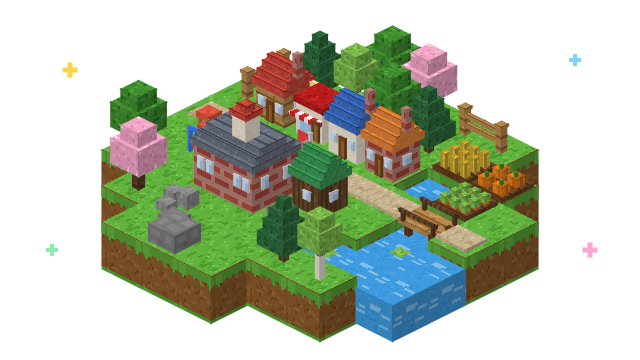
Start with a tiny empty island and build your own blocky village — plant grass and trees, lay roads, and unlock houses, farms, a school and more!
 174.6K plays
4.9
Color Mixing
Look at two paint colors and pick which color they mix together to make.
Comments (52)