
Gomoku – Five in a Row
137.3K playsPlace your stones on the board and be the first to get five in a row — across, down, or diagonal — against the computer or a friend.
In Japanese, go means five, and moku is a word for the stones on a game board. Put them together and you get Gomoku, a game whose whole name tells you how to win: get five stones in a row! It uses the same round black and white stones as the famous game of Go. The rule is so easy that you can learn it in one minute. The fun part is that the other player is trying to do the very same thing at the very same time.
On KidWorld, Gomoku for kids comes on a warm wooden board. You can play with classic stones, or swap them for dinosaurs, rockets, puppies or fruit. Play against a friendly computer with four skill levels, pass the device to a friend, or sit back and watch two computers battle. Kids have played it more than 130,000 times, and families rate it 4.9 out of 5 stars. Ready to line up five?
⚫⚪ Five Stones, One Line: Meet Gomoku
Gomoku is a two-player game on a grid of lines. One player uses black stones and the other uses white stones. You take turns placing one stone at a time on a crossing point. That is a spot where a line going across meets a line going down, just like the corner of a window pane.
Stones never move once they are placed, and nobody captures anybody. The first player to make an unbroken line of five stones wins. The line can go across (a row), down (a column), or diagonal (slanting from corner to corner, like a slide).
On KidWorld, a line of six or more also wins, so you never have to count extra stones by accident. If every single point gets filled and nobody makes five, the game is a draw.
📜 A game with a long history
People in Japan have played Gomoku for well over a hundred years, often on a Go board with Go stones. Long ago it traveled to England too, where some people called it Gobang. Black always moves first, and moving first is a real head start. Grown-up tournaments even add extra rules to slow Black down a little. KidWorld keeps the friendly, simple version: five or more in a row wins, for both colors.
🛠️ Setting Up and Playing Gomoku on KidWorld
The game starts the moment the page loads. The very first time, you play against the computer on Medium, you go first with black stones, and the board is the Medium 13 by 13 size. After that, the game remembers the setup you picked last, for one day on that device.
Open the setup screen: tap the ⚙️ Change Setup button at the top of the game. Here you choose everything about your match, then tap the big green ▶️ Start Game button.
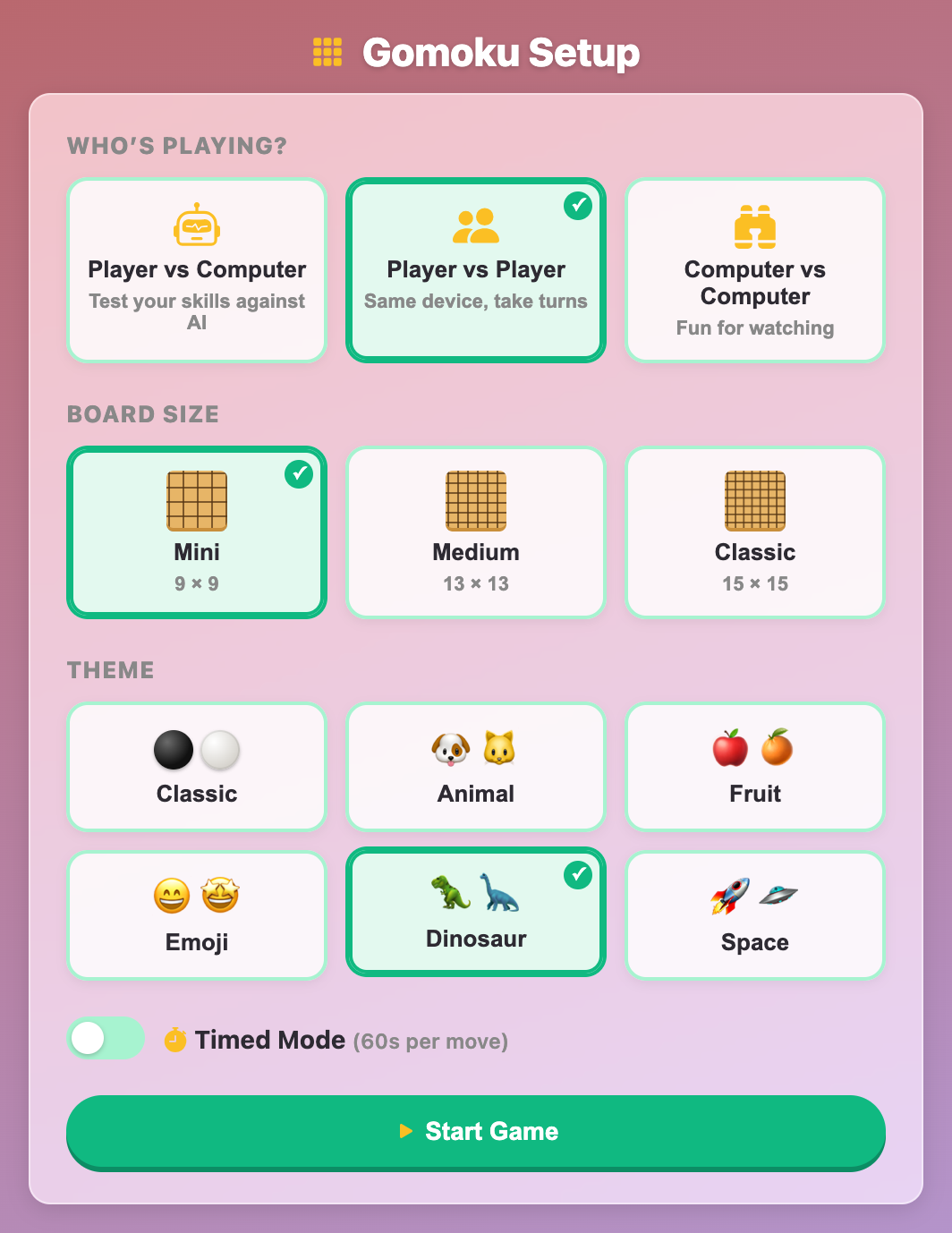
Choose who is playing: pick Player vs Computer to play the robot, Player vs Player to take turns with a friend on the same screen, or Computer vs Computer to watch two computers play each other.
Pick a difficulty: when a computer is playing, choose Easy (mostly random moves), Medium (always blocks a line of four and often blocks threes), Hard (spots every threat) or Expert (hunts for forced wins and is extremely tough to beat).
Decide who goes first: against the computer, pick You go first to play black, or Computer first to play white. Black always makes the first move.
Choose a board size: Mini is 9 by 9, Medium is 13 by 13, and Classic is 15 by 15, the size many real Gomoku players use. A smaller board means a shorter game.
Pick a theme: Classic gives you shiny black and white stones. You can also pick Animal 🐶🐱, Fruit 🍎🍊, Emoji 😄🤩, Dinosaur 🦖🦕 or Space 🚀🛸. With emoji themes, each player's pieces sit on a little colored circle, pink for the first player and blue for the second, so you can always tell them apart.
Turn on Timed Mode if you like: each move then gets 60 seconds, shown by a ⏱️ countdown next to the turn message. If the time runs out, the game places a stone for you on a random spot next to the other stones.
Place your stones: tap or click any empty crossing point. On a computer with a mouse, a faint stone shows where yours will land before you click. The newest stone on the board always wears a small red dot, so you can spot the last move at a glance. The glowing name card at the top shows whose turn it is.
Use ↩️ Undo to try again: on your turn, Undo takes back your last stone. Against the computer, it also takes back the computer's answer, so you are back at the same choice.
Ask for a 💡 Hint: you get 3 hints each game, and the button shows how many are left. A hint makes a green ring glow for about two seconds on the point the Expert computer would choose. Sometimes that is an attacking move, and sometimes it is a block you might have missed.
Win and see your score: when someone makes five, the winning stones pulse with a green glow. Then a result card shows your score out of 20, how many stones were played, and your stars ⭐. A win is worth 20 points, a draw 10 and a loss 0. Each hint you used takes away 2 points, but your score never drops below zero. Tap Play Again for a new game with the same setup, or Change Setup to try something new.
Use the page buttons: the buttons at the corner of the game turn the music on or off, restart the game, or make it fill the whole screen, which is great for the big 15 by 15 board.
🧩 Line Words Every Gomoku Player Should Know
A few simple words make Gomoku much easier to think about. You will see them all through the tips below.
Block: putting your stone at the end of someone else's line so it cannot grow that way.
Open end: an empty point right at the end of a line. A line with empty points at both ends is called open.
Open three: three stones in a line with both ends open. It is a warning sign, because next turn it can become an open four.
Four: four stones in a line with one way left to finish five. The other player must block it right away.
Open four: four stones in a line with both ends open. There are now two ways to finish, and a player can only block one. An open four almost always wins.
Gap: an empty point in the middle of a line, like stone, stone, empty, stone. Filling a gap can finish a line just as well as adding to the end.
🏆 Gomoku for Kids: Winning Moves, Step by Step
Gomoku looks simple, but good players are always doing two jobs at once: building their own lines and watching the other player's lines. These tips go from first-game basics to the tricks that beat the Hard and Expert computers.
👀 Ask two questions before every move
Before you tap, stop and ask: "Can I make five right now?" If yes, do it and win! If not, ask: "Can the other player make five on their next turn?" If yes, you must block that spot now, even if you had a cool plan somewhere else.
This tiny habit wins more games than any fancy trick. Many games are lost simply because a player was busy with their own line and never noticed a four across the board. The red dot on the newest stone helps here: look at it first, because the other player's last move is usually where the danger is.
🎯 Start near the middle
A line of five needs room to grow. A stone near the edge can only grow one way, but a stone in the middle can grow in eight directions. That is why the computer likes to play near the center, and why you should too.
After that, keep your stones fairly close together. Stones far apart cannot help each other. Stones one or two points apart can join up into lines in many directions at once.
🛑 Stop open threes early
When the other player gets three stones in a row with both ends empty, block one end right away. Why so early? If you wait, they add a fourth stone and make an open four. Then they have two ways to win, and you can only block one of them.
A three that is already blocked at one end is much less scary. It can only become a regular four, and you can block that when it happens. Save your moves for the open threes.
✌️ Make two threats with one stone
This is the big secret of Gomoku. One stone can belong to two lines at the same time, one going across and one going down, or one going across and one going diagonal. If one move creates two threats, the other player can only block one, and you finish the other.
The strongest version is the four-three: a single stone that makes a four in one line and an open three in another. The other player must block your four, and then your three turns into an open four. Two open threes at once, a double three, works in a similar way. The Hard and Expert computers look for exactly these moves, so learn to spot them for yourself too.
🕳️ Remember the gap trick
Lines with a hole in them are sneaky. Stone, stone, empty, stone, stone is just one move away from five, because the empty point in the middle finishes it! Beginners often only watch the ends of lines and miss these gaps.
Use gaps yourself too. A spread-out shape like stone, empty, stone, stone is harder to notice than three stones side by side, but filling that gap makes it a four.
↘️ Watch the diagonals
Lines going across and down are easy to see. Diagonal lines are the ones that surprise people. After each of the other player's moves, trace the two diagonals through their new stone with your eyes, not just the row and the column.
⚫ Going first is a head start
Black moves first, and that extra stone really helps. If you are learning, pick You go first so you have the head start. When winning starts to feel easy, pick Computer first and play white. Now you must defend carefully at the start and wait for your chance to attack.
📚 Learn from your mistakes
Just placed a stone and then spotted a danger you missed? On your next turn, tap Undo to take back your stone and the computer's answer, and try a better move. Once someone makes five, the game is over, so use Undo early. After a loss, think back to the moment the computer made two threats at once, and watch for that shape next time. You can also watch Computer vs Computer on Hard and see how each computer blocks open threes and builds double threats. Watching strong players is one of the fastest ways to get better.
🧪 Try These Board Stories in Your Head
These short stories describe real moments you will meet in the game. Read each one and think about what you would do before you read the answer.
The quiet four. You are building a nice row of three near the middle. Then you notice the computer has four white stones going down the left side, with an empty point below them. What do you do? Answer: block the empty point below the four right now. Your row can wait. If you do not block, the computer makes five on its next turn.
The open three. The other player has three stones going across, with empty points on both the left and the right. What happens if you ignore it? Answer: next turn they add a fourth stone, and it becomes an open four with two empty ends. You can only block one end, so they win at the other. Block one end of the three now, while you still can.
The corner move. You have three black stones going across, but the left end is already blocked by a white stone. You also have two black stones going straight down, with lots of empty space above and below. That column points at the empty spot just right of your row. What is the best move? Answer: play that shared empty spot. Your row becomes a four, so the other player must block its far end. But your column has become an open three at the same time. On your next turn, you turn it into an open four and win. That is a four-three!
The hidden gap. You see white stones in a row like this: stone, stone, empty, stone, stone. There are only four stones, so is it safe? Answer: no! The empty point in the middle finishes a line of five. Put your stone in the gap right away.
The dinosaur race. In a Player vs Player game on the Mini board, the T-rex player places stones in a slanting diagonal. The long-neck dinosaur player builds a row of three lower down instead of blocking. When the T-rex player gets four in the diagonal with both ends empty, the long-neck player blocks the top end. But the bottom end is still open, and the T-rex finishes five! The lesson is that one block is not enough against an open four. The time to stop that diagonal was back when it was an open three.
🤖 Getting to Know the Four Computer Players
Each difficulty plays in its own way, so you can climb up one step at a time.
Easy: places mostly random stones near the others and sometimes forgets to block. It is perfect for learning the rules and feeling your first win.
Medium: always blocks a line of four and usually stops open threes. To beat it, try building two threats at once.
Hard: sees every threat on the board and plays its best move almost every time. You will need careful blocking and a well-planned four-three.
Expert: also looks several moves ahead for a chain of fours that forces a win. Beating it is a real achievement, so go first with black and use your hints wisely.
A good path is Easy on the Mini board, then Medium on the Medium board, then Hard, and finally Expert on the Classic 15 by 15 board.
👧👦 Picking the Right Setup for Each Age
This game has no separate age levels. Instead, the setup screen lets each child pick the right challenge. Here is how to match it to your child.
Gomoku for toddlers
For the very youngest players, this works best as a lap game with a grown-up. Pick Player vs Player, the Mini board, and a cheerful theme like Animal or Dinosaur. Let your little one tap wherever they like and cheer when their pieces line up. Counting the stones in a line out loud, one, two, three, four, five, turns it into a counting game too.
Gomoku for preschoolers
Four- to six-year-olds can start against the computer on Easy with the Mini board and You go first. Short games keep attention strong. Help your child notice lines that go across, down and slanting, and praise every block: "You stopped the robot's line!"
Gomoku for elementary kids
For kids in the early school years, the game gets exciting on Medium and Hard with the 13 by 13 board. This is the age to learn open threes, fours and the two-question check. The three hints and the Undo button are great teachers here. Player vs Player is also a lovely way to play with a brother, sister or classmate.
Gomoku for tweens
Older kids are ready for the Classic 15 by 15 board and the Expert computer. Try playing white with Computer first, switch on Timed Mode, and play with no hints for a full 20 points. Tweens can also study Computer vs Computer games to find the four-threes and double threes.
💡 What Five in a Row Teaches a Growing Brain
Every Gomoku game is a little lesson in thinking ahead. When you see the computer's open three and block it before it grows, you are learning to spot trouble early. When you plan one stone that makes two threats, you are learning to think two moves ahead.
The board also trains your eyes. Rows, columns and diagonals all count, so you practice seeing patterns in every direction, a real shape-and-space skill. Counting to five over and over is great number practice for the youngest players.
There are gentler lessons too. Player vs Player means taking turns and being a kind winner or a good loser. Undo shows that a mistake is something you can learn from, not something to be upset about. And Timed Mode helps older kids stay calm and focused when the clock is ticking.
🧡 A note for parents
Gomoku is a calm, friendly game with no scary pictures and no chat inside the game. When two people play, they share one screen, so there are no strangers. It practices planning, focus, pattern spotting and patience. A game on the Mini board takes just a few minutes, which makes it a perfect quick brain break. Stars and scores reward good thinking instead of fast tapping.
So grab your black stones, or your dinosaurs, rockets or puppies, and see if you can line up five before the computer does. Whether you are four or twelve, Gomoku for kids on KidWorld is ready whenever you are. Have fun, and good luck! 🎉
🖼️ See the Game in Action
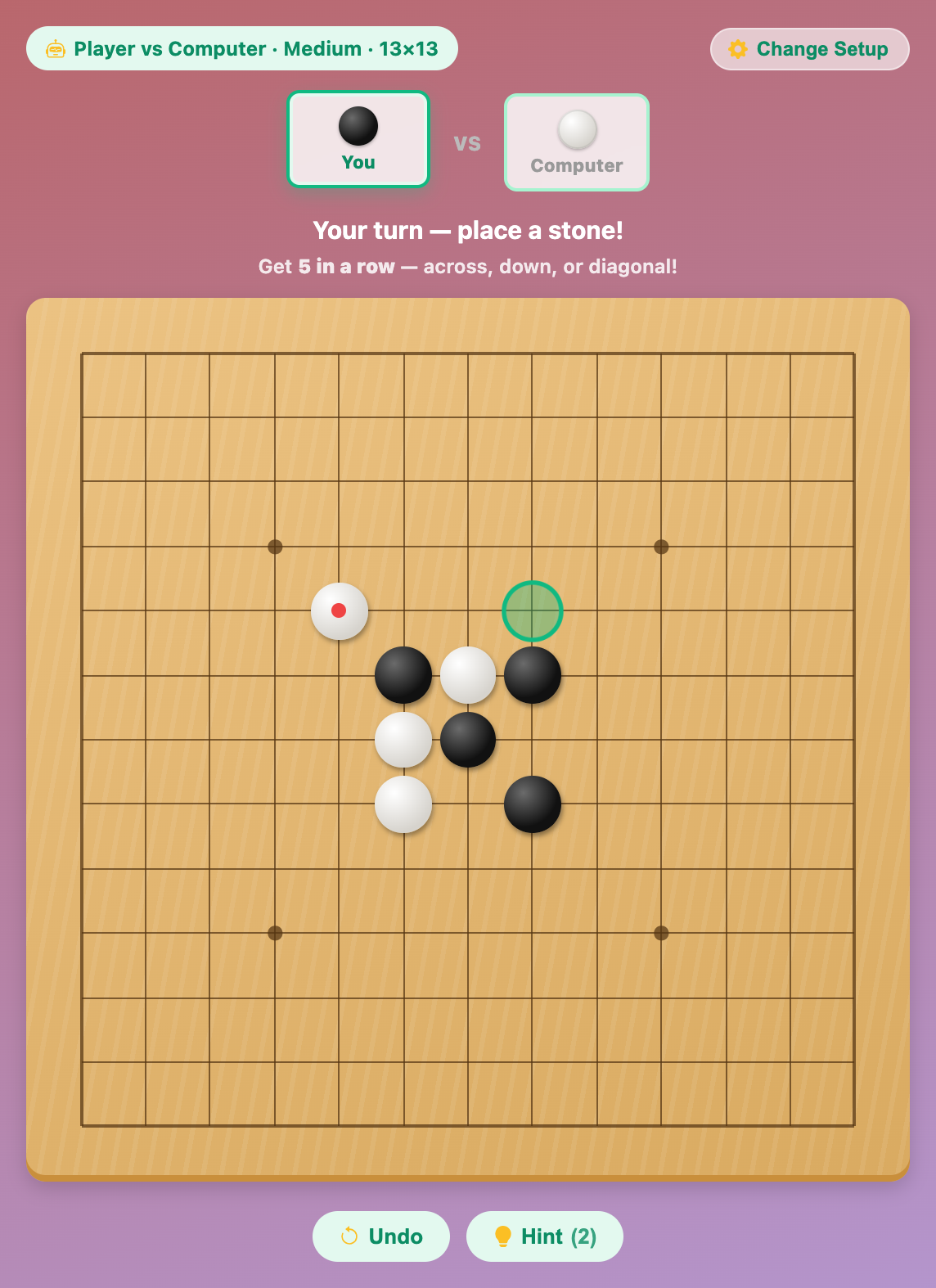
A Gomoku for kids game against the computer on the 13 by 13 board, with a green hint ring glowing
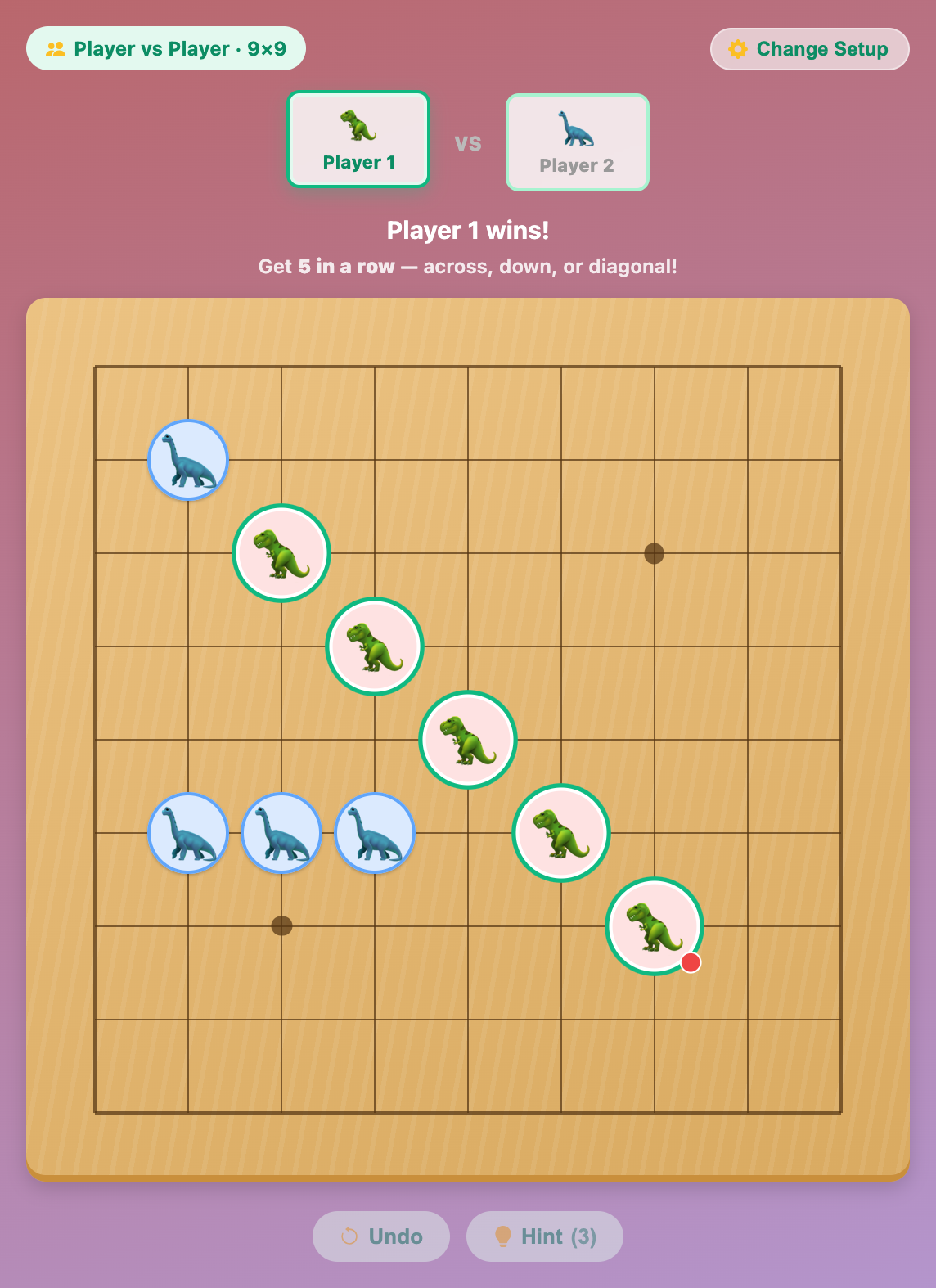
A T-rex player winning Gomoku with five dinosaurs in a diagonal line on the Mini board
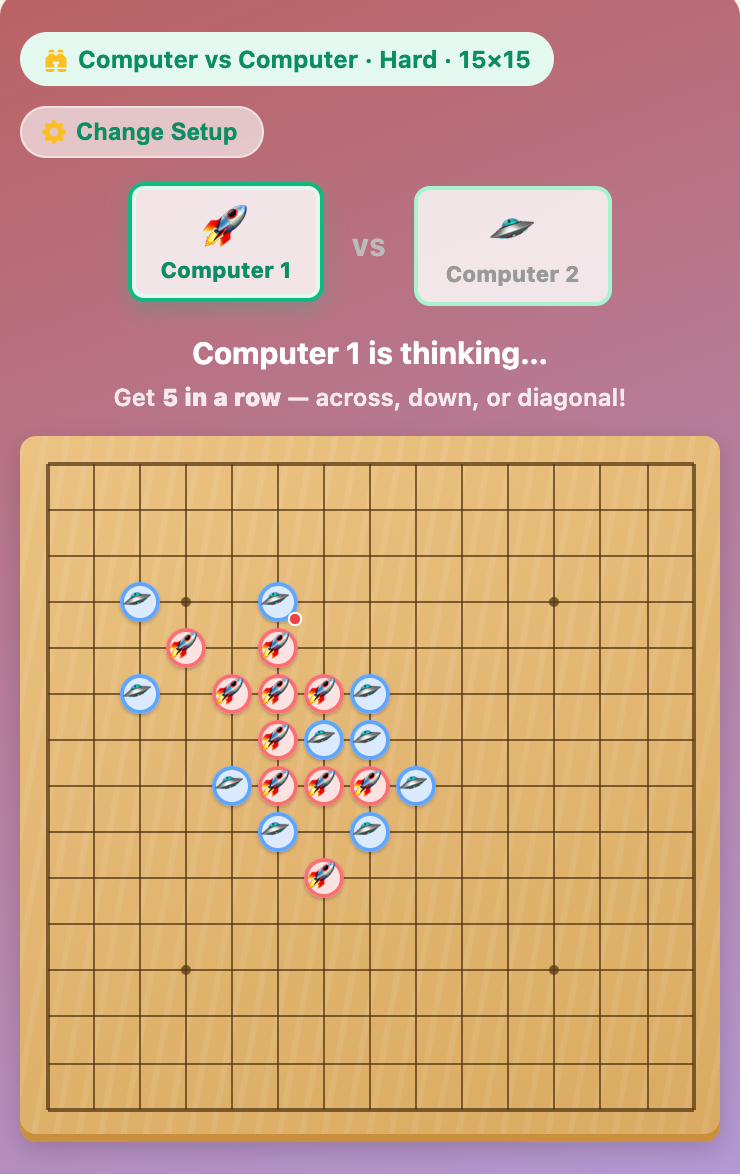
Two computers playing Gomoku with rocket and flying saucer stones on the Classic 15 by 15 board
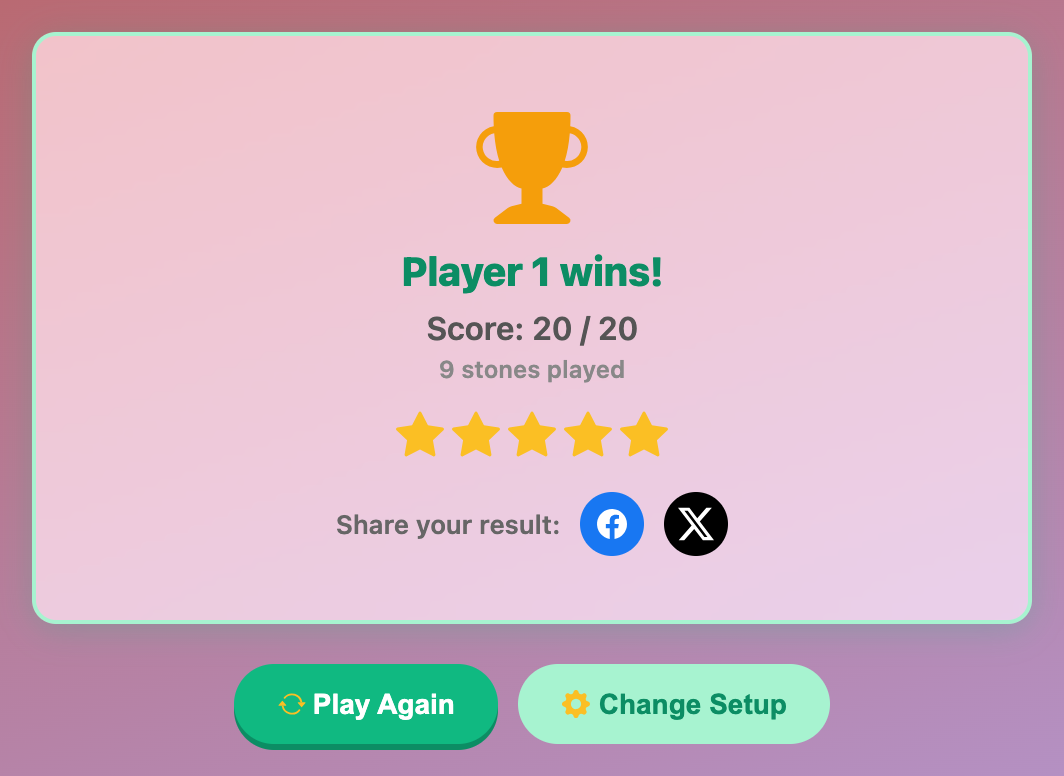
The Gomoku result card with a gold trophy, a score of 20 out of 20 and five stars
More Mind Games
 365.5K plays
4.9
365.5K plays
4.9
Tic-Tac-Toe
Play a game of Tic-Tac-Toe against the computer and see if you can outsmart it.
 1.1M plays
4.9
1.1M plays
4.9
Chess
Play the classic game of chess against the computer or a friend, with FIDE time controls, hints, and undo.
 568.6K plays
4.9
568.6K plays
4.9
Connect Four
Drop your pieces and be the first to connect four in a row against the computer or a friend.
 244.7K plays
5.0
244.7K plays
5.0
Tower of Hanoi
Move the stack of rings from one tower to another without ever placing a bigger ring on a smaller one.
Most Played Games
 1.8M plays
5.0
1.8M plays
5.0
Color & Draw
A free-drawing canvas with colors and brush sizes to unleash your creativity.
 59.3K plays
5.0
59.3K plays
5.0
Recycling Sort
Sort everyday items into the Recycle, Compost, or Trash bin before time runs out!
365.5K plays
4.9
Tic-Tac-Toe
Play a game of Tic-Tac-Toe against the computer and see if you can outsmart it.
1.1M plays
4.9
Chess
Play the classic game of chess against the computer or a friend, with FIDE time controls, hints, and undo.
Comments (25)