
Ten Frame Fill
32.8K playsFill the ten frame with smiley counters! Tap the squares to show a number, then count the empty squares to see how many more make 10. Little ones build numbers up to 10, preschoolers use two frames for teen numbers like 10 + 4 = 14, and older kids fill the top frame first to solve sums like 8 + 5. Every round is a picture, with a friendly voice to read it aloud.
Ten is the most helpful number a young math learner can know, and a ten frame is the easiest way to see it. Ten Frame Fill for kids is a free math game where you tap smiley counters into a wooden frame of 10 squares, then answer a question about the picture you built. It teaches counting, "how many more make 10", teen numbers and adding or taking away across 10, for children from about age 2 to 12.
There is no clock and nothing to download. You play right here in your browser, on a computer, a tablet or a phone, and you don't need an account. Every round is a fresh picture: red counters, blue counters, crossed-out counters and empty squares that all tell you something. Read on to learn how the game works, five rounds solved step by step, and which level fits your child.
🟫 Ten Frame Fill for Kids: Two Rows of Five, One Big Idea
A ten frame is a box with 2 rows of 5 squares. Each square holds one counter, so a full frame always holds 10. Teachers use real ten frames in classrooms all over the world, with plastic chips or buttons. In this game the frame is made of wood and the counters are round, red or blue, with happy little faces.
Why does a frame help? Because your eyes can read it without counting one by one. A full top row is 5. A full top row plus 2 in the bottom row is 7. And the empty squares show you, right away, how many more you need to make 10. When a number is bigger than 10, the game stacks a second frame under the first. A full frame gets a green 10 badge, so you can see "one ten and some more".
The goal of every round is simple: build the number the game asks for, press Done, then pick the right answer from the buttons below the frame.
👆 Your First Round, Tap by Tap
Pick your level. The Choose Your Level screen has four cards: Toddlers (ages 2–4), Preschool (ages 4–6), Elementary (ages 6–10) and Tweens (ages 10–12). If the game starts on a level you don't want, press Change Level at the top right. The game remembers your choice next time.
Read the card at the top. It shows the big number or sum, like 7 or 8 + 5, and what to do: "Put 7 counters in the frame." Little ones also see a row of red dots beside the number.
Tap squares to put counters in. Tap an empty square and a counter pops in. Tap that counter again to take it out. The Clear button empties everything you put in during this step, so you can start the step over.
Listen to the tip line. Under the frame, a short tip helps you. If you tap a square you're not allowed to use, that square gives a little shake and the tip says why, like "Fill the top frame first, to make 10!" These taps never cost you anything.
Press Done. The game checks your frame. If the count is wrong, the frames shake and the tip tells you exactly what's off: "You have 8 counters. We need 7. Take 1 out!" Fix it and press Done again.
Answer the question. Now the buttons change into answer choices: 3 for Toddlers, 4 for everyone else. The question might be "How many empty squares?", "How many more to make 10?", "10 and 4 make how many?" or "So what is 8 + 5?". If you pick a wrong one, that button turns grey, the tip gives you a clue, and the squares that matter glow one by one. Then you pick again.
See the number sentence. When you get it right, the card shows what you built as math, like 7 + 3 = 10. For bigger sums it adds a helper line, like "8 + 2 = 10, then 10 + 3 = 13".
Go to the next round. A big Next button counts down from 5 and moves on by itself. It waits while the voice is still reading, so nothing gets cut off. You can also tap it, or press Enter or Space on a keyboard.
Collect your points. The flag at the top shows which round you're on, and the star shows your points. Each round has 2 points: one for building the frame right on your first Done, and one for picking the right answer on your first try.
Finish and replay. After the last round you get the Ten Frames Filled! card with your final score out of 100, how many frames you built first try, how many you answered first try, and up to 5 stars. Press Play Again for new rounds, or Choose Another Level.
Use the helper buttons. Every question, tip and the "How to play" box has a 🔊 button that reads it out loud. Around the game you'll also find the fullscreen button (to make the game big), the reload button (to start fresh) and the music button (to turn sound on or off).
🧮 Getting Every Frame Right: Tips from Easy to Clever
You can't lose a round in this game. You always get to fix your frame and keep picking until you're right. But if you want the full 2 points every round, and the shiny trophy at the end, these tips will help. They start easy and get cleverer.
1. Fill the top row first
The game lets you tap any empty square. But if you fill the top row from left to right, then the bottom row, your frame is much easier to read. Five in the top row is always 5. So 5 on top and 3 below is 8, and you don't have to count each one. This is how real teachers fill ten frames too.
2. Count the empty squares, not the counters
On Toddlers and Preschool, the question is about the empty squares. The game knows this is tricky, so one of the wrong answers is always the number of counters you just put in. If you built 7 and the buttons say 3, 4 and 7, the 7 is the trap! Point at each empty square with your finger and count those. If you do pick the trap, the tip says "That's how many counters there are. Count the empty squares!"
3. Learn the pairs that make 10
There are only five pairs to learn: 1 and 9, 2 and 8, 3 and 7, 4 and 6, and 5 and 5. Every one-frame round in this game is one of these pairs. After a few games you'll see 6 counters and just know the empty part is 4. That's the moment the game is really working.
4. Check before you press Done
Your first point comes from a right frame on the first Done. So take one second to check before you press it. Is it the number on the card? On Elementary, is the top frame completely full? A blocked tap costs nothing, but a wrong Done does. And if you press Done with nothing in the frame, that's just a reminder, not a miss.
5. A full frame is the 1 in a teen number
On Preschool, some rounds start with the top frame already full and locked. That full frame is 10. You only fill the bottom frame. So "10 and 4" is 14: the 1 stands for the full frame, and the 4 stands for the 4 counters below. Watch out for two traps in the answer buttons: the flipped number (41 instead of 14), and the ones on their own (just 4). The 10 never goes away!
6. Make 10 first, then add the rest
On Elementary, every sum crosses 10, like 8 + 5 or 7 + 6. First you put in the red counters for the first number. Then the blue counters must fill the gaps in the top frame before any go below. That's on purpose! You're splitting the second number into "the part that makes 10" and "the part that's left". When the top frame is full, the sum is easy: 10 plus whatever is in the bottom frame.
7. When you take away, go back to 10 first
On Tweens, half of the rounds are take-aways, like 13 − 5. You tap red counters to cross them out with a grey X. Tap a crossed counter again to bring it back. The game makes you cross out the bottom frame first. Why? Because once the bottom frame is empty, you're back at exactly 10, and taking away from 10 is easy. Then the answer is just the red counters left.
8. Use the 🔊 buttons
If a word in the question is hard to read, tap 🔊 beside it. It reads the question in a friendly voice, and it says sums in words ("8 plus 5", "13 take away 5"). There's a 🔊 next to the tip too, so you never have to guess what a clue means.
9. Know how the stars work
Your final score is your points out of all the points you could get, turned into a score out of 100. A perfect game is 100. Score 90 or more for 5 stars and a gold trophy, 70 or more for 4 stars, and 50 or more for 3 stars. Since every round has the same 2 points, one careful round counts as much as any other. Slow and right beats fast and wrong here.
If you like seeing numbers as dots, try Flash Dots next. It flashes dice faces and ten frames for a moment, and you say how many you saw without counting one by one. It's the perfect partner to everything you learned here.
✏️ Five Rounds Solved Out Loud
Here are five real kinds of rounds from the game, one for each skill. Try saying each step out loud, the way the game's voice does.
Example 1: Toddlers, the number 7
The card says 7 with seven red dots, and "Put 7 counters in the frame."
Tap the whole top row: 1, 2, 3, 4, 5. Then 2 more in the bottom row: 6, 7. With the sound on, the game counts along with every tap.
Press Done. Now the question is "How many empty squares?" The buttons might show 3, 4 and 7, each with little rings under the number.
Count the empty squares in the bottom row: 1, 2, 3. Pick 3. The card shows 7 + 3 = 10.
Fun fact from the game: when the number is 10, the frame is full and the right answer is 0, shown as "none" under the button.
Example 2: Preschool, how many more to make 6 into 10
The card says 6. Fill the top row (5) and one more below (6).
The question is "How many more to make 10?"
Look at the bottom row: 1 counter and 4 empty squares. So the answer is 4, and the sentence is 6 + 4 = 10.
Example 3: Preschool, the teen number 17
The card says 17, and the top frame is already full: "The top frame is full: that's 10. Put 7 more in the bottom frame."
Fill the bottom frame's top row (5), then 2 more (7).
The question is "10 and 7 make how many?" The buttons might say 16, 17, 19 and 71.
One full ten and 7 ones make 17. Skip 71: that's the digits the wrong way round. The sentence is 10 + 7 = 17.
Example 4: Elementary, 8 + 5
"First put 8 red counters in the top frame." Now the top frame has 2 empty squares.
"Now add 5 blue counters." Put 2 blue counters in those 2 gaps. The top frame is full, and its green 10 badge lights up.
You've used 2 of your 5 blue counters, so 3 are left. Put them in the bottom frame.
"So what is 8 + 5?" One full frame is 10, and 3 more below make 13. The helper line says 8 + 2 = 10, then 10 + 3 = 13.
Example 5: Tweens, 13 − 5
The frames start with 13 red counters: a full top frame and 3 in the bottom frame.
"Tap 5 counters to take them away. Take from the bottom frame first!" Cross out the 3 in the bottom frame. Now you're back at 10.
You still need to take away 2 more, so cross out 2 in the top frame.
"So what is 13 − 5?" Count the red counters left: 8. The helper line says 13 − 3 = 10, then 10 − 2 = 8.
🎂 Which Level Fits Your Child?
Every level uses the same frames and the same friendly counters, but the job changes a lot. No round repeats inside one game, and the same answer never comes twice in a row, so children have to look at every picture fresh.
Ten Frame Fill for toddlers (ages 2–4)
The youngest level has 8 rounds with one frame each. The numbers go from 2 to 10, and each one comes up only once per game. A row of red dots sits beside the number, and the 3 answer buttons show their numbers as little rings too, so a child who can't read numbers yet can still match by looking. With the sound on, the game says the number, counts out loud after every tap, and reads each question. A grown-up sitting close and counting along makes it even better.
Ten Frame Fill for preschoolers (ages 4–6)
This level has 10 rounds in a set pattern. Six rounds use one frame with a number from 1 to 9 and ask "How many more to make 10?". Four rounds are teen numbers on two frames, with the top frame full and locked. That's a gentle first look at place value: the idea that 14 means one ten and four ones. The game still reads everything out loud when the sound is on.
Ten Frame Fill for elementary kids (ages 6–10)
Here you get 10 addition rounds that all cross 10, from 5 + 6 up to 9 + 9. The red-then-blue steps teach the "make 10" way of adding, which many school programs teach in first and second grade. With the sound on, the voice still reads each step and question, and every 🔊 button works for kids who'd rather read alone. Kids who want more speed practice with sums can race through Math Addition Car Race, where every right answer makes the car faster.
Ten Frame Fill for tweens (ages 10–12)
The oldest level mixes 5 addition rounds with 5 take-away rounds, taking turns. Each take-away crosses back over 10, like 15 − 7 or 12 − 4. Older kids who already know these facts can still learn a lot from it: the "go back to 10" trick is a real mental-math tool for bigger numbers too. It also suits an older child who finds subtraction slow or shaky and needs to see why the answer is right.
💛 What Little Mathematicians Take Away
Numbers you can see. When 7 is "a full row and 2 more", a child stops counting on fingers and starts seeing amounts. That's the big step this game is built for.
The friendly pairs of 10. Every one-frame round ends with a sentence like 7 + 3 = 10. After a few games, those pairs start to feel like old friends, and they make later adding and taking away much faster.
Mistakes that teach. Wrong answers in this game are the mistakes real kids make: counting the counters instead of the empty squares, writing 41 for 14, or forgetting the full ten. When a child picks one, the game explains it in a short sentence and makes the right squares glow. It never scolds and never takes the round away.
Careful checking. The first point of every round goes to a frame built right on the first Done. That gently teaches children to stop and look before they say "finished".
Mental math for later. The helper lines, like "8 + 2 = 10, then 10 + 3 = 13", show the very same steps that clever adults use in their heads. Kids learn the trick by doing it with their own taps.
For little ones who love feeding numbers to hungry creatures, Monster Snack Counter is another gentle counting game, where you count cookies into a monster's tummy.
A note for parents and teachers
Ten Frame Fill for kids is calm and safe. There is no timer, no lives and nothing scary, just wooden frames, smiling counters and happy sounds. You don't need to sign up or download anything. It practices counting to 10, number pairs that make 10, teen numbers and place value, and adding and taking away across 10 using the "make 10" strategy. The read-aloud voice lets pre-readers play alone, and the clear number sentence after each round gives you a natural thing to talk about together: "How did you know it was 13?"
Ready to build? Pick a level, tap in your first smiley counter, and see how many frames you can fill on your first try. Ten Frame Fill for kids turns the number 10 into a picture you'll remember, one frame at a time. 🟩
🖼️ See the Game in Action
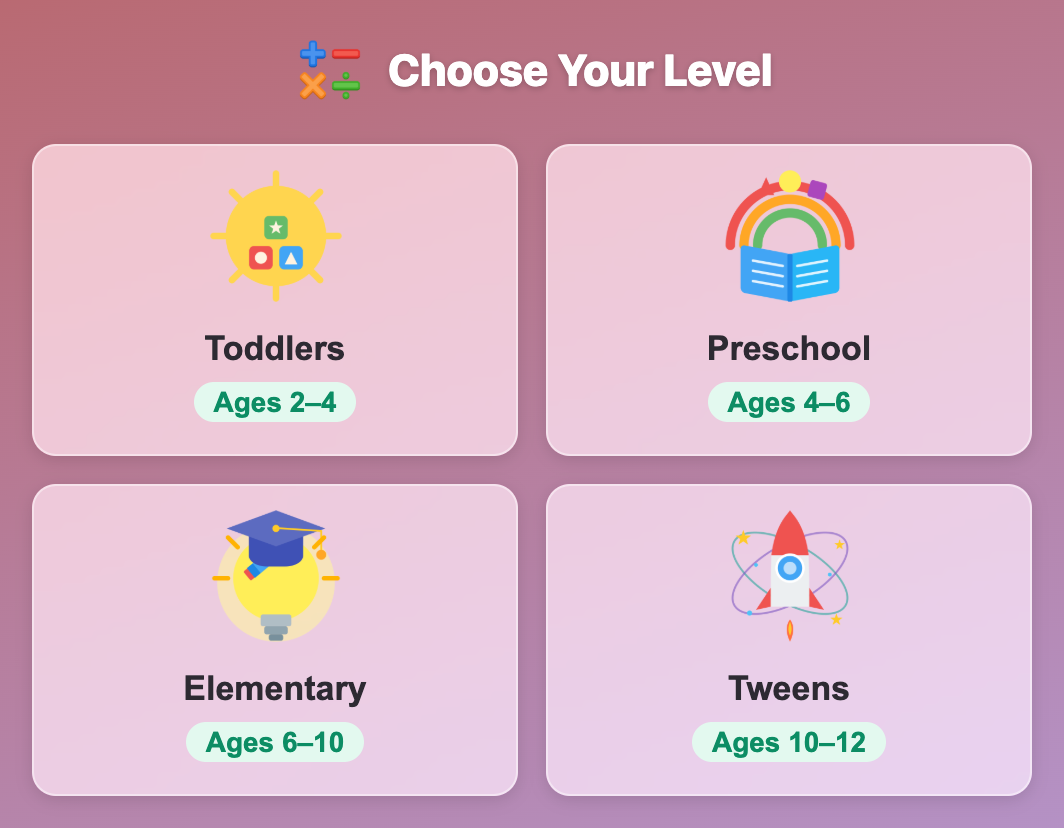
The Choose Your Level screen in Ten Frame Fill for kids, with Toddlers, Preschool, Elementary and Tweens cards
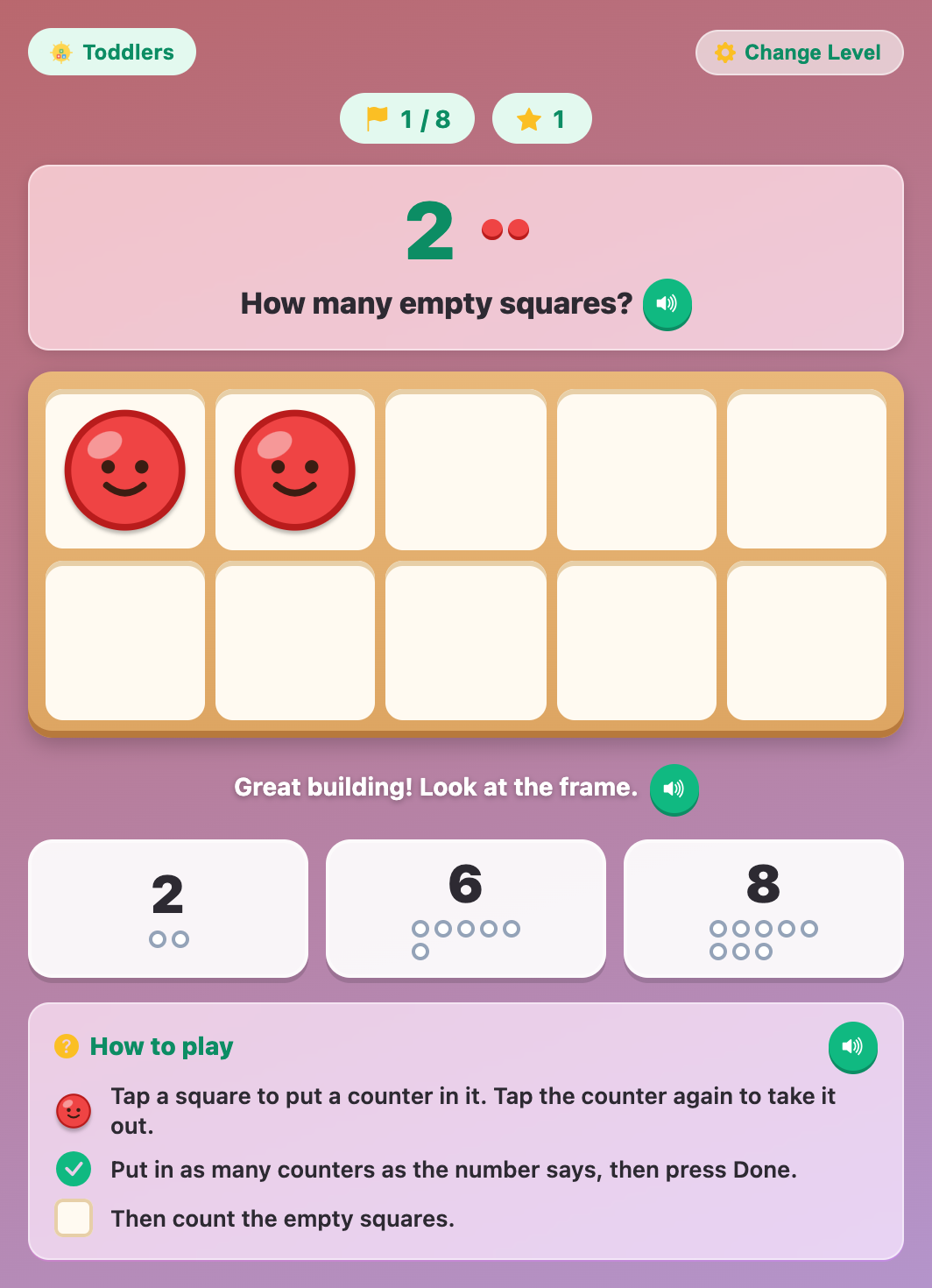
A Toddlers round of Ten Frame Fill with 2 smiley counters in the frame and answer buttons 2, 6 and 8 with little rings
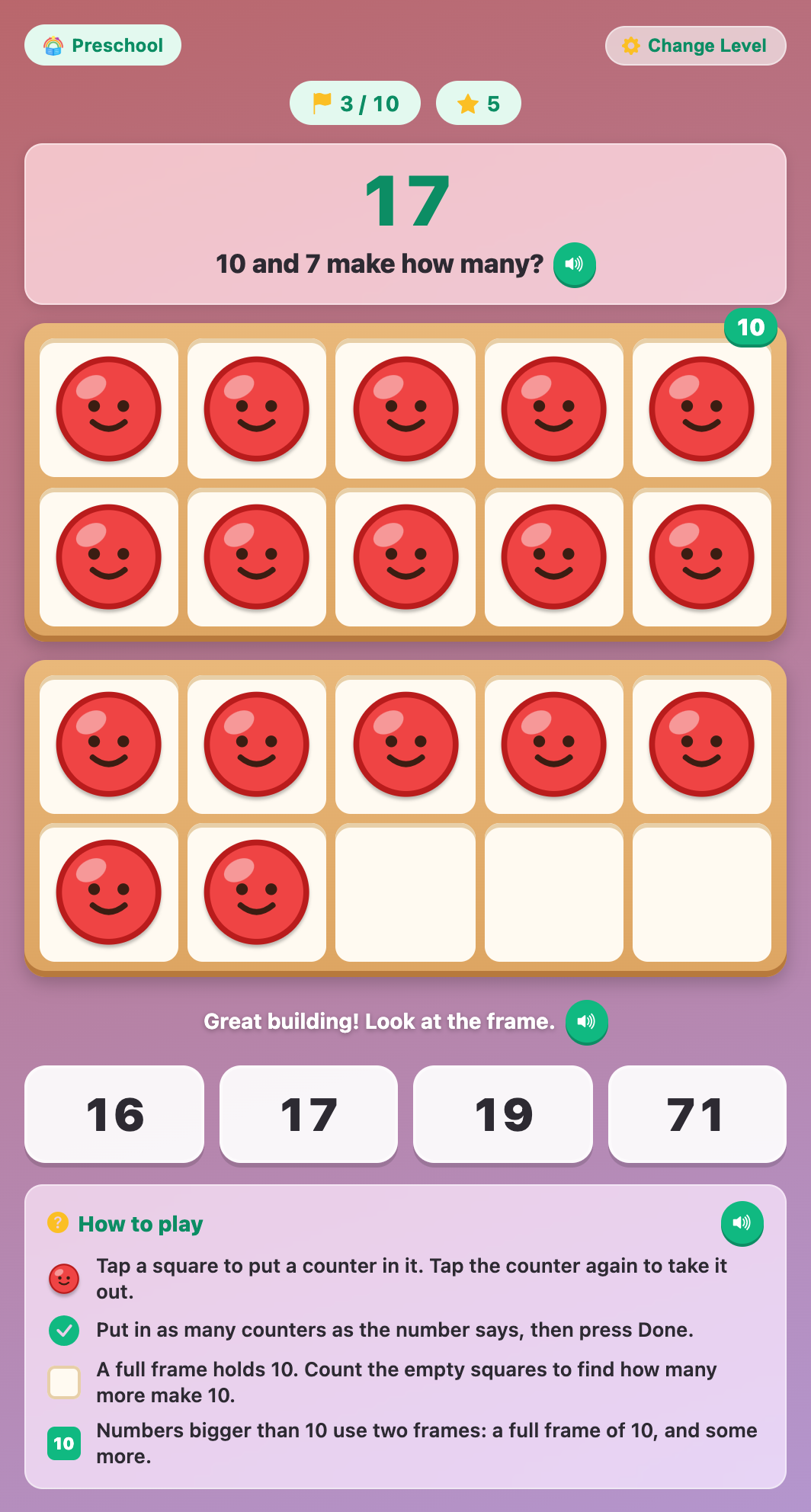
Ten Frame Fill for preschoolers asking 10 and 7 make how many, with a full top frame and 7 counters below
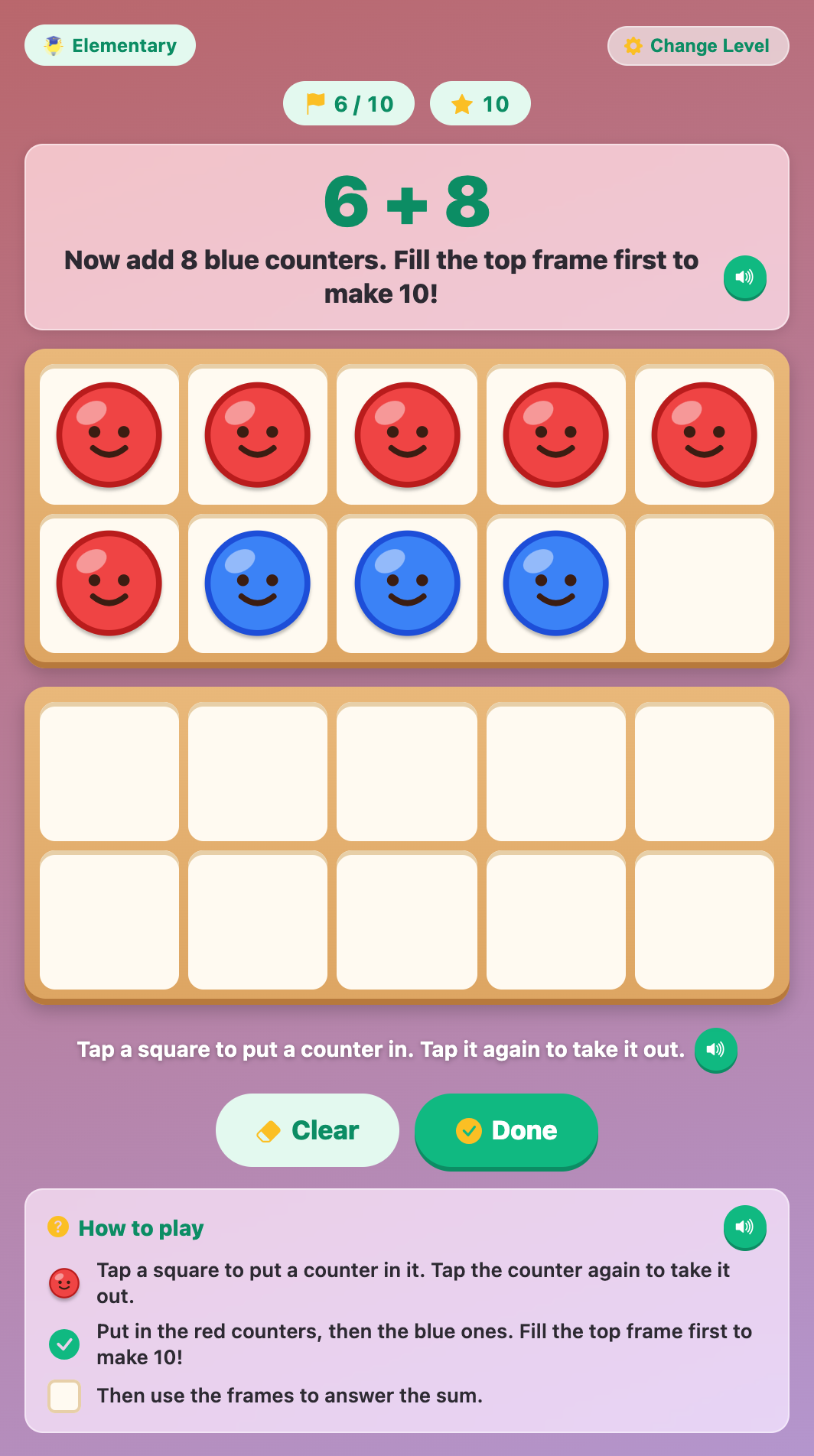
An Elementary round of 6 + 8 with 6 red and 3 blue counters filling the top frame, one square still empty
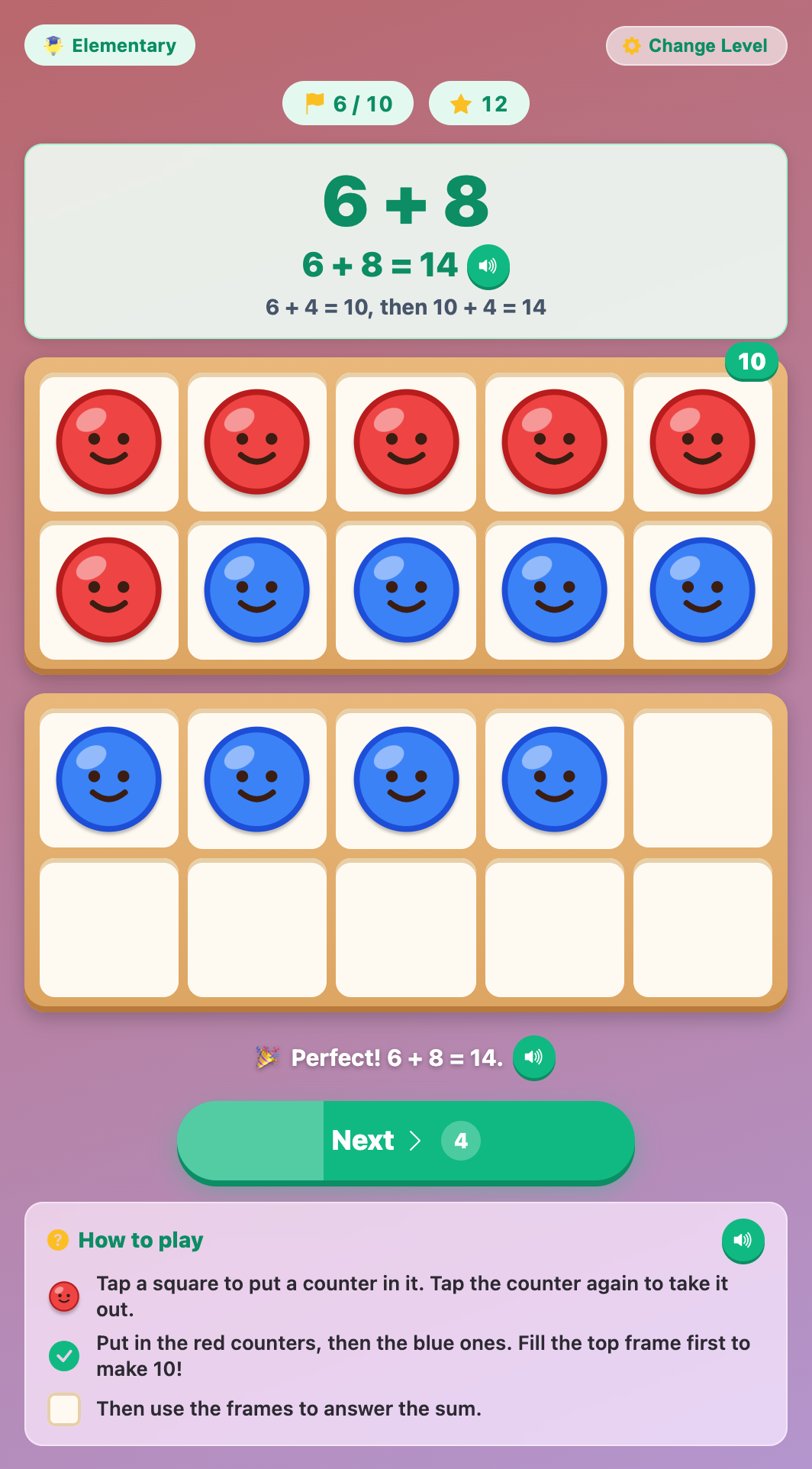
The solved sum 6 + 8 = 14 with the helper line 6 + 4 = 10, then 10 + 4 = 14 above two ten frames
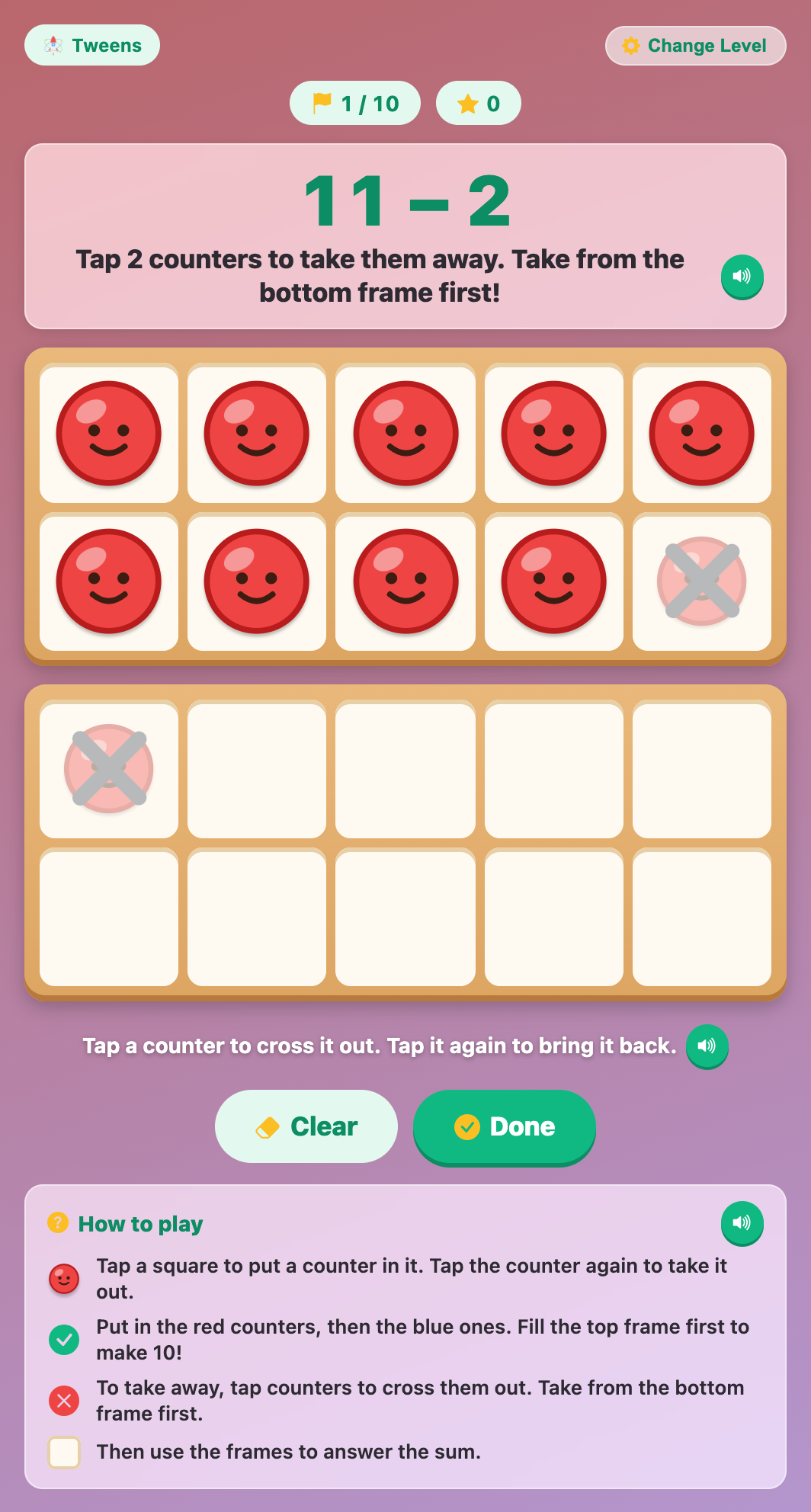
A take-away round of 11 − 2 in Ten Frame Fill for tweens, with one counter crossed out in each frame
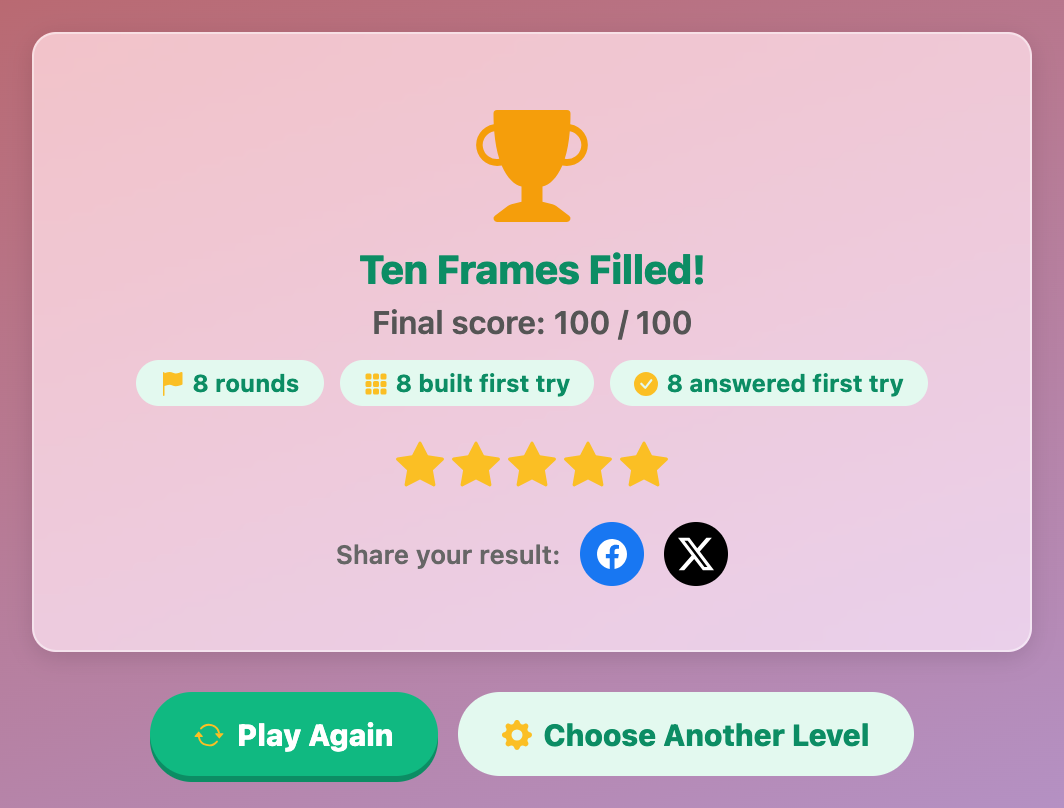
The Ten Frames Filled finish card with a gold trophy, a score of 100 out of 100 and five stars
More Math Games
 93.8K plays
5.0
Multiplication Quiz
Pick your age level and answer fun multiple-choice multiplication questions!
 118.3K plays
4.9
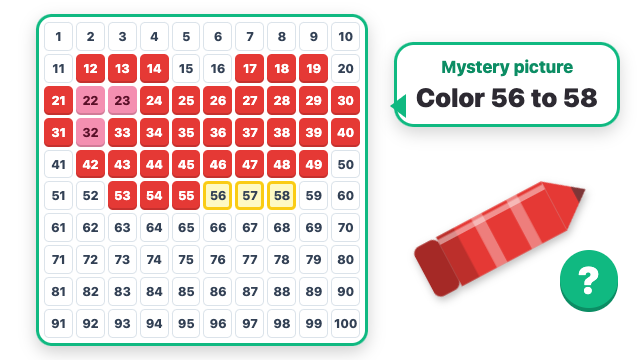
Hundred Chart Mystery Picture
Find the numbers, color the squares and discover the hidden picture! Each clue names squares on a 1 to 100 chart, like "Color 34 to 38", "Color 10 more than 37" or "Color 6 × 7". Every right square fills with its crayon color, and when the last clue is done the numbers fade away to show a rocket, a cat, a sailboat or another mystery picture. Little ones find numbers on a 1 to 25 chart, and bigger kids count by tens, find even numbers and work out multiples.
 93.8K plays
4.9
Math Division Moto Race
Pick your age level, then ride your motorbike through the lane with the right division answer — every correct gate makes you faster!
 48.4K plays
4.8
Flash Dots
Quick, how many dots? A dice face, a ten frame or two groups of dots flash for a moment, then hide. Pick how many you saw, without counting one by one! Every right answer makes the next flash a little faster, and a miss counts the dots out with you. Little ones see 1 to 5, and bigger kids spot "5 and 3 more", full tens and rows of dots.
Most Played Games
 518.5K plays
4.9
Math Temple Escape
Help a baby bunny hop away with the Golden Carrot! Bounce along a pastel temple path in 3D, jump logs, slide under flower garlands and dodge smiling mushrooms while cheeky little monkeys chase you. At every gate, hop under the sign with the right answer to zoom ahead. Counting, adding, subtracting, times tables and division for every age.
 273.8K plays
4.9
Math Horse Derby
Saddle up for a math steeplechase! Every fence has a question: answer right to gallop and jump clean, get three in a row for Carrot Power, and race your horse past the pack to the finish. Count, add, subtract, multiply and divide.
 473.7K plays
4.9
Math Addition Moto Race
Pick your age level, then ride your motorbike through the lane with the right addition answer — every correct gate makes you faster!
 1.1M plays
4.9
Math Moto Race
Pick your age level, then ride your motorbike through the lane with the right answer — every correct gate makes you faster!
Comments (27)